Participant
June 23, 2023
Answered

Virtual Copy page "flip" icon missing

  • June 23, 2023
  • 1 reply
  • 477 views

I have noticed that the little “page flip” that denotes a virtual copy is not showing in Lightroom. I’ve been able to filter them out in the library in attributes but I still don’t see the “page flip” at the bottom left of the image.

I have increased the size of the thumbnails, no luck. Below are my interface settings and while I don't see anything specific to virtual copies, I figured I'd include a screenshot.
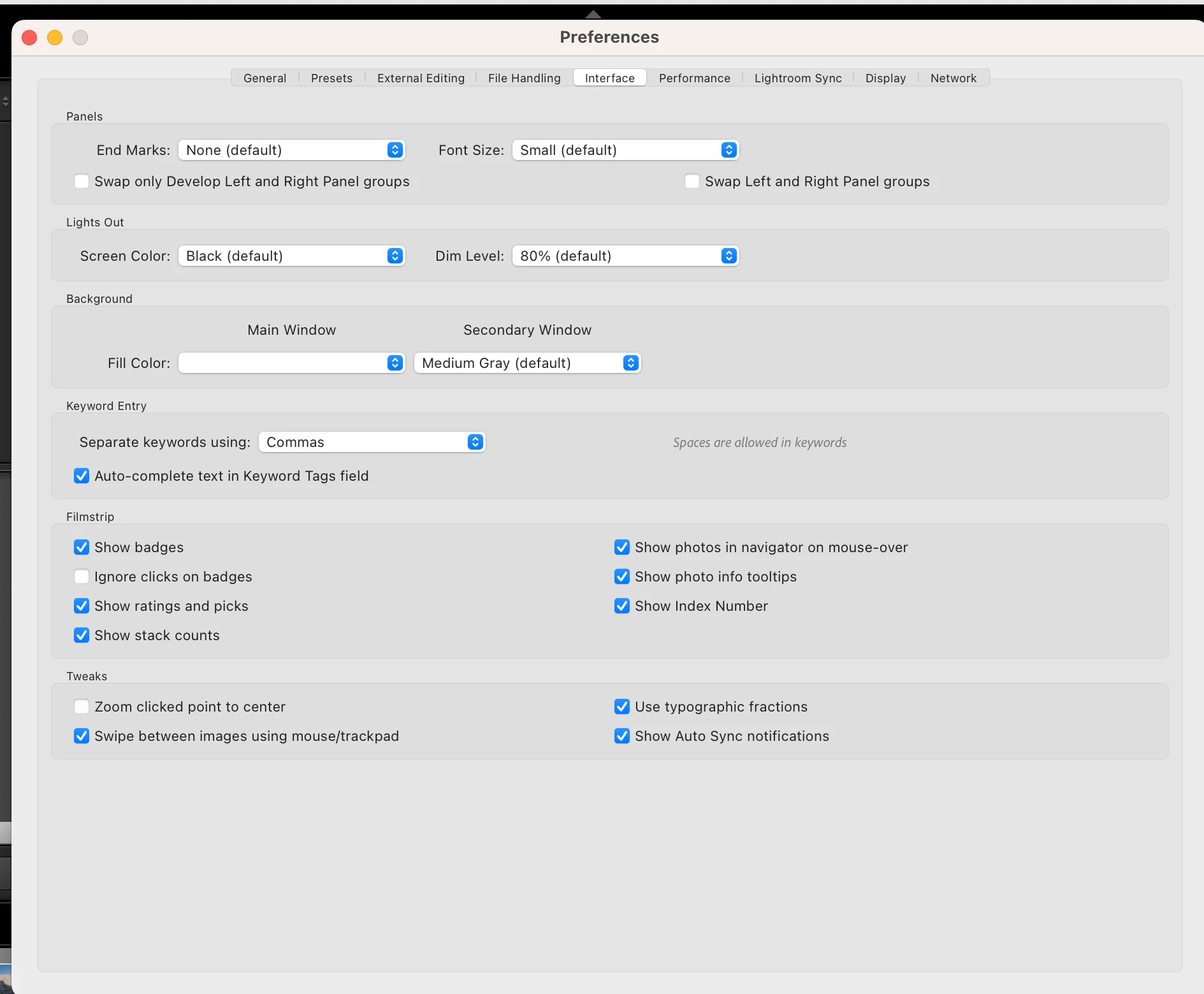
 

Is this a bug or did I mess someting up? Any help is appreciated.


Chris 
 

This topic has been closed for replies.
Correct answer Rob_Cullen

Not in Preferences. Instead in 'View Options'

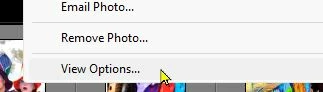
[Right-Click] on a photo in grid view and select [View Options]

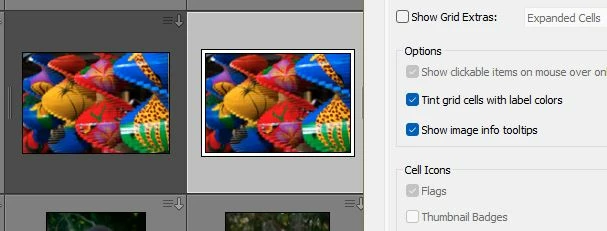
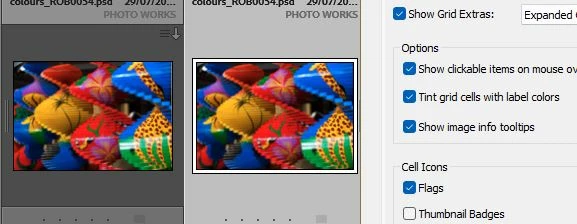
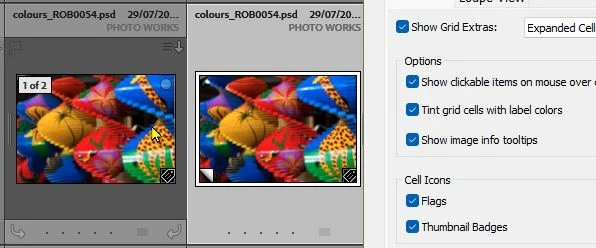
And in the View dialog you need two check boxes (Grid Extras & Thumbnail Badges) marked to enable the VC corner flip visible-

Three combinations of checkboxes-


1 reply

Rob_Cullen
Community Expert
Rob_CullenCommunity ExpertCorrect answer
Community Expert
June 23, 2023

Not in Preferences. Instead in 'View Options'

[Right-Click] on a photo in grid view and select [View Options]

And in the View dialog you need two check boxes (Grid Extras & Thumbnail Badges) marked to enable the VC corner flip visible-

Three combinations of checkboxes-


Regards. My System: Windows-11, Lightroom-Classic 15.3, Photoshop 27.5, ACR 18.3, Lightroom 9.3, Lr-iOS 10.4.0, Bridge 16.0.3 .
DucatimanAuthor
Participant
June 23, 2023

@Rob_Cullen I cannot thank you enough for the quick response, I really appreciate it.


Chris