

AllanFrancozo
Participant
Feb 18, 2026 3:00 PM UTC
Answered

Visualizações Iniciais (TRAVADO)
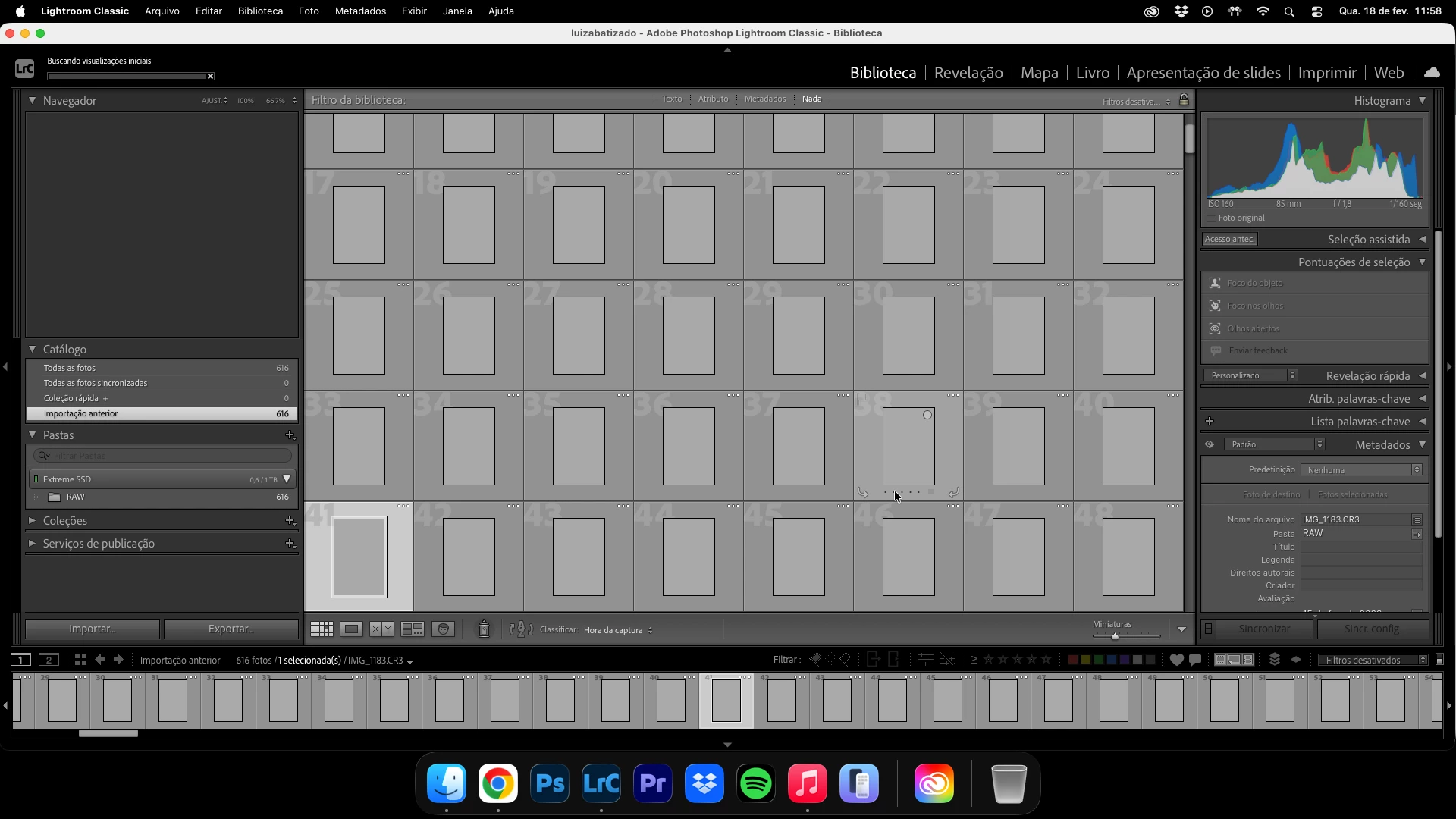
Estou tendo problemas há mais ou menos 2 meses com o lightroom.
Toda vez que crio um catalogo novo e importo arquivos para começar a editar, as Visualizações Iniciais travam e o programa não faz mais nada.
Sempre preciso reiniciar ele para voltar ao normal.
Já desinstalei e instalei novamente, porém o problema persiste.

 

    JohanElzenga
    JohanElzengaCorrect answer
    Community Expert
    Feb 18, 2026 3:11 PM UTC

    Did you try to reset the preferences? Corrupted preferences can cause all kinds of problems, and the preferences are not reset by an uninstall/reinstall. https://www.lightroomqueen.com/how-do-i-reset-lightrooms-preferences/

    -- Johan W. Elzenga

    6 replies

    Participant
    Nov 16, 2026 1:01 PM UTC

    as imagensos arquivos de imagem estão em disco externo, se fizer com os arquivos no disco local vai vfuncionar. A Adobe precisa trabalhar nisso, é MUITO comum profissionais de fotografia utilizarem SSD externo para manter os arquivos originais e trabalhar diretamente neles.

    Translate
    dj_paige
    Legend
    Nov 16, 2026 1:11 PM UTC

    I have used photos on an external disk, and have never had this problem. The original poster said the solution from ​@JohanElzenga fixed the problem, so the problem was not the external disk.

    Another possible solution (since there can be many causes) is this:

    https://www.lightroomqueen.com/how-do-i-change-my-monitor-profile-to-check-whether-its-corrupted/


    Translate
    Participant
    Nov 16, 2026 1:00 PM UTC

    O problema é porque os arquivos de imagem estão em disco externo, se fizer com os arquivos no disco local vai ver que não acontece nenhum problema. A Adobe precisa trabalhar nisso, é MUITO comum profissionais de fotografia utilizarem SSD externo para manter os arquivos originais e trabalahr diretamente neles.

    Translate
    AllanFrancozo
    Participant
    Feb 20, 2026 12:25 PM UTC

    Tentei o que o Johan disse, de resetar, aparentemente deu certo!
    Se houver alguma atualização sobre o caso, venho reportar aqui>
    Por enquanto, muito obrigado.

    Translate
    nikunj.m
    Legend
    Feb 18, 2026 4:30 PM UTC

    Hi, thanks for reaching out, and we’re sorry about the trouble! 

    Try resetting the preferences as Johan suggested, but if you still continue to experience the same behavior, please go to the Help menu in Lightroom Classic, then System Info, and copy the text. You can share the info with us by either pasting it as a reply here or in a text file and sharing the file with us. 

    Also, looking at the screenshot you’ve shared, it appears that the images are on an external drive. Let us know if you experience the same behavior with images saved on your computer’s local storage. 


    Thanks, 

    Nikunj 

    Translate
    JohanElzenga
    Community Expert
    JohanElzengaCommunity ExpertCorrect answer
    Community Expert
    Feb 18, 2026 3:11 PM UTC

    Did you try to reset the preferences? Corrupted preferences can cause all kinds of problems, and the preferences are not reset by an uninstall/reinstall. https://www.lightroomqueen.com/how-do-i-reset-lightrooms-preferences/

    Translate
    -- Johan W. Elzenga