


Heirloom Bob
Inspiring
Jan 9, 2020 4:48 PM UTC
Answered

Watermark location

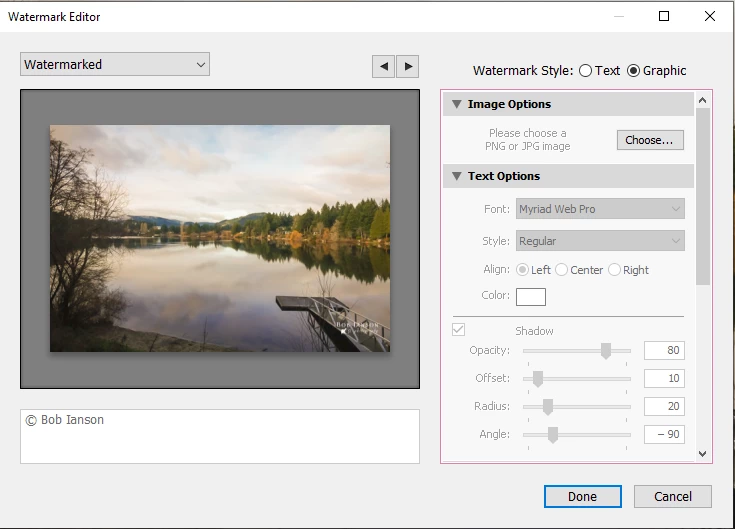
I have created a Watermark for use in Lightroom. My problem is I can't find the orginal version to edit. When I open the Watermark Editor, it shows the watermark but is there any way to see either the file name I called it or the location?

Just Shoot Me
Just Shoot MeCorrect answer
Legend
Jan 9, 2020 5:24 PM UTC

Sorry I noticed that oversight when I last replied.

Here's what I see in LR


If you actuall Saved that graphic watermark it will appear in the Watermarks folder and the files in that folder are Text Files that can be opened in Notepad and then nyou can see the PATH to the file you used as the watermark graphic.


14 replies

butchl-r8gRmh
Participant
Oct 4, 2025 2:52 PM UTC

This is where I finally found mine:  C:\\Users\\Guess\\Pictures\\Backgrounds\\Logo_PerformanceImages(2).png",

Translate
Community Expert
Oct 19, 2025 9:01 AM UTC
quote

This is where I finally found mine:  C:\\Users\\Guess\\Pictures (etc)


This is the answer to a different question. When someone asks "where are my Lightroom watermarks?" they usually want to know where Lightroom's named watermark configuration files live. These names are the choices that you see for watermarking, at export.


Each one has been previously saved by the user, and holds either the details of some text (and its font, transparency, sizing and placement) or else the details of a referenced image (and its transparency, sizing and placement). 


A referenced image file (in the latter case) could be located anywhere. That will seldom share the same location as the watermark configuration file.


Thus, when setting up watermarking on a different computer there are several things to ensure:

  • copies of the same watermarking configuration files have been transferred into the same place (where Lightroom Classic is looking for them)
  • any referenced watermark images are findable at the same drive and folder address - or if not, that the relevant watermark is edited to suitably update the image location info within
  • any special fonts that a text based watermark relies on, are also present in the new computer (if not, some substitute typeface will appear)
Translate
Participant
Jan 29, 2024 6:01 AM UTC

checki in:
C:\Users\(USER NAME)\AppData\Roaming\Adobe\Lightroom\Watermarks


Translate
Community Expert
Jan 9, 2020 5:07 PM UTC

Watermarks are effectively like a kind of Preset. By default configuration, there is one central folder that all Lightroom Classic's user configuration  files such as Presets live in - and this is referred to the same no matter what Catalog may be used (the alternative is "store with Catalog" where they are saved alongside a particular Catalog, in which (alone) will they be presented.


To navigate to this central location, one way is in LR Preferences / presets tab / click button "Show All Other Lightroom Presets".  This opens an OS file window to a folder called "Lightroom". Inside that, among other stuff, is a folder "Watermarks". Inside that, are the named watermarks that you have made.


When one of these is opened up in a text editor, path and filename can be seen for any graphic image that it employs.

Translate
Heirloom Bob
Inspiring
Jan 9, 2020 5:26 PM UTC

Many thanks Richard. Problem solved!

Translate
Just Shoot Me
Legend
Jan 9, 2020 4:51 PM UTC

Search your hard drive for a folder called Watermarks. Any and all watermarks you created in LR Classic will be in that folder.

Translate
Heirloom Bob
Inspiring
Jan 9, 2020 4:55 PM UTC

But when I created the watermark graphic, I didn't call it Watermark.

Translate
Just Shoot Me
Legend
Jan 9, 2020 5:00 PM UTC

You did not say anything about a graphic file in your OP.

No matter IIRC the Name of the watermark should still be in the Watermarks folder on your drive.

Otherwise it wouldn't appear in the Watermark drop down list in the Export dialog window.

Translate