

Question
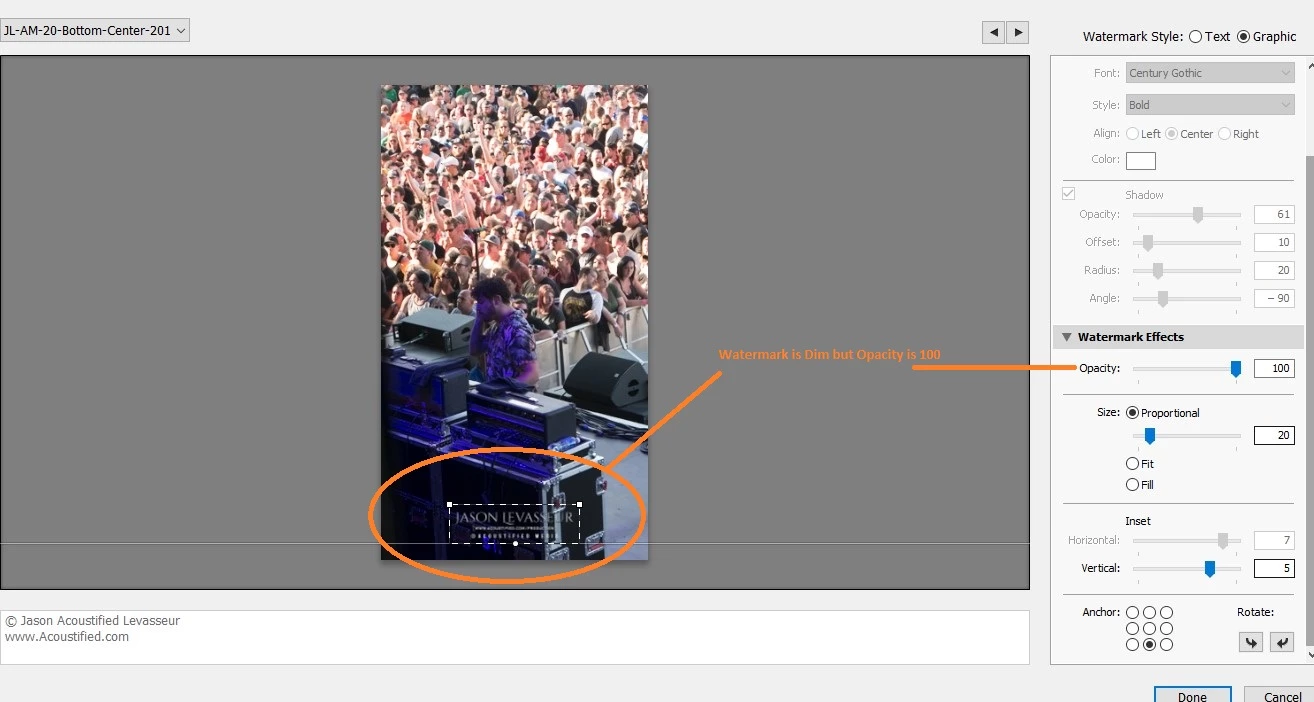
Watermark Opacity on Images dimm (Issues or Bug)??
Is anyone else seeing the same issue I am?
- In Lightroom Classic go to your Watermark Editor
- Choose an image as a watermark
- Size it and place it in the correct Anchor location
- Make sure Opacity is 100
- Export the image with the water mark
The image should have the watermark however it seems to be dimmer than expected.
- Go back into WaterMark Editor
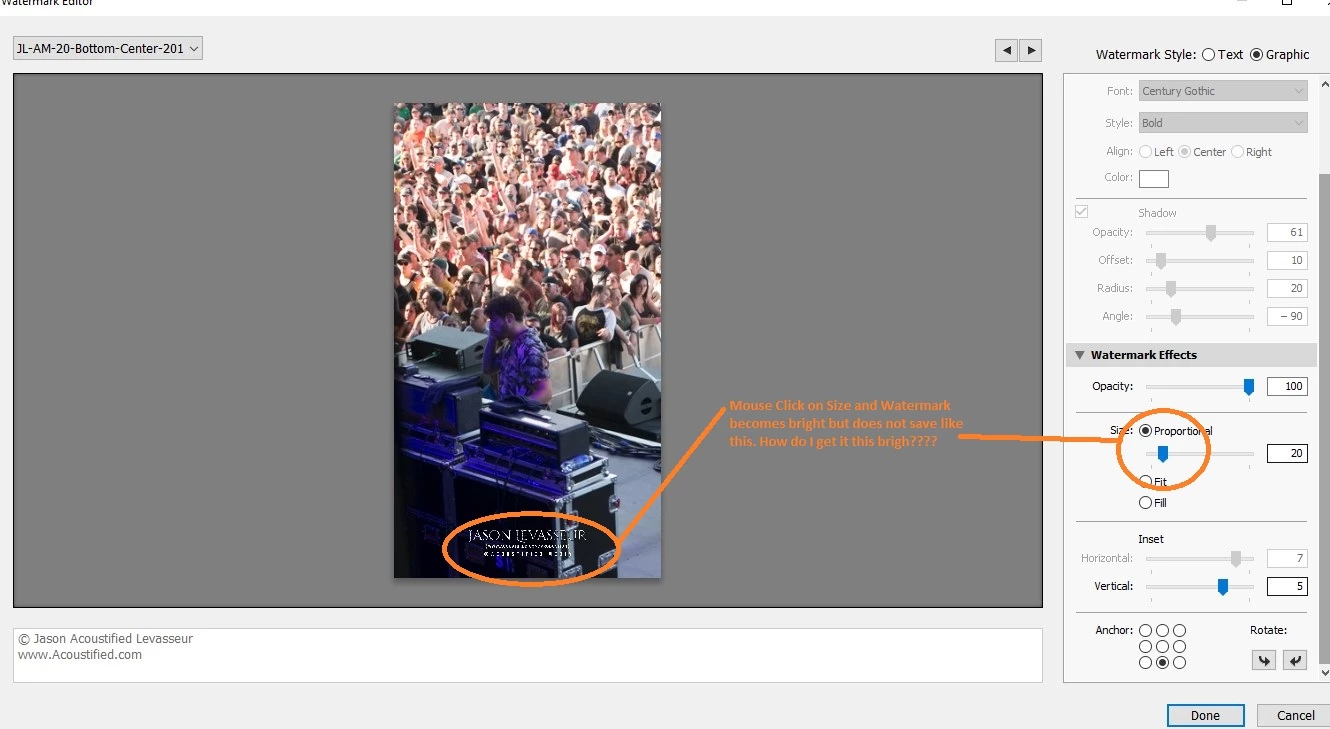
- With the correct Image Watermark still active click on the "size" slider
Suddenly my watermark is very bright and stands out. However if I save it just goes back to a dim version. See attached photos.
The Watermark shows correct in Photoshop. I have noticed this issue in previous versions of LR. I think its a BUG.....
 AdChoices