
OffStreetPix
Participant
November 21, 2019
Answered

Watermark pixelated during export

  • November 21, 2019
  • 1 reply
  • 2748 views

Hello dear Community,
short and sweet: I want to export a picture with the font Adorn Garland. Unfortunately the font is extremely pixelated. What can I do?
I used the current Lightroom Classic version.

See the Screenshot
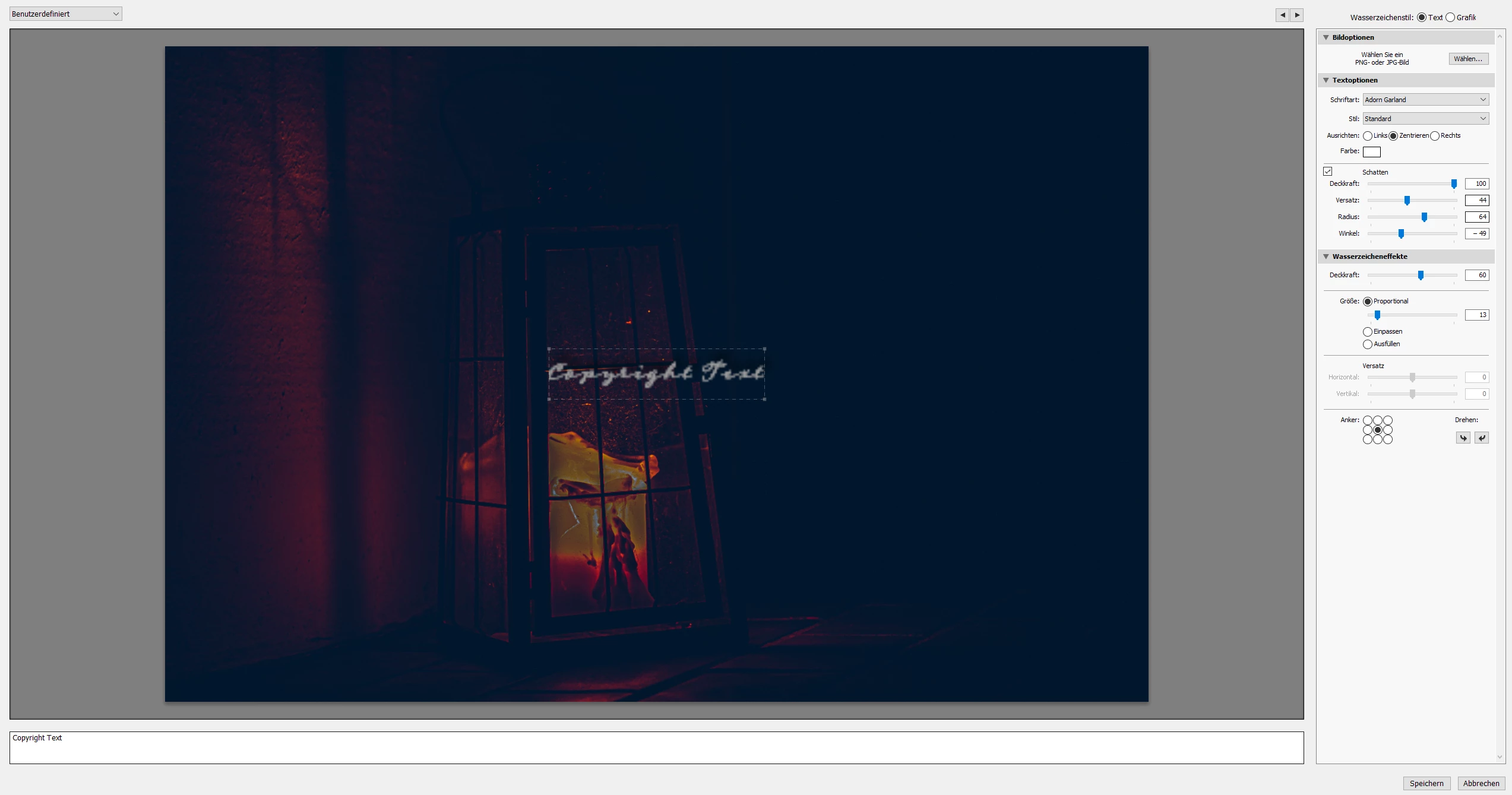

Greetings OffStreetPix

This topic has been closed for replies.
Correct answer Rob_Cullen

Yes, I have encountered the same problem- Some fonts just do not work in Lightroom!

If a font is not available (or does not work) with Lightroom- Use Photoshop to create a Graphic using the FONT on a 'Text' layer. The inability to see the OpenType fonts on Windows is a known limitation.

Save the document as a PNG type file to preserve any transparency (the watermark will allow 'see-through' blank areas over the image below.) Use the Graphic PNG image in the Watermark Editor of Lr.

1 reply

Rob_Cullen
Community Expert
Rob_CullenCommunity ExpertCorrect answer
Community Expert
November 21, 2019

Yes, I have encountered the same problem- Some fonts just do not work in Lightroom!

If a font is not available (or does not work) with Lightroom- Use Photoshop to create a Graphic using the FONT on a 'Text' layer. The inability to see the OpenType fonts on Windows is a known limitation.

Save the document as a PNG type file to preserve any transparency (the watermark will allow 'see-through' blank areas over the image below.) Use the Graphic PNG image in the Watermark Editor of Lr.

Regards. My System: Windows-11, Lightroom-Classic 15.3, Photoshop 27.5, ACR 18.3, Lightroom 9.3, Lr-iOS 10.4.0, Bridge 16.0.3 .
OffStreetPix
Participant
November 21, 2019

Okay, thank you so much for your great answer. I already had the same idea. Thought there might be another way to use the fonts.


Regards

Rob_Cullen
Community Expert
Community Expert
November 21, 2019

I found my Oct2018 post on this problem-  Still no resolution from Adobe re: Fonts. So we only have the PNG image work-around for the problematic ones (often 'Script' fonts).

https://community.adobe.com/t5/lightroom-classic/adding-a-font-to-lightroom-classic/td-p/10124538

Regards. My System: Windows-11, Lightroom-Classic 15.3, Photoshop 27.5, ACR 18.3, Lightroom 9.3, Lr-iOS 10.4.0, Bridge 16.0.3 .