Participant
March 28, 2024
Answered

Watermarking visible on display

  • March 28, 2024
  • 2 replies
  • 682 views

Hi.  I need some assistance.  I am not sure its common or even 'accepted' practice to show clients your lightroom display/feed to view and select their images.  On certain occassions, I allow clients to view their portraits and make their selections.  90% of the clients have been respectful and have not done the click and shot with their phones.  unfortunately I am not able to observe all clients when doing this. and ive caught a few who have screenshotted images other than what they have selected/included in their paid package.   


Is there a way to overlay a watermark on the displayed photos on lightroom?  (ie every photo shown/visible on the Develop interface to have a watermark strewn across the images?)  I do not want to export with a watermark every/all photos every time a client views their images.


Any guidance is much appreciated.
This topic has been closed for replies.
Correct answer Rob_Cullen

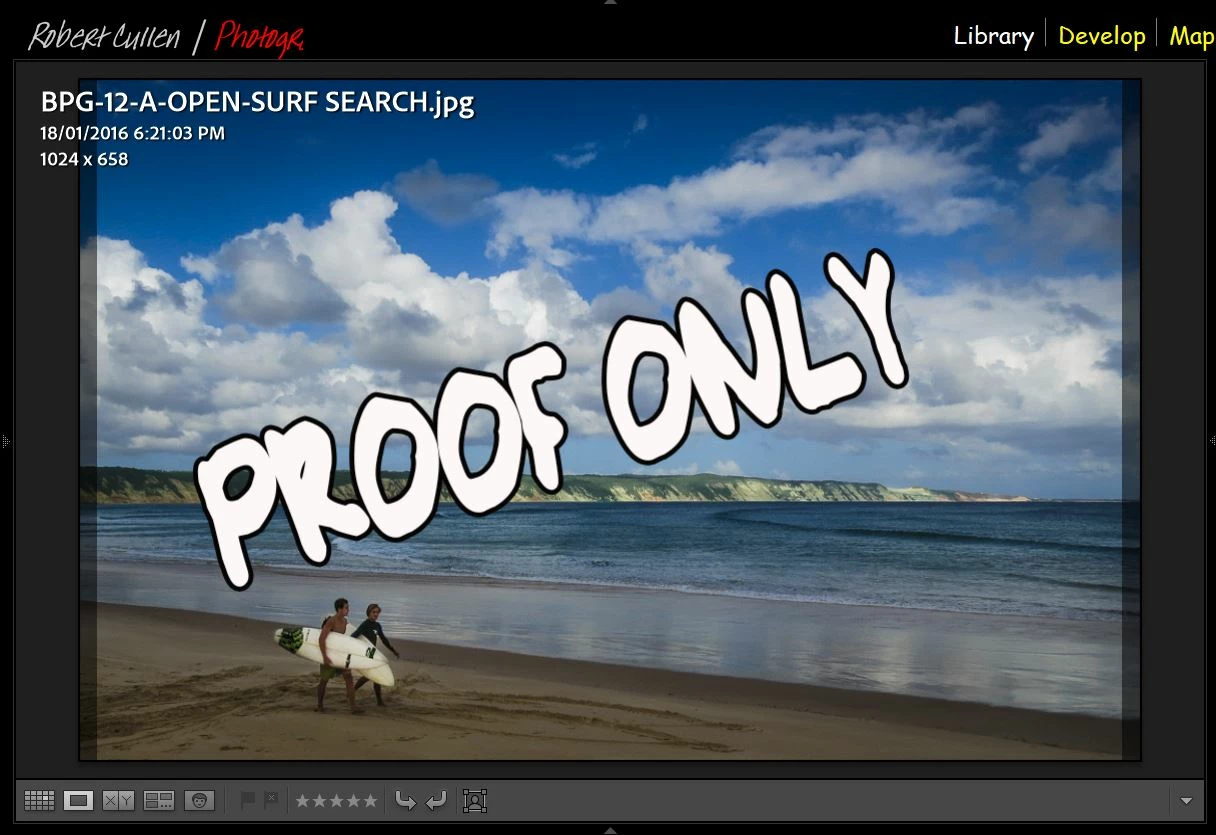
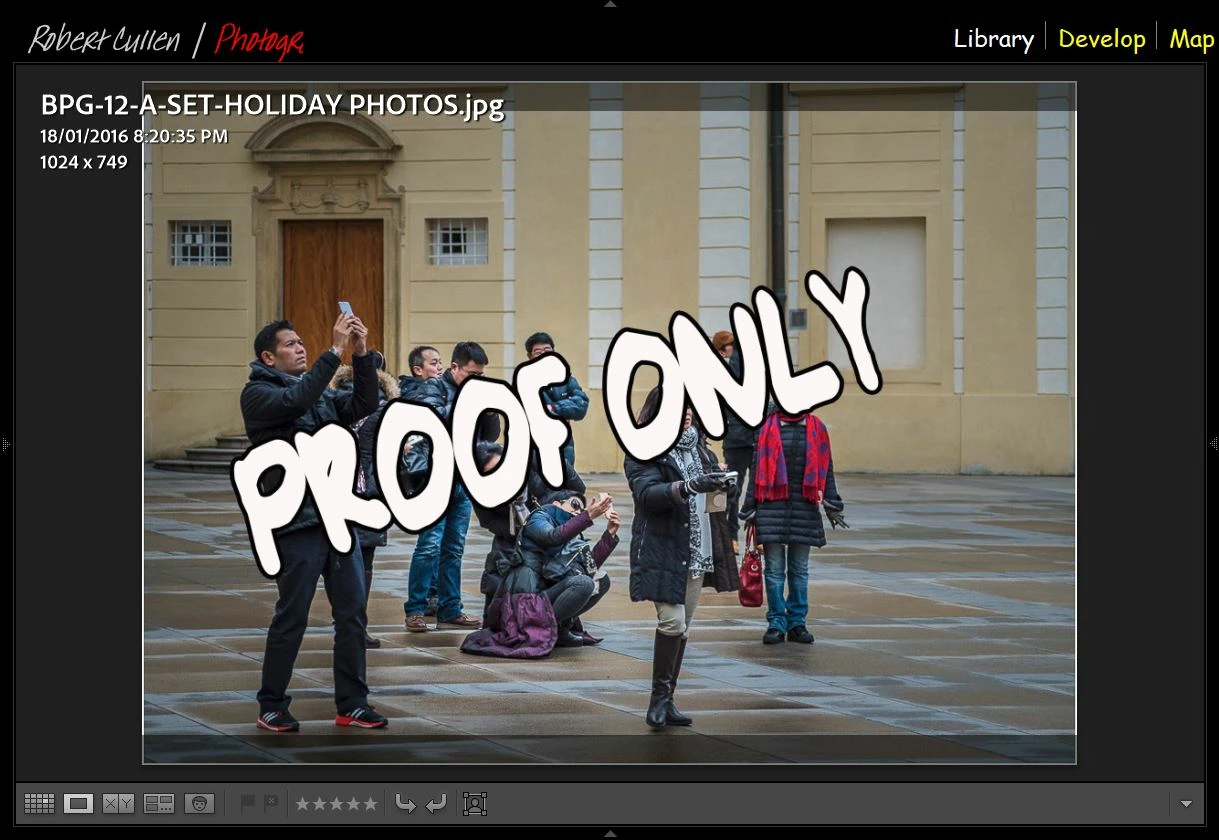
Loupe Overlay may be a function you could use for display within LrC and not need to export derivatives with a watermark..-


1) Design an image with "Proof" text in Photoshop-  Text on a transparent background. Use all text effects & opacity, etc, if wanted.

2) Save the "Proof" image as a PNG file. (PNG maintains transparency)

3) Import the PNG image into Lightroom-Classic library (or Synchronize the folder where it was saved.)

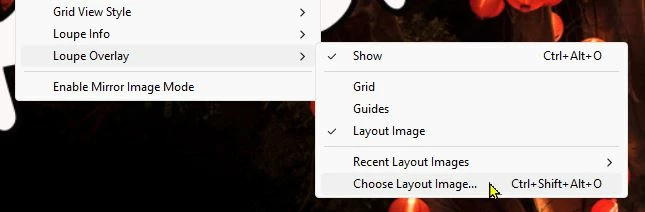
4) In the [View] menu [Show] the Overlay and [choose Layout Image...] the PNG image you created as the overlay.

Then in LrC you can view a Loupe image for your client- Press [TAB] to toggle off the side panels. Press [T] to hide the Tool Bar. Press [i] to toggle the info on/off.  (Unfortunately neither Full-Screen view or Second monitor screen will show the overlay-  but that would be a brilliant use of the overlay.!)


The Size and Position of the PNG Overlay can be controlled by holding down the [CTRL] key.


2 replies

Rob_Cullen
Community Expert
Rob_CullenCommunity ExpertCorrect answer
Community Expert
March 28, 2024

Loupe Overlay may be a function you could use for display within LrC and not need to export derivatives with a watermark..-


1) Design an image with "Proof" text in Photoshop-  Text on a transparent background. Use all text effects & opacity, etc, if wanted.

2) Save the "Proof" image as a PNG file. (PNG maintains transparency)

3) Import the PNG image into Lightroom-Classic library (or Synchronize the folder where it was saved.)

4) In the [View] menu [Show] the Overlay and [choose Layout Image...] the PNG image you created as the overlay.

Then in LrC you can view a Loupe image for your client- Press [TAB] to toggle off the side panels. Press [T] to hide the Tool Bar. Press [i] to toggle the info on/off.  (Unfortunately neither Full-Screen view or Second monitor screen will show the overlay-  but that would be a brilliant use of the overlay.!)


The Size and Position of the PNG Overlay can be controlled by holding down the [CTRL] key.


Regards. My System: Windows-11, Lightroom-Classic 15.1.1, Photoshop 27.3.1, ACR 18.1.1, Lightroom 9.0, Lr-iOS 10.4.0, Bridge 16.0.2 .
Participant
April 6, 2024

AWESOME!!!!! Thank you, Thank you!!!!


AxelMatt
Community Expert
Community Expert
March 28, 2024
quote

...

Is there a way to overlay a watermark on the displayed photos on lightroom?  (ie every photo shown/visible on the Develop interface to have a watermark strewn across the images?) ...


By @Dino34226273c6a5


No, there's no way to overlay a watermark on displaying photos in the Lightroom environment.


The only "overlay" that you can blend in somme informations about the picture, ex. filename, size etc.


You can set these overlay vie menu View - Loupe Info - Show Info Overlay or the shortcut Ctrl - I. 

But if you're viewing the picture in full display mode (shortcut "F") there's no overlay possible.


My System: Intel i7-8700K - 64GB RAM - NVidia Geforce RTX 3060 - Windows 11 Pro 25H2 -- LR-Classic 15 - Photoshop 27 - Nik Collection 8 - PureRAW 5 - Topaz Photo
Participant
March 28, 2024

gosh darn it.  ok thank you.