

Todd Shaner
Legend
June 16, 2021
Question

Web Photo Galleries On Lightroom Web Changed?

  • June 16, 2021
  • 3 replies
  • 1166 views

The below video from 2017 on creating Web Galleries in the Web app at lightroom.adobe.com doesn't look the same today. I'm using FireFox and Safari is used in the video, bit that shouldn't make any difference.

https://www.youtube.com/watch?v=PtCPi7d3Feo&list=PLmXfFxjdp3CFsKyMxoV9HtzQ8gtocq4i1


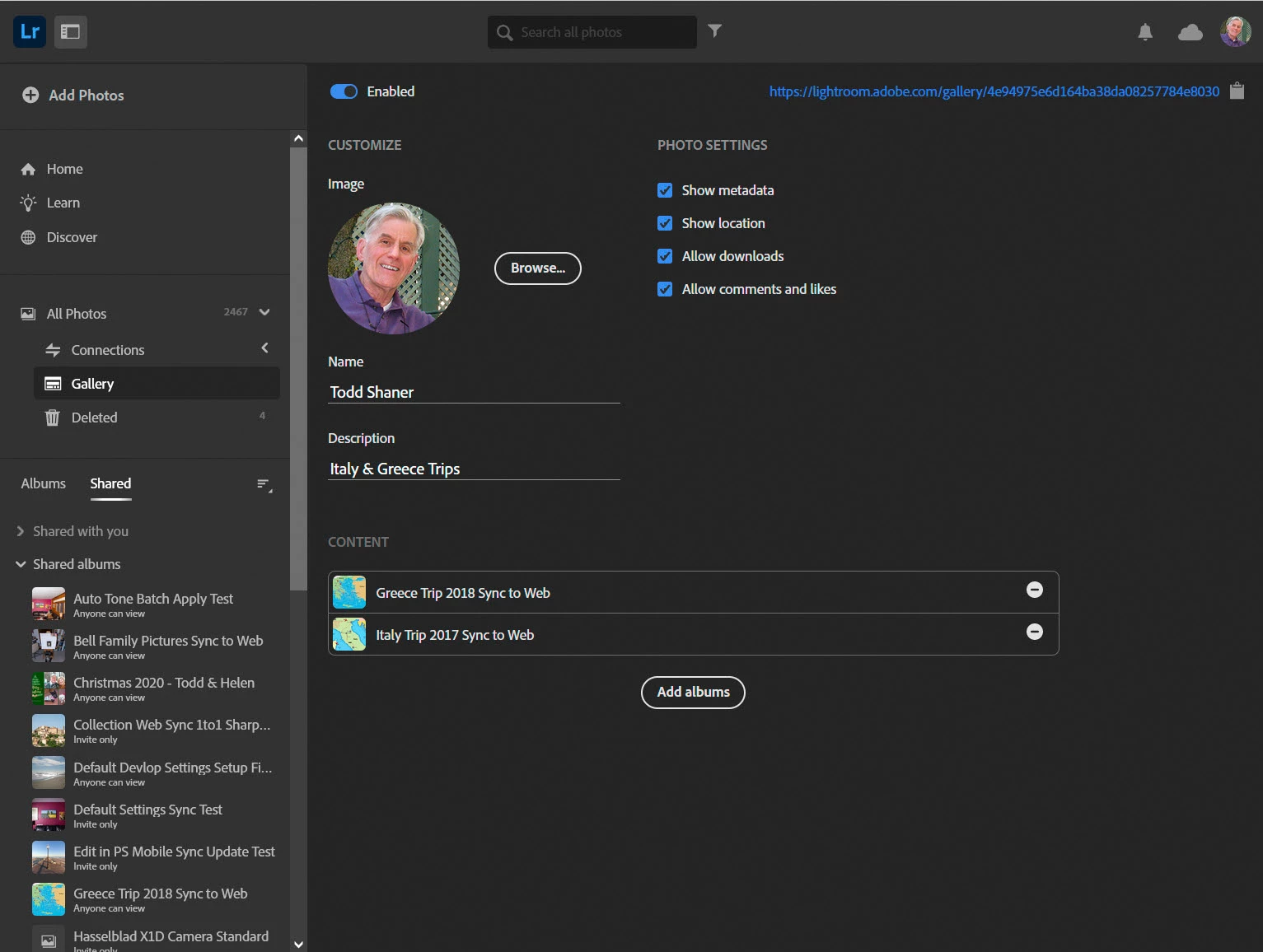
I can't do the layout editing shown in the browser or how to create more than one gallery. Here's a screenshot of what I'm seeing. The little globe and square icons at the left of the screen shown in the video are missing. What's up.....any ideas? 
 

This topic has been closed for replies.

3 replies

Todd Shaner
Legend
June 16, 2021

Thanks John very helpful! Just to clarify section dividers can be added in Display mode and a heading or subheading added to that section. However, you can't enter text to be displayed on the images as shown in Julieanne Kost's video above. Also, there doesn't appear to be a way to save a gallery and create a new one. Once you create a new gallery the previous gallery is no longer accessable for editing or with the share link. Just trying to make some sense out this nonsense!

Todd Shaner
Legend
June 16, 2021

"The only way that I found to add text was using the 'Caption' section of the image Info box as shown in below screenshot."


Thanks Ian, we cross-posted so just seeing your reply now. It's  shame Adobe can't (won't?) "fix" these issues to make it more useful. I'm not holding my breath for that to happen!

Todd Shaner
Legend
June 16, 2021

Ian, I did notice the comments at YouTube with similar complaints. So the question remains did Adobe not only change the GUI, but also dropped the ability to add text and breaks to create image groups in a gallery? No matter where I look at lightroom.adobe.com those features are no longer present. Also, I can find almost no Adobe documentation on using the Web app for any version of Lightroom.

john beardsworth
Community Expert
Community Expert
June 16, 2021

Gallery was an interesting idea, but became a bit of a backwater  - credit to you for remembering its existence.

At some point the text and breaks were added to collections when you switch to Display mode, but they aren't carried over into the gallery.  Page backgrounds and layouts are, so it might be worth looking into this area.

Sadly LrWeb contains a few half-developed proofs of concept, which are just-about usable. But documenting it must be compromised by the little changes that Adobe occasionally introduce.

If your video's aim was to help people share photos from LR, you might be better off pointing them towards Portfolio.


john beardsworth
Community Expert
Community Expert
June 16, 2021
quote

At some point the text and breaks were added to collections when you switch to Display mode, but they aren't carried over into the gallery.  Page backgrounds and layouts are, so it might be worth looking into this area.

By @john beardsworth


OK, there is a trick. When you add a collection to the gallery, that collection's Display view (background, grid, breaks and text) are carried over at that point in time. So if you want to add new breaks and text, first remove the collection from the gallery. Make those changes in the collection's Display mode, then add the collection to the gallery again.

Ian Lyons
Community Expert
Community Expert
June 16, 2021

Todd, 

If you read the comments associated with the video you'll see that others are as confused as you. Not really surprising since Adobe are continually changing Lrweb and telling nobody that they've done so.