
Participating Frequently
November 23, 2020
Question

Weird distortion/ artifacts in my shadows? Help!

  • November 23, 2020
  • 11 replies
  • 4580 views

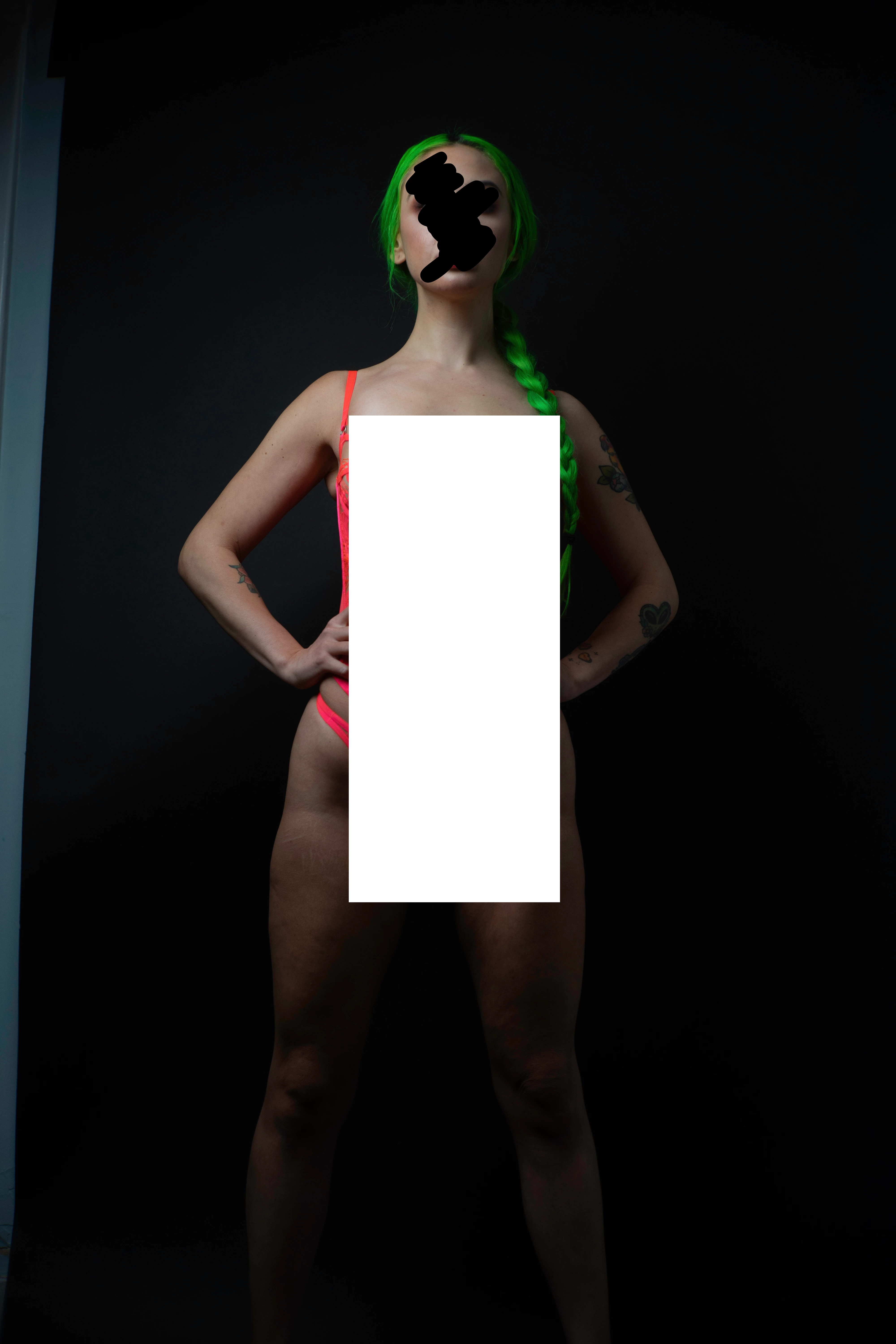
Im wondering if there is any way to rid this image of this weird digital "noise""banding" to left side of this image? I have attached the edited and unedited image. The images are slightly censored aswell fyi. I shot this image at 200 iso. I spend a decent time editing these and when I exported the finished images and added a bit of grain to them these looked really bad around those shadowy areas.
This topic has been closed for replies.

11 replies

Todd Shaner
Legend
November 23, 2020

I'm not seeing any artifacts. In Preferences> Performance try setting 'Use Graphics Processor' to Off, close LrC and then reopen it.

Participating Frequently
November 24, 2020

Todd, 

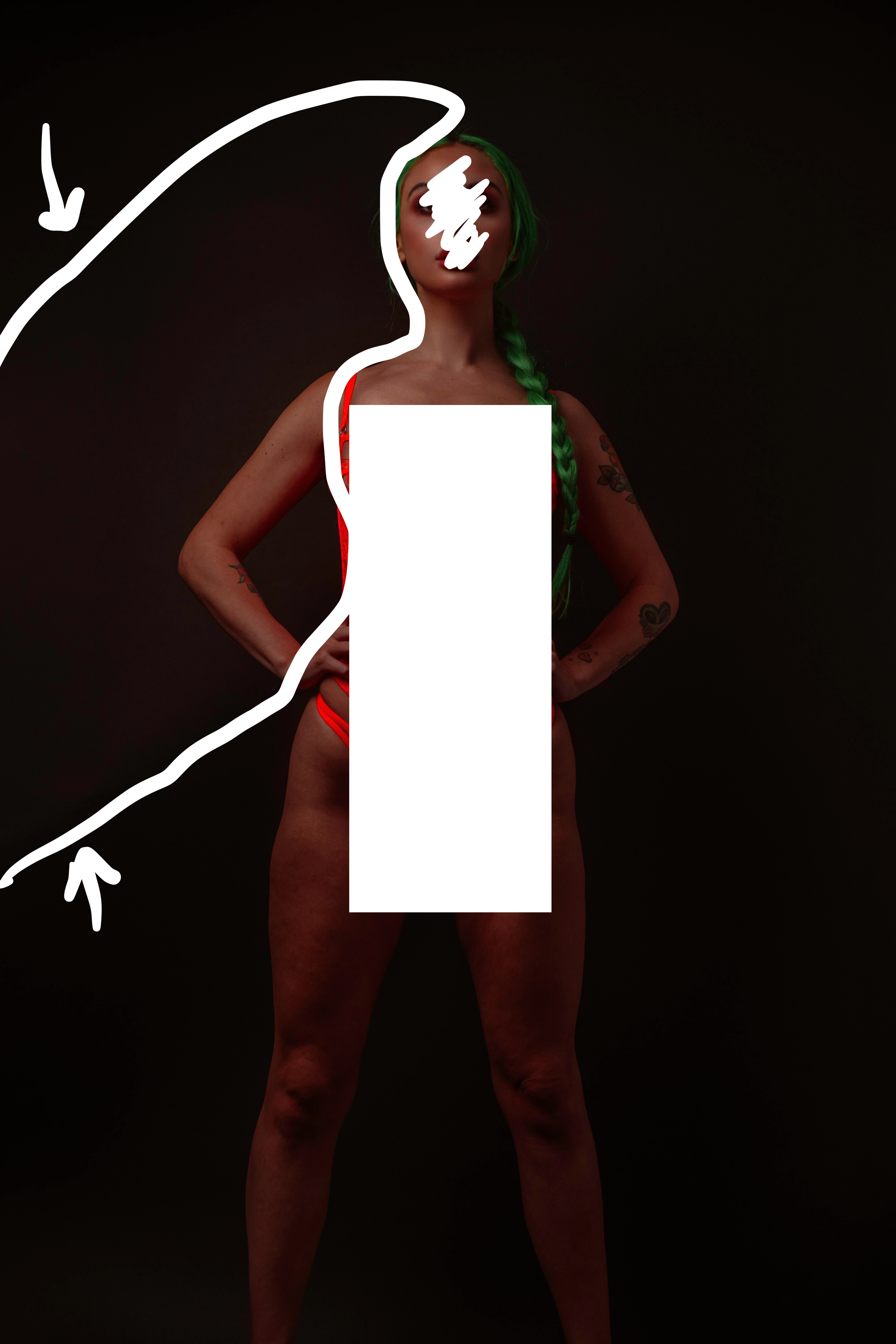
I tried that and still have the same result. I have attached another example maybe it shows more. The first image is the edited and the second is the unedited. The image was shot in raw btw. I white outlined around the problem area I am refering to. Theres some weird things going on with the colors.  Thanks in advance

gary_sc
Community Expert
Community Expert
November 24, 2020

Is it always on the left side?


Your lights are on the left and I wonder if you're getting some sort of artifact from the lights in the very dark regions. Is there anything in the background that could be picked up when you bring up the highlights in those regions?


BTW, you CAN get noise at 200 ISO, just less than if you're using (say) 1200 ISO.