


Inspiring
January 7, 2026
Question

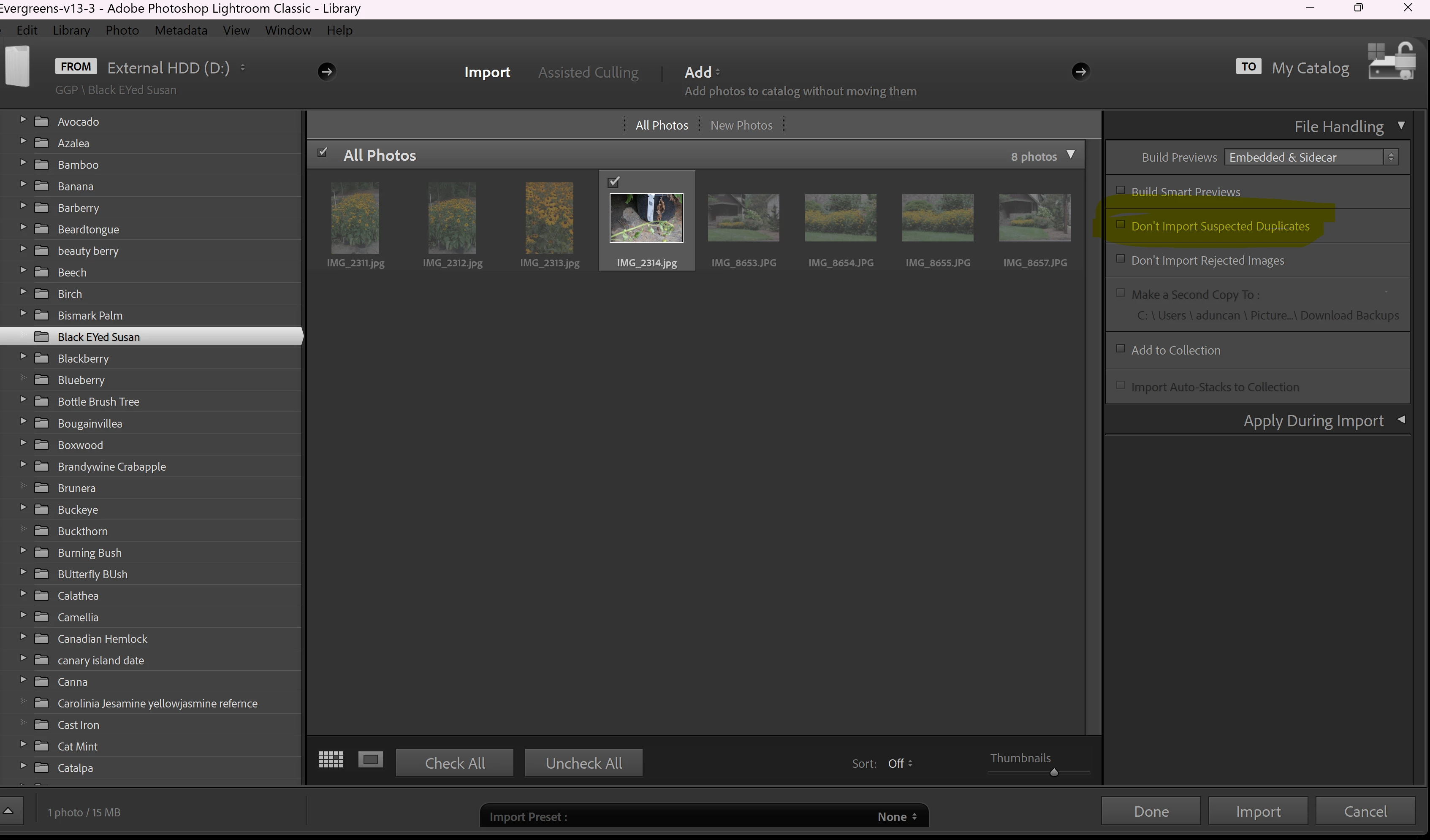
what is happening on this import?

  • January 7, 2026
  • 1 reply
  • 115 views

Hi

I want to import duplicates and this has been working fine forever but today I am getting grayed out images even though I have the duplicates box unchecked.  It's like it has stopped working and is still not importing duplicates even though I have it deselected.  Was there a software update and this is a bug?
873296i65A24CFE533D0453.png


1 reply

JohanElzenga
Community Expert
Community Expert
January 7, 2026

You've selected 'ADD', meaning the images are not copied, only added to the catalog. As they are not copied, you can't do this for images already in the catalog, regardless of the 'Don't import suspected duplicates' setting. That's because this would create two database entries for the same image, not for two copies. You can actually (more or less) do this, but by creating a virtual copy.


If you really want to import two real copies, then you must select 'Copy' and a different destination for that copy.


-- Johan W. Elzenga
Inspiring
January 7, 2026

I'm confused--did I accidently change it to "add"?  Because it was working without doing that.  Even when I change it to copy it still has the images grayed out. I didn't have to change the save location before.

JohanElzenga
Community Expert
Community Expert
January 7, 2026

Yes, I assume you accidentally changed it to 'Add', because 'add' would never work. If you want to have two copies of the same image in Lightroom (not one virtual copy), then you'll have to create two real copies and 'add' does not create a new copy.


-- Johan W. Elzenga