Known Participant
July 16, 2025
Answered

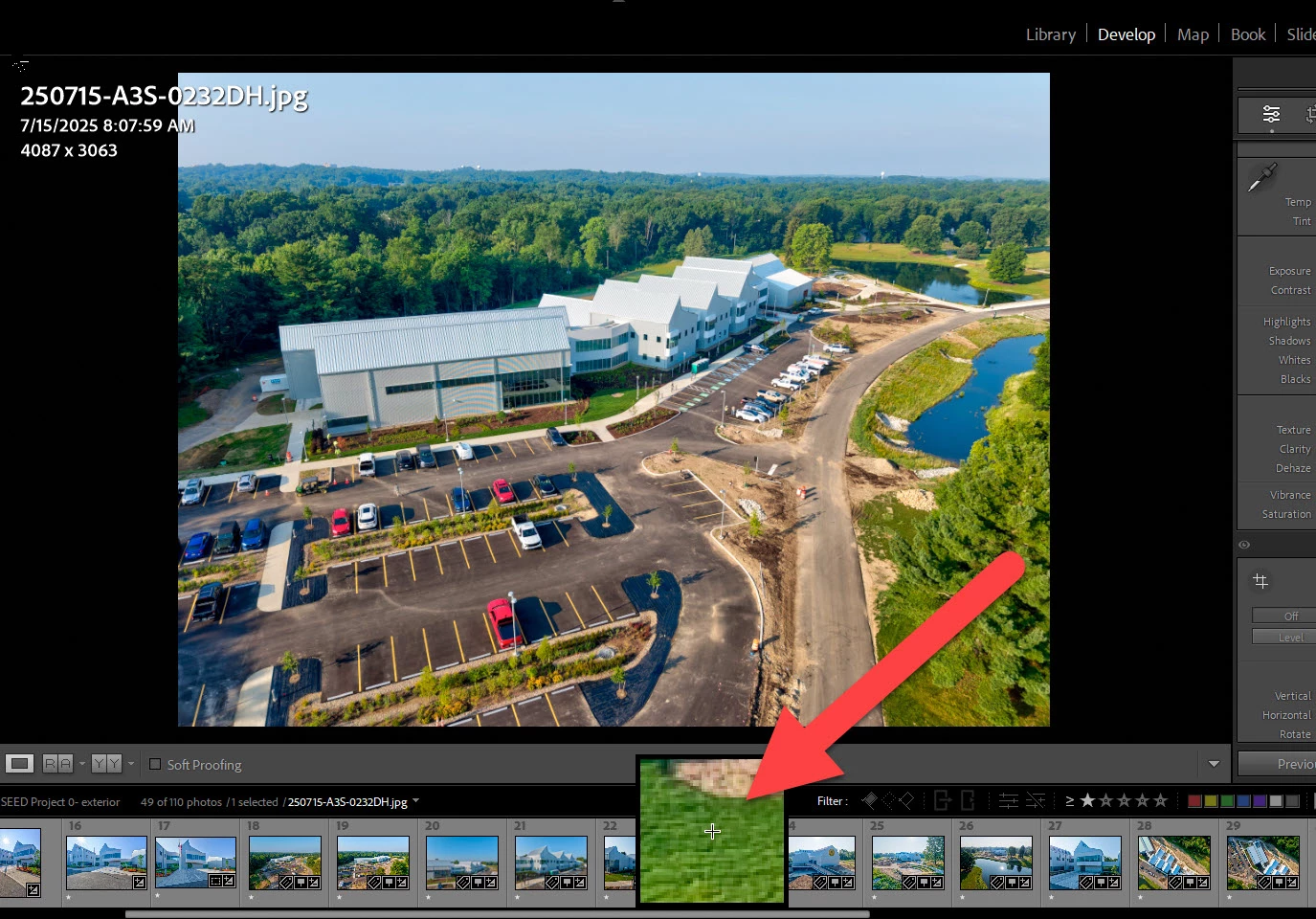
What is this magnification box in :LR Classic

  • July 16, 2025
  • 1 reply
  • 124 views

How did this box get there, and how do I get rid of it?  Thanks.

Correct answer Rob_Cullen

It looks very much like the [Guided Upright Tool] in the Transform panel  available by clicking the hash icon, or keyboard [Shift+T]
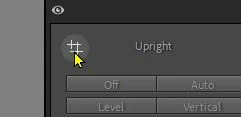
However your screen-clip indidates the tool is not active as the hash icon is visible (the icon goes to a grey dot  when active) and yet you continue to see the square box on screen.

There may be a glitch (very technical term) in your graphics card, so things to try might include-

A restart of LrC.  A computer restart. An update for your graphics driver. A reset of the Preferences file. Or even a re-install of LrC.


1 reply

Rob_Cullen
Community Expert
Rob_CullenCommunity ExpertCorrect answer
Community Expert
July 16, 2025

It looks very much like the [Guided Upright Tool] in the Transform panel  available by clicking the hash icon, or keyboard [Shift+T]

However your screen-clip indidates the tool is not active as the hash icon is visible (the icon goes to a grey dot  when active) and yet you continue to see the square box on screen.

There may be a glitch (very technical term) in your graphics card, so things to try might include-

A restart of LrC.  A computer restart. An update for your graphics driver. A reset of the Preferences file. Or even a re-install of LrC.


Regards. My System: Windows-11, Lightroom-Classic 15.1.1, Photoshop 27.3.1, ACR 18.1.1, Lightroom 9.0, Lr-iOS 10.4.0, Bridge 16.0.2 .