
What to do if the backup is corrupt?
Hi everyone,
I really need help and I’m feeling pretty panicked right now.
I recently moved all my files from an external 5TB drive (E:) to a new 8TB internal SSD (C:) that I installed to replace my laptop’s original 1TB drive.
Then I made a huge mistake: I moved the folders containing all my Lightroom catalog files (including the .lrcat files) to the new C: drive as well. After that, everything disappeared.
When I try to most recent different versions of my catalogs:
The folder panel is completely empty
No thumbnails or previews
No “?” icons to reconnect missing files
It’s like the catalog is totally blank — but the .lrcat files still have size, so they don’t seem totally corrupted.
And now it’s worse: When I try to open the most recent catalog (which I think is a backup), Lightroom (v13.3.1 — I believe the latest) won’t open it at all. It says the catalog is corrupted and needs to be repaired. But after the repair process runs, the file still won’t open — it just fails silently.
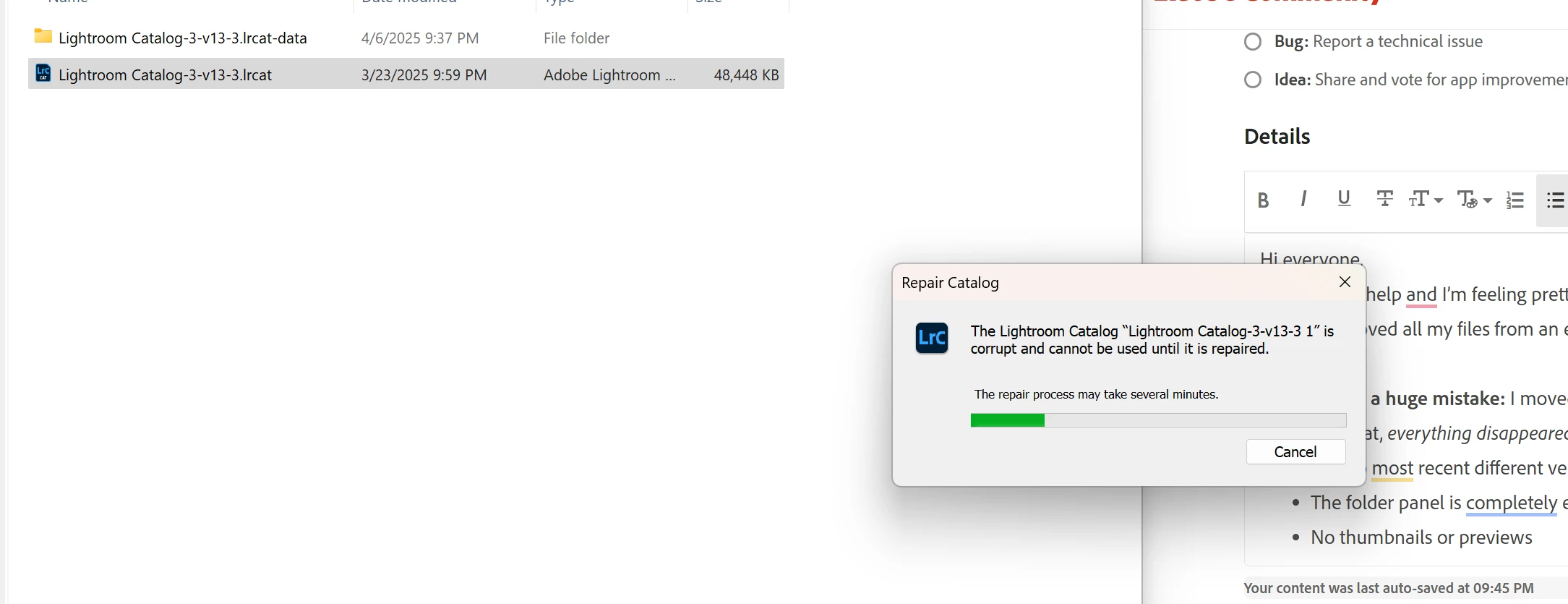
So either the newest catalog is empty or it’s corrupt, and the backups aren’t working either. I’ve spent years building this catalog and I’m desperate not to lose it.
If anyone has run into this before or has any suggestions, I’d be incredibly grateful.
Thank you so much in advance.


 AdChoices