
Participating Frequently
July 13, 2022
Question

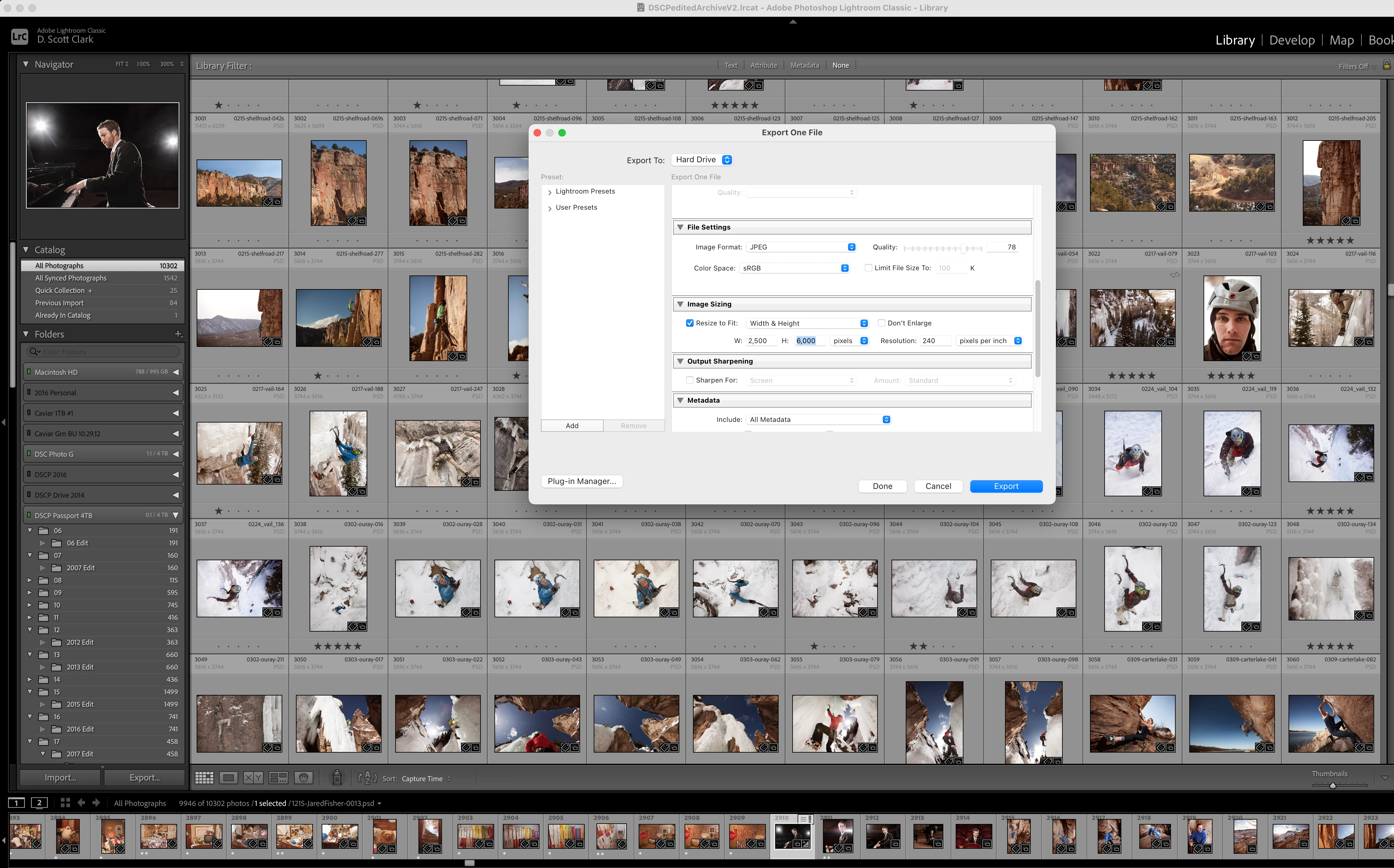
When exporting JPGs LR freezes when changing image size

  • July 13, 2022
  • 6 replies
  • 418 views

I have up-to-date LR Classic running on a 2021 MBP 16" M1 Max with 32GB RAM.


Every time I export a JPG through the export dialogue and try to change the image size (specifically, the height dimension), LR freezes and must be force closed. I called support and they spent altogether around 2 hours with control of my computer trying to fix the problem. Eventually, after changing permissions, it started allowing me to change image sizes again. But 2 days later, the problem has returned. It seriously affects my workflow having the app crash every time I try to export and having to resort to resizing in Photoshop. I've reinstalled many times, made sure I'm not running in Rosetta, cleared the cache, reset preferences, changed from  Use Graphics Processor Auto to Off. Nothing helps. 
 

This topic has been closed for replies.

6 replies

kamat58138144
Participant
June 7, 2023

Hi! Did you find a solution? I have exactly the same problem.

kamat58138144
Participant
June 7, 2023

Got it! Need to reset preferences, that is:

macOS: Press and hold the Shift + Option keys. Windows: Press and hold the Shift + Alt keys. 

Participant
March 14, 2023

I'm having a similar problem, LR CC freezes as soon as I click the Export button, regardless of whether I resize an image or not. I've turned off the GPU; reset the Export preferences, uninstalled and reinstalled LR CC, etc. However, if I right-click on an image and click Export, which opens a sub-menu, if I click on anything in the sub-menu other than Export, for example, Burn Full-size JPEGS, Export to DNG, etc. it works fine. 

GoldingD
Legend
July 15, 2022

What if you make no changes to size?

Something is very very wrong.


Participating Frequently
July 15, 2022

It exports if I make no changes. 

DdeGannes
Community Expert
Community Expert
July 15, 2022

From the screen shot it appears you have selected a batch of images that include landscape and portrait with both width and height selected. That will not happen and that is why the app failed to complete the function. Try using a set long side.


Regards, Denis: iMac 27” mid-2015, macOS 11.7.10 Big Sur; 2TB SSD, 24 GB Ram, GPU 2 GB; LrC 12.5,; Lr 6.5, PS 24.7,; ACR 15.5,; (also Laptop Win 11, ver 24H2, LrC 15.0.1, PS 27.0; ) Camera Oly OM-D E-M1.
Participating Frequently
July 15, 2022

I've been using LR for a very long time and I have always exported with both length and width. This is definitely not the problem. I've tried using long side only and it also crashes LR. 

GoldingD
Legend
July 13, 2022

P.S. Do you happen to have On1 perhaps? The Resize module works great for this.

GoldingD
Legend
July 13, 2022

Is the photo crop, prior to the export at the same ratio as the desired size? The filmstrip preview makes me think not.


 2500  x 6000, or 25x60, or 5x12?


May be a bug, but many have issues exporting when specifying both Width and Height, as opposed to Longest Edge.  Cropping to desired ratio might help.

Participating Frequently
July 13, 2022

No, they don't need to be. Typically I will set the export to 2,000px x 2,000px or something and it will resize so the long edge is that dimension. I will try doing longest edge instead.