
Participating Frequently
August 23, 2025
Answered

when I import/add new files into Lightroom Classic 14.5 I cant see the thumbnails so I can import

  • August 23, 2025
  • 2 replies
  • 445 views

When I import/add new files into Lightroom Classic 14.5 I cant see the thumbnails so I can import. I have tried the following and have had no success:


-upgrade Lightroom Classic to 14.5

-moving possibly corrupted [CatalogName] Previews.lrdata file to a new location and restarting Lightroom to force it to rebuild the preview cache. 
-checking permissions on my hard drive and external drive (both have read write access)

-granting Lightroom Classic full disc access

-restarting my computer and Lightroom Classic after each attempt above

-simplifying import to a few files on my desktop


Note: the files/folders I have previously work on in Lightroom Classic will not show a preview in the import / add window either.


I have not had this problem on my old computer using Lightroom Classic. Looking for some help. Thank you indavnce. 


Correct answer JohanElzenga

OK, an upgrade from 13.1 does indeed require a catalog upgrade, so that is not the problem. There is another thread discussing the same problem, but no definite answers, I'm afraid. You could try resetting the preferences. Corrupted preferences are known to cause all kinds of strange issues: 

https://www.lightroomqueen.com/how-do-i-reset-lightrooms-preferences/

Another possibly may be a problem with 'full disk access'. Try this: Disable it for Lightroom Classic, restart your computer, and then enable it again. See if that helps.


2 replies

Legend
August 24, 2025

@melissag68601550 


In your screen shot of the Import Dialog, there is something missing.


This is how it should look:


Note the arrowed items that are not in your screen shot of the Import Dialog. I'm still trying to understand why your Import Dialog is not showing these. If the # Photos on the right is closed, then no photos are visible in the content area:


which looks very much like your screen shot, except for your missing controls. I don't think there is a way to hide these controls, so it's a puzzle why they are not showing in your case.


I suggest you restore the backup that was created when you did the upgrade and try the upgrade process again.


Participating Frequently
August 26, 2025

thank you, drtonyb 


Hello JohanElzenga,


I tried your reset preferences option and it worked, I can now import (see screen shot 0). On the first attempt I failed to remove all the lightroom classic preferences (.plist files).  It was reading earlier-versions (See screen shot 1).


Please note I am a novice at lightroom classic. I have a few more questions:

1. Now that I removed the preferences (I manually moved the .plist files to my desktop). (See screen shot 2) Do I put these back to gain my preferences back?  Not sure what I really removed. 


2. What is the next step with my preferences going forward? I dont want to manually recreate them if I can help it. 


3. Note I do see a few user presets. (screen shot 3) In preferences > presets. Do I want to check off "store presets with catalog"? (screen shot 4) Currently it is un checked. 


Thank you for your help. I appreciate it.

Melissa


JohanElzenga
Community Expert
Community Expert
August 26, 2025

I'm afraid you will need to manually setup the preferences again, because the file you moved was corrupted. Do not check 'Store presets with this catalog', unless you have a reason to do so. 

-- Johan W. Elzenga
JohanElzenga
Community Expert
Community Expert
August 23, 2025

Where did you update from? The update from Lightroom Classic 14.4 to 14.5 should not create a new catalog, so perhaps Lightroom Classic opened an old catalog instead of the current one. I also do not understand your remark "Note: the files/folders I have previously work on in Lightroom Classic will not show a preview in the import / add window either." Why would you want to import these folders again? Please explain step by step what you did and what does (not) happen. A screenshot of the import dialog would help, as that seems to be where the problem is...


You also said "I have not had this problem on my old computer using Lightroom Classic." Does that mean we are talking about a new install/computer?


-- Johan W. Elzenga
Participating Frequently
August 23, 2025

Hi Johan,

Thank you for your resonse.


  • You can ignore the comment "I have not had this problem on my old computer using Lightroom Classic." I recently got a new MAC and could not figure out if I used Lightroom Classic on it.  Looking back, I figured out this is the first time using  Lightroom Classic on my new MAC.
  • Step by Step:
  • When I try to import "add" new files I cant see the thumbnails nor import the files. See screen shot 1.


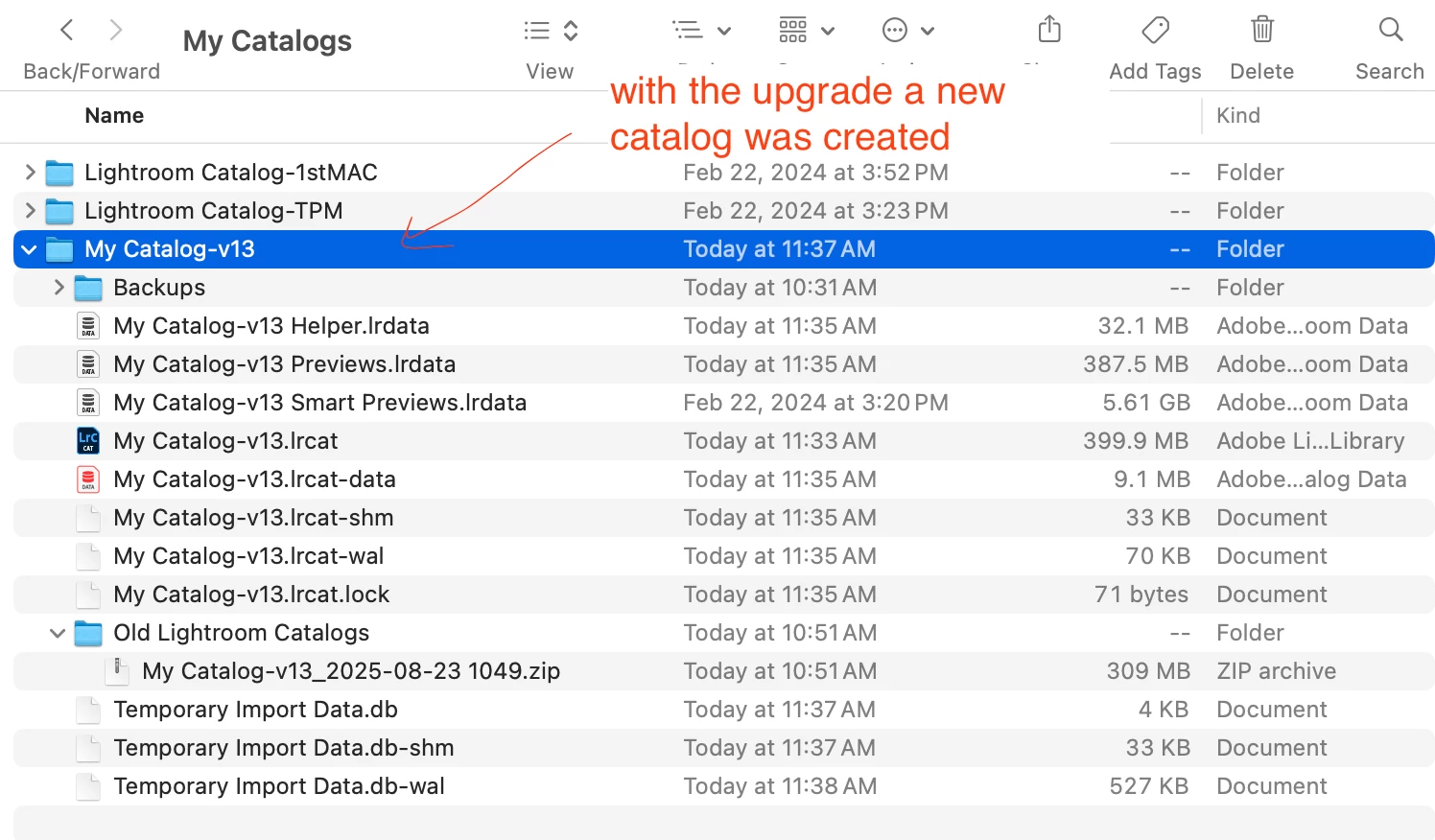
  • I searched for answers online to why I can't see the thumbnails and one answer was to upgrade Lightroom to the latest version. After the upgrade Lightroom prompted me to upgrade the catalog, see screen shot 2.  I believe I was on 13.1.


  • Regarding "Note: the files/folders I have previously work on in Lightroom Classic will not show a preview in the import / add window either." Why would you want to import these folders again? Disregard this, I just wanted to make it known that I can't see any thumbnails of any of the folders (older folders previous years or the new ones I created this year.) 


Objective:

1. Is there somthing else I can try to get Lightroom Classic to import / add my files?


I appreciate the help, I have not used Lightroom Classic in a while. 


Thank you,  Melissa


JohanElzenga
Community Expert
JohanElzengaCommunity ExpertCorrect answer
Community Expert
August 23, 2025

OK, an upgrade from 13.1 does indeed require a catalog upgrade, so that is not the problem. There is another thread discussing the same problem, but no definite answers, I'm afraid. You could try resetting the preferences. Corrupted preferences are known to cause all kinds of strange issues: 

https://www.lightroomqueen.com/how-do-i-reset-lightrooms-preferences/

Another possibly may be a problem with 'full disk access'. Try this: Disable it for Lightroom Classic, restart your computer, and then enable it again. See if that helps.


-- Johan W. Elzenga