


Participant
May 22, 2022
Question

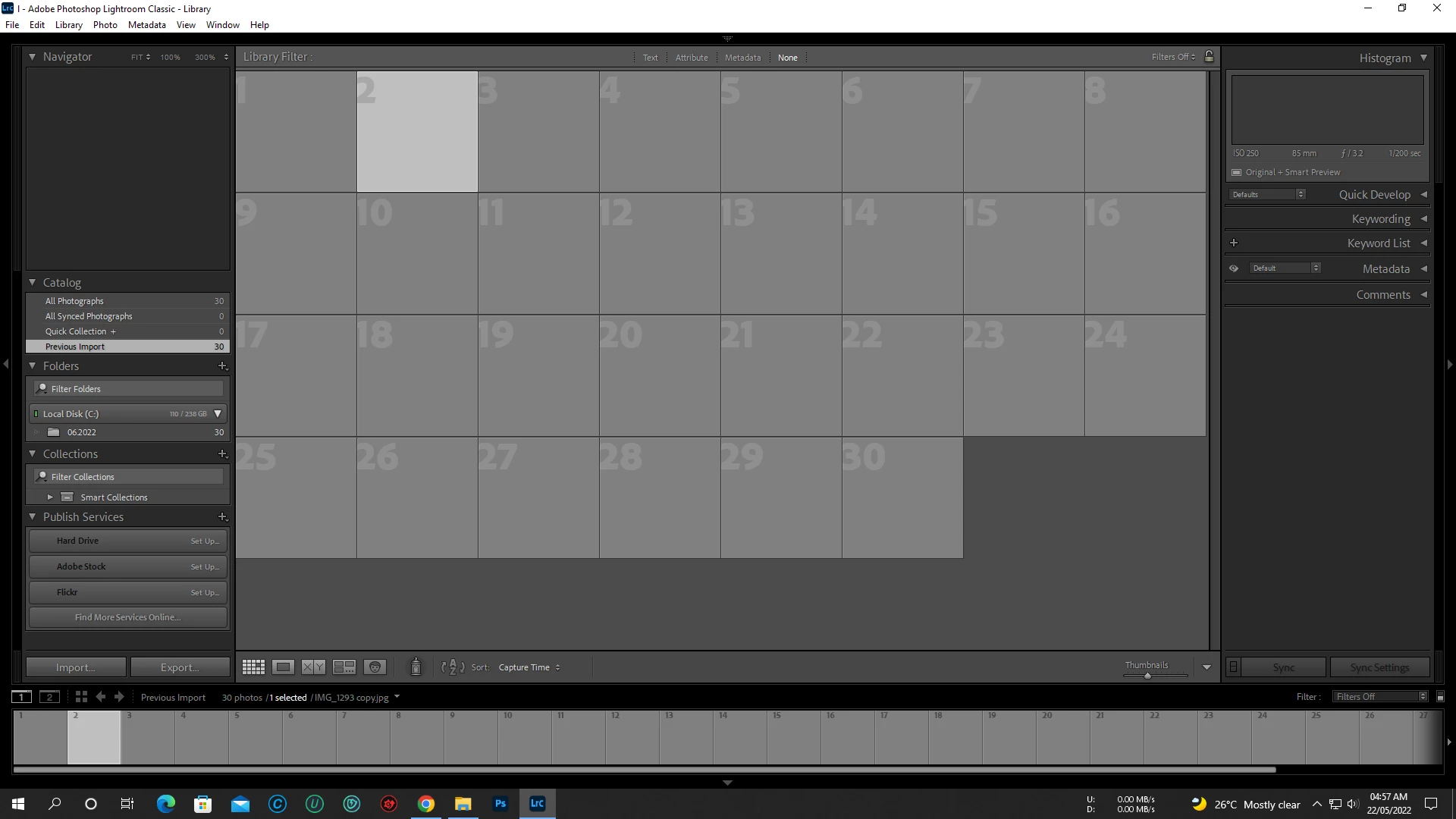
when I imported photos they do not show up

  • May 22, 2022
  • 3 replies
  • 1823 views

when I imported photos they do not show up in the Library view and only show up in the Develop module if I click on a specific photo. All of my existing photos show up correctly, it's only the new imports that do not show up. I looked in finder and the pictures are in the correct folder and the metadata does show correctly in the Library module, but all I see are gray boxes, no photos.
This topic has been closed for replies.

3 replies

AxelMatt
Community Expert
Community Expert
September 19, 2024

Please check you monitor profile. It's seems that there's a problem:

How do I change my monitor profile to check whether it’s corrupted? | The Lightroom Queen


My System: Intel i7-8700K - 64GB RAM - NVidia Geforce RTX 3060 - Windows 11 Pro 25H2 -- LR-Classic 15 - Photoshop 27 - Nik Collection 8 - PureRAW 6 - Topaz Photo AI
dj_paige
Legend
May 22, 2022

Please provide the full path/folder and file name of one of these photos.

Participant
May 22, 2022

Not just this folder but every folder and every photo has this problem

johnrellis
Legend
May 22, 2022

Looks like the preview cache has been corrupted. Try deleting it, as described in this help article:

https://helpx.adobe.com/lightroom-classic/kb/lightroom-gives-error-preview-cache.html


After deleting it, LR will regenerate the previews on demand, which, depending on your photos and the speed of your computer, may cause it to be a little sluggish.  You could go to All Photographs, select all photos, and do the menu command Library > Previews > Build Standard-Sized Previews and let it run over night.

Participant
May 22, 2022

I am trying both method but still not working