
Participant
July 23, 2026
Question

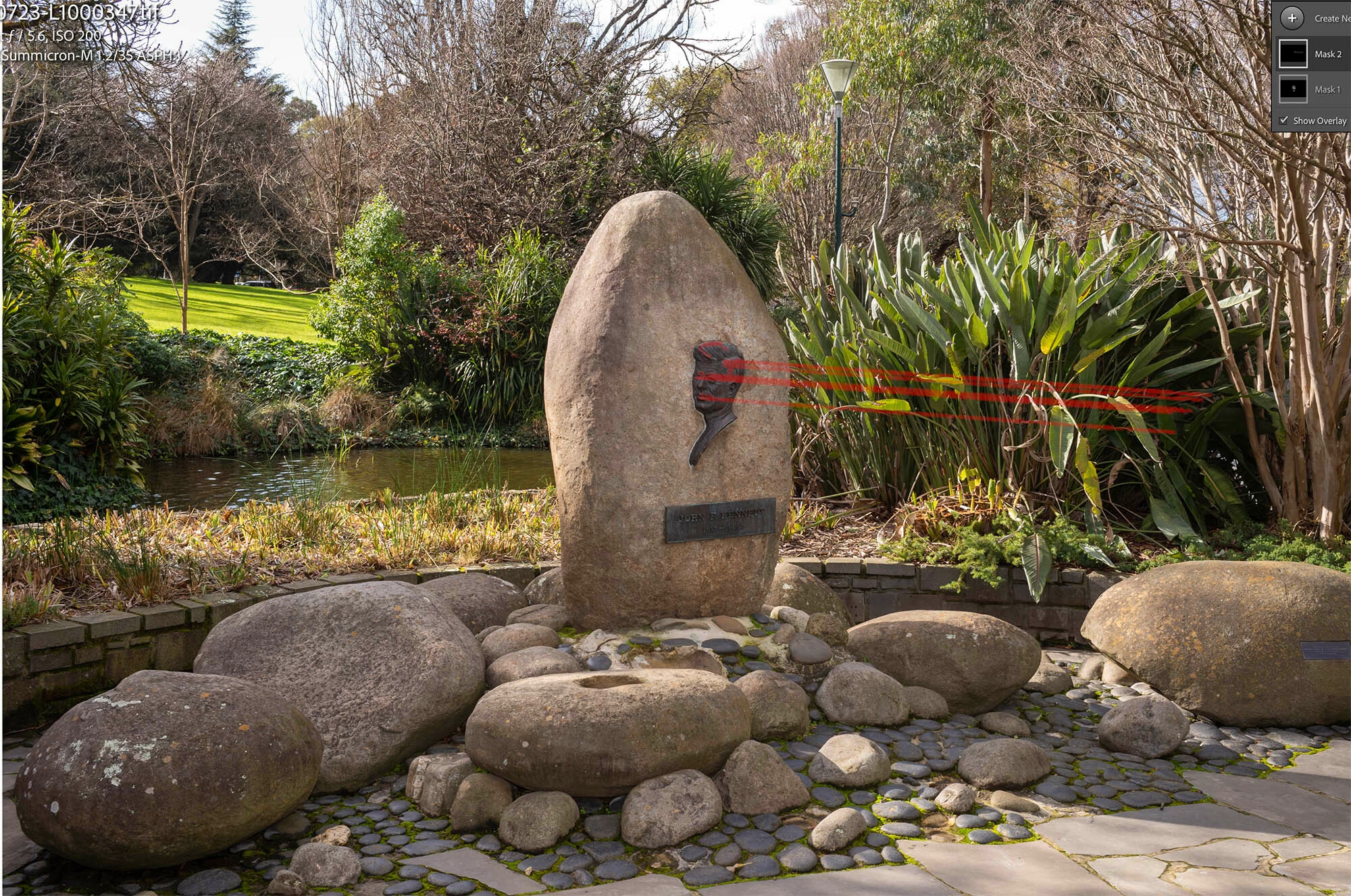
When making a mask the selection will intermittenly go in a straight line to the far left of the photo.

  • July 23, 2026
  • 2 replies
  • 26 views

Sometimes, when I’m making a new mask (object selection or brush), the selection will go to the far right in a straight line. I am using an iMac M3 26.5.2 and Lightroom Classic 15.41 at the moment, but this problem has persisted through many LR and OS updates. You can see it in the attached screenshot. I was trying to dodge certain areas on the bronze plaque, and the selection went feral! I have contacted Adobe Help, but they didn’t solve the problem.
 

    2 replies

    masonreed
    Participating Frequently
    July 23, 2026

    That looks like a bug rather than normal masking behavior. I'd try disabling GPU acceleration in Preferences > Performance as a quick test. If it still happens, share your System Info and a sample RAW file with Adobe so they can investigate further.

    Community Expert
    July 23, 2026

    Do you have tried a reset the preferences of Lightroom Classic:  How to reset Lightroom Classic preferences (adobe.com)

    It's recommended to backup your preferences before you reset the preferences to the default settings: 

    https://helpx.adobe.com/lightroom-classic/kb/preference-file-and-other-file-locations.html


    You can also try to switch off the GPU support from the Lightroom preferences and check if that helps to fix the issue. Go to Lightroom > Preferences > Performance tab > Uncheck "Use Graphics Processor" > Restart Lightroom.

    https://helpx.adobe.com/lightroom-classic/kb/troubleshoot-gpu.html


    If it's help see here Troubleshoot GPU issues | Lightroom Classic (adobe.com) and check the different steps.

    My System: Intel i7-8700K - 64GB RAM - NVidia Geforce RTX 3060 - Windows 11 Pro 25H2 -- LR-Classic 15 - Photoshop 27 - Nik Collection 9 - PureRAW 6 - Topaz Photo AI