
Inspiring
June 25, 2024
Question

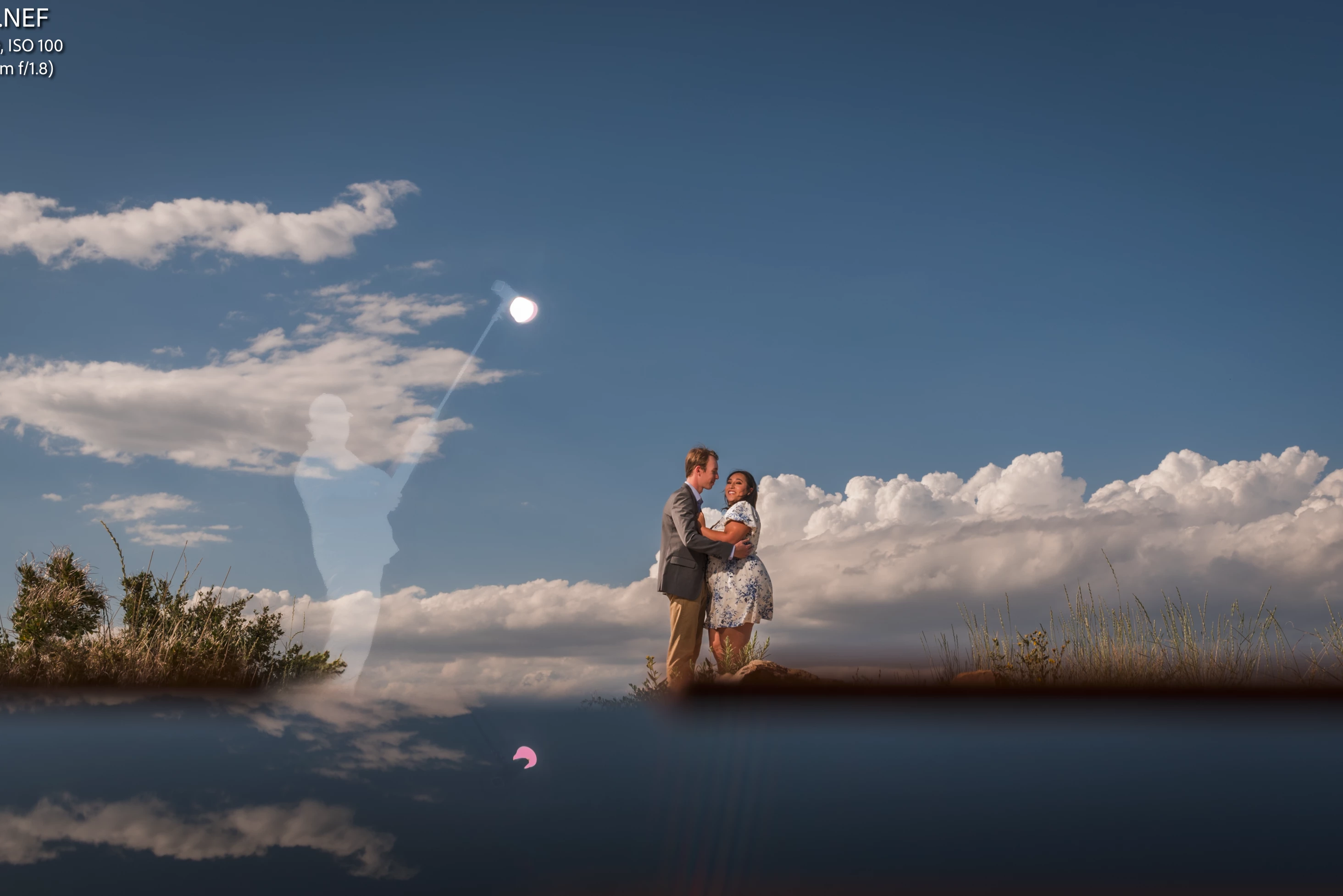
White ghost left behind after using Remove

  • June 25, 2024
  • 2 replies
  • 2636 views

Does anyone have a solution to this? I've been getting it sporadically for years when I use the Stamp tool, or in the case of this photo the Remove tool. It leaves this white ghost of what it has removed. In this photo I'm editing a Nikon RAW file using Generative AI, but it does it with the Stamp & Healing tools as well.
2 replies

GoldingD
Legend
June 25, 2024

Either reset the photo or create a virtual copy and reset ti (as in no edits, as in as imported). Hopefully with no presets etc. applied at import,  and try out the removal before accomplishing anything else. Does it misbehave?


JohanElzenga
Community Expert
Community Expert
June 25, 2024

This is a known issue if you have used a sky mask. The mask did not cover the object you removed later, so it now has a gap where the removed object used to be. The solution is easy: You need to update the mask (Lightroom shows this with a red dot underneath the masking icon). If possible, remove unwanted objects first, and then create the sky mask.


-- Johan W. Elzenga
Inspiring
June 25, 2024

Thank you. I thought that is what it might be. I deleted the Sky mask, all masks actually, reset and redid it, still have it.

JohanElzenga
Community Expert
Community Expert
June 25, 2024

You do not have to delete the sky masks! I said you need to update them, not delete them and recreate them. When you select them, there will be an update mask button. Using the 'Update all AI settings' menu will also do it.


-- Johan W. Elzenga