


Participant
March 19, 2025
Answered

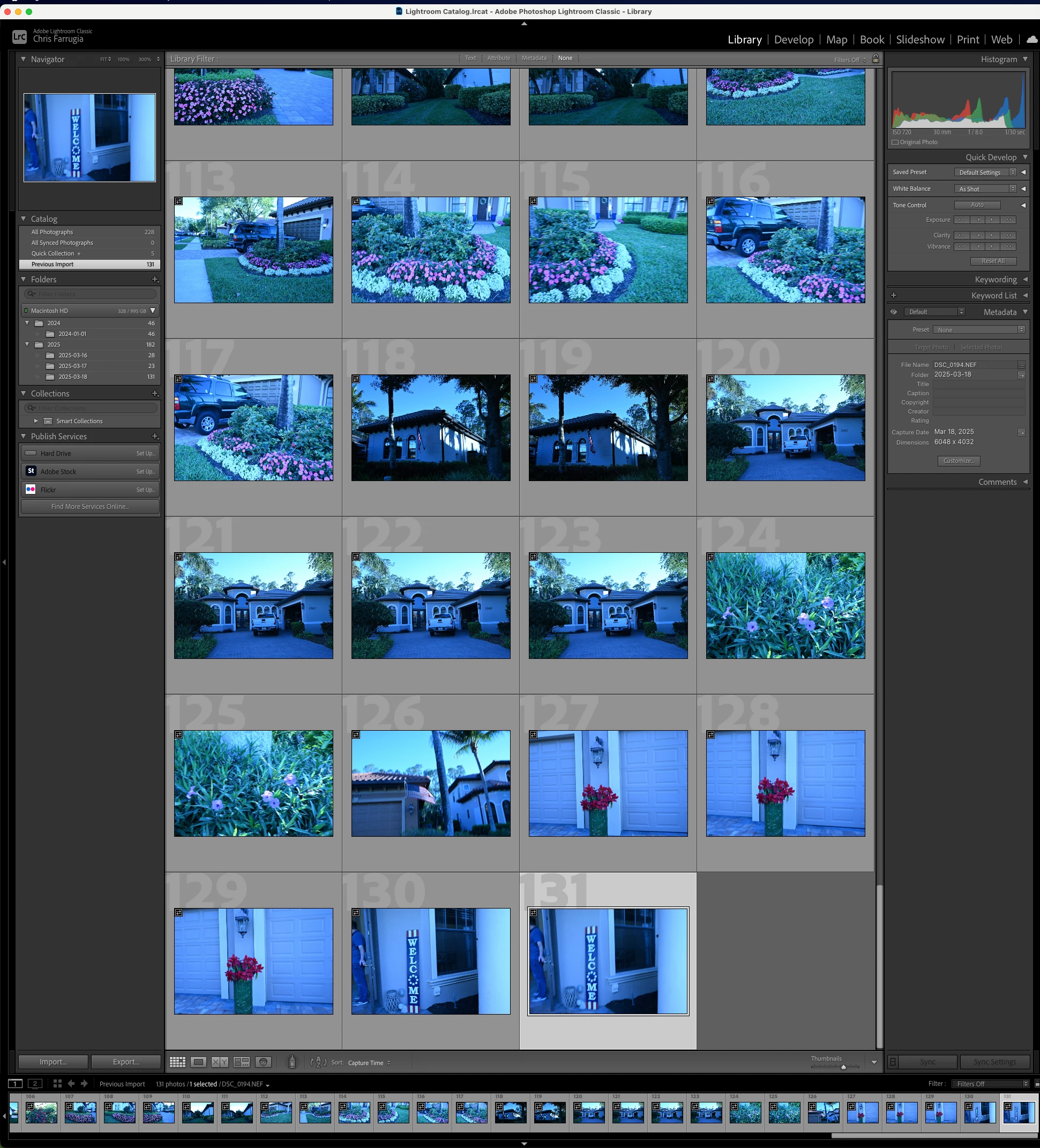
Why are all of the photos I import into Lightroom Classic tinted bright blue?

  • March 19, 2025
  • 1 reply
  • 242 views

When I plug my camera in to my laptop and import photos, I don't see any settings that I have changed. It's all defaults from when I installed Lightroom Classic. Yet, all of my photos are tinted this weird blue color! It makes me have to edit them all in Develop mode just to get it to go away. For waht it's worth, these photos look fine on the camera. It just shows that way in Lightroom.


Thank you for any help you can provide!
 

Correct answer dj_paige

Could it be a camera settting for white balance that was improperly set?


Could it be an import preset that is (accidentally?) applied to the photo?

1 reply

dj_paige
dj_paigeCorrect answer
Legend
March 19, 2025

Could it be a camera settting for white balance that was improperly set?


Could it be an import preset that is (accidentally?) applied to the photo?

Participant
March 19, 2025

I feel so bad that I wasted your time but you solved it! I went into the white balance menu using the FN1 button and sure enough, it was set to Incandescent. I put it back to Auto and it looks beautiful once again.
