Participating Frequently
November 12, 2016
Answered

Why are my photos desaturated?

  • November 12, 2016
  • 4 replies
  • 9537 views

     My camera settings are set to shoot in RAW with the sRGB color space. Exported my files from Lightroom as sRGB. The photos look great on my monitor, but when I copy these images to a thumb drive and view them on a different monitor, they are very desaturated and flat with the blacks as very gray and not contrasted. I'm uncertain why this has happened because it hasn't happened before.

     On an online gallery, they look great but once they are downloaded and view where the files are stored they appear the same as mentioned above... desaturated and flat. Not quite sure what could have possibly gone wrong, but every photo appears to have been drastically altered. 

Thanks in advance!

This topic has been closed for replies.
Correct answer Per Berntsen

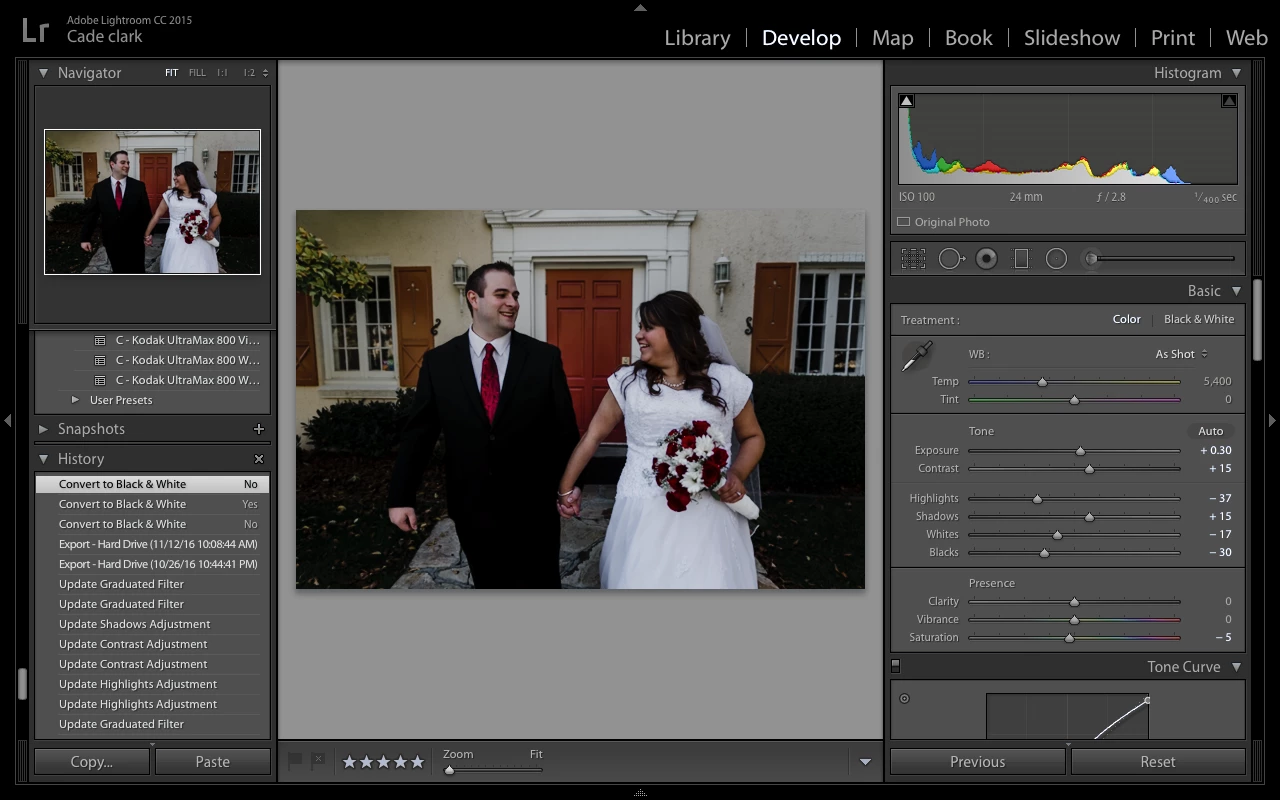
ok so I just turned the B&W off so we could see the color.


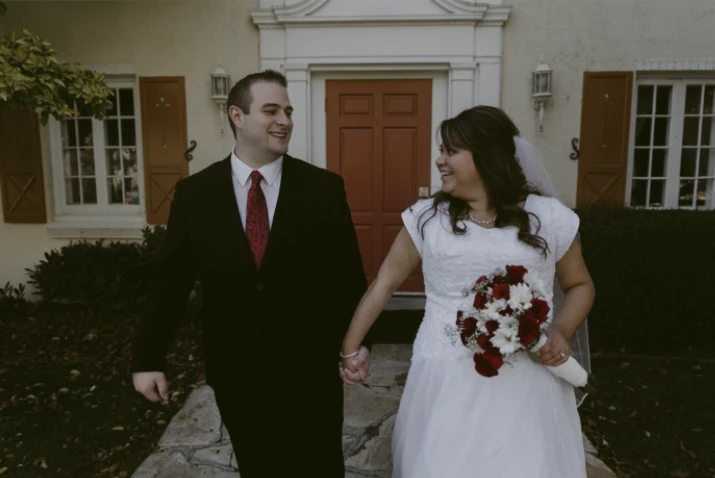
On my calibrated monitor, the image looks like this:

Your screenshot shows higher contrast and higher saturation, which is most likely the cause of the problem.

You need to calibrate your monitor with a hardware calibrator - like Spyder, ColorMunki or i1.

Before you run the calibration, reset the monitor to factory default.

After calibration, all your images in Lightroom will have less contrast and saturation, and you will have to edit them to make them look like what they did before. Once you have established what edits are needed, you can create a preset with just those edits, and apply the preset to all your photos.

4 replies

D Fosse
Community Expert
Community Expert
November 13, 2016

I took a look at one of these images, and I'm not quite sure what to make of it.

The sRGB profile is embedded, so no problems there.

They are slightly desaturated, which is fine, but I'm more bothered by the very muted highlights and strong shadow color cast. The latter is caused by blue channel clipping in the low end, while the red and green channels have lots of room to go in the shadows.

The effective dynamic range here is 6 - 222.

This is how it looks:

Yes, a screenshot would be nice.

Theresa J
Community Expert
Community Expert
November 13, 2016

How are you viewing the files? Lightroom, Finder, Bridge, Picture Viewer?

Per Berntsen
Community Expert
Community Expert
November 12, 2016

First of all, the color profile you set in the camera is for jpgs, and has no effect on raw files.

Raw files are grayscale files, and the colors become visible when Lightroom renders them.

The problem you describe is what typically happens when you export using the Adobe RGB or ProPhoto color space, and then viewing the image in application that is not color managed.

If you are sure that you are exporting in sRGB, I suspect that there is a problem with the other monitor you are viewing them on.

What application are you using on that other monitor?

On an online gallery, they look great but once they are downloaded and view where the files are stored they appear the same as mentioned above...

I don't understand what you mean here - is this on your monitor or the other monitor?

Also, what do you mean by "view where the files are stored"?

Maybe you could post some screenshots to illustrate the issue?

Participating Frequently
November 13, 2016

My clients are seeing the photos as very desaturated when they are downloaded (from the online gallery, Pixieset) to their computer. I'm not sure what program they are using to view their files (once they were downloaded), but it shouldn't be a problem on their side...would it? They just went ahead and downloaded the collection of photos (from Pixieset) before actually viewing the downloaded photos on their computer. They told me it looks great online. Until my clients printed the photos and they then noticed the discolored quality of the photos.

They notified me about the issue. I have a MacBook Pro, and when I view my photos NOT in lightroom and so forth they look great, and I don't have an issue. I then copied those same jpeg edited files (the same files that I gave to my clients) to a thumb drive and jumped over to another computer. I opened up the files on a different computer, and then I could see what my clients were telling me. Discolored and very ugly photos! I didn't open up the photos into an Adobe program, just whatever a default Windows photo viewer would be.

Per Berntsen
Community Expert
Community Expert
November 13, 2016

Would it be possible for you to post a link to one of these online galleries, so that we could download an image?