a.wojtas
Known Participant
July 1, 2025
Answered

Why can't crop be saved as a preset

  • July 1, 2025
  • 1 reply
  • 163 views

I use lr classic to import photos from full frame cameras as well as my smartphone. 


The smartphone shoots at 4:3 by default. I prefer 3:2 like a normal camera. 


Unfortunately lr does not support saving cropping as a preset so every import I must crop one photo, select them all from that import batch, then sync that crop. So annoying. 


Why can't I save a crop ratio to a preset? 

Correct answer C.Cella

@a.wojtas 

We can save limited number of Crop presets.
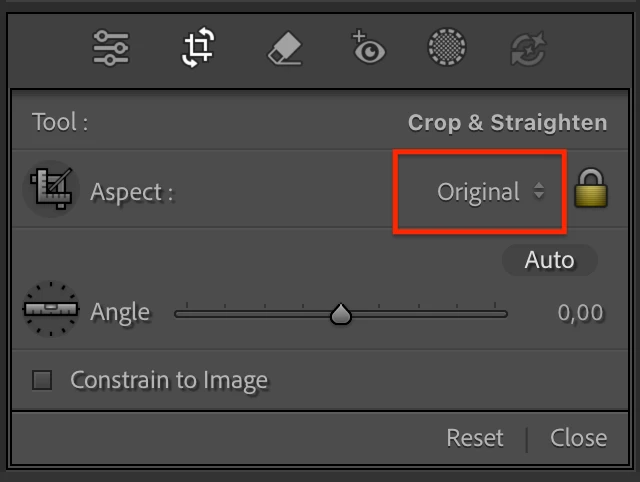
In the Crop Panel 

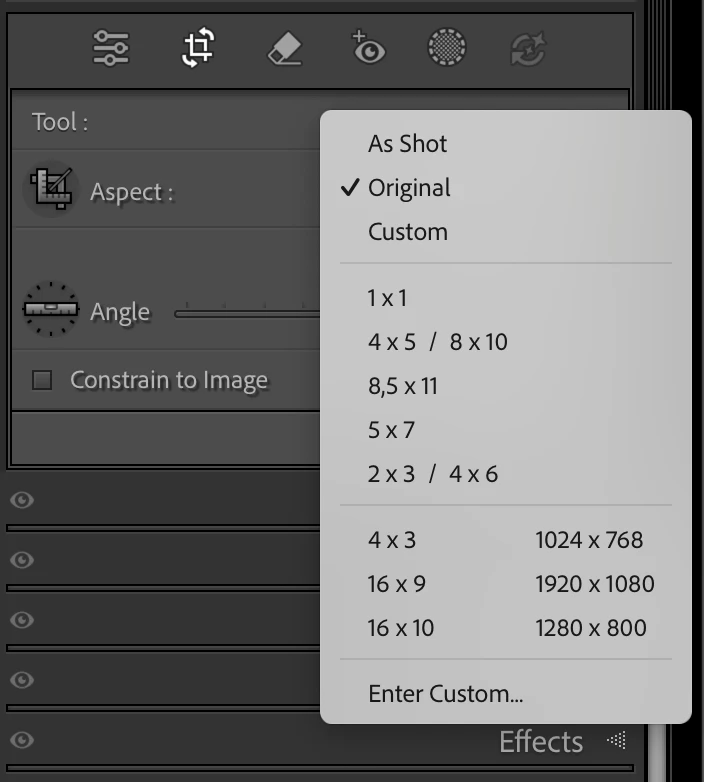
1. Click "Aspect" dropdown menu


2. Enter your Custom preset (2:3 is already availabe as is the Full Frame standard)


1 reply

C.Cella
C.CellaCorrect answer
Legend
July 1, 2025

@a.wojtas 

We can save limited number of Crop presets.
In the Crop Panel 

1. Click "Aspect" dropdown menu


2. Enter your Custom preset (2:3 is already availabe as is the Full Frame standard)