
Participant
May 3, 2020
Question

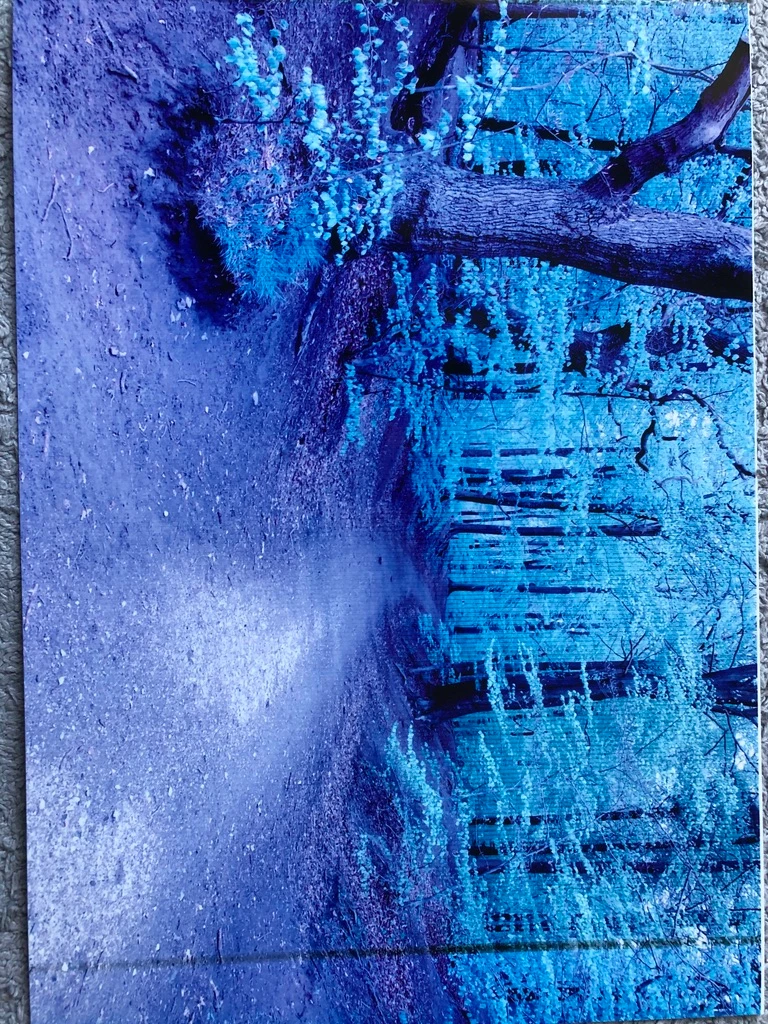
Why do I get these wrong colours when printing
  • May 3, 2020
  • 2 replies
  • 779 views

I have printed this photo from lightroom to my Epson Stylus Photo R360. Before that I printed this photo
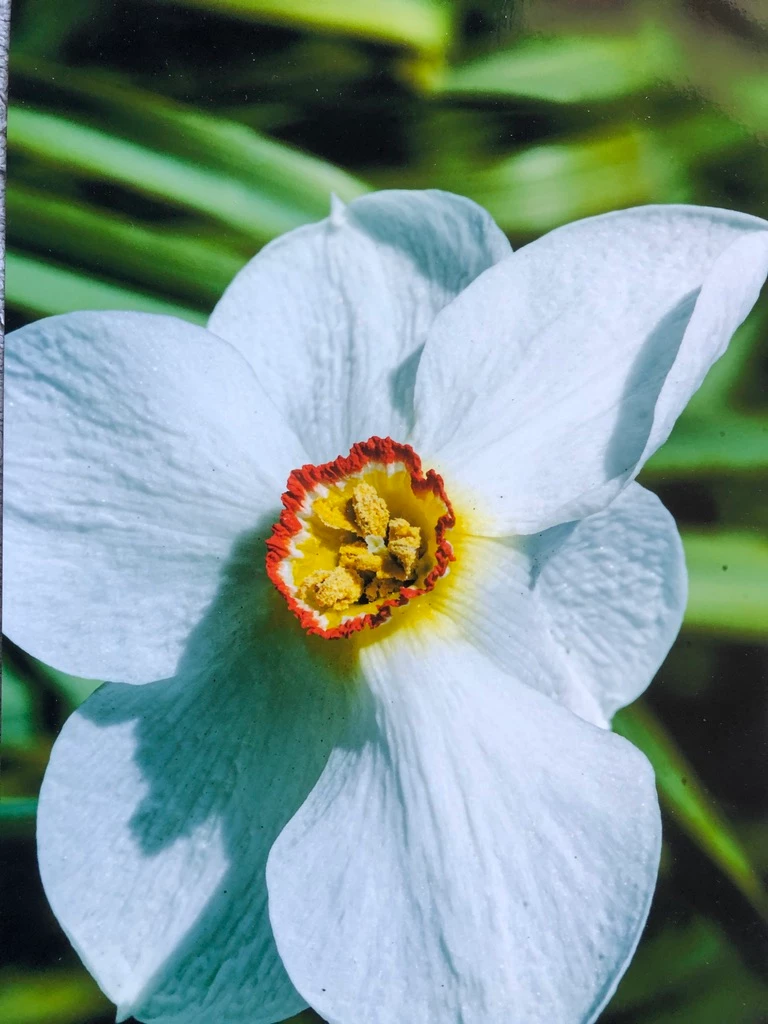


I haven't changed anything in the settings. The only difference is that the first picture was taking with my Fuji X20 and is in jpg. The second picture is a raw photo from my Nikon D7000.

Why is the first photo totally wrong in colour? And what can I do to get it right?

Henrik

This topic has been closed for replies.

2 replies

josephlavine
Community Expert
Community Expert
May 3, 2020

Much can depend on your color settings, such as rendering intent and whether you are using Lightroom or the Printer to Manage color. I suggest using Lightroom and assignment the proper color profile. Also, the colors in your first image are rather saturated and might be out of gamut, meaning your printing setup (printer, ink, and paper) might not be capable of reproducing the colors. Sharing more details about your setup might prove useful for a more accurate response.

warmly/j


F. McLion
Community Expert
Community Expert
May 3, 2020

When printing, make sure you have color management turned on in either LR or in the printer driver.

https://epson.com/Support/wa00354


--- Got your issue resolved? Please label the response as 'Correct Answer' to help your fellow community members find a solution to similar problems. ---
Participant
May 3, 2020

When printing both pictures it was this way in Lightroom and turned off in the printer settings


F. McLion
Community Expert
Community Expert
May 3, 2020

And you are sure you then did manually deactivate the color management in the printer driver?

I assume that by default it is set to automatic and needs to be turned off.

--- Got your issue resolved? Please label the response as 'Correct Answer' to help your fellow community members find a solution to similar problems. ---