
Participant
April 12, 2020
Question

Why is the color off so badly when I export JPGs recently?

  • April 12, 2020
  • 1 reply
  • 187 views

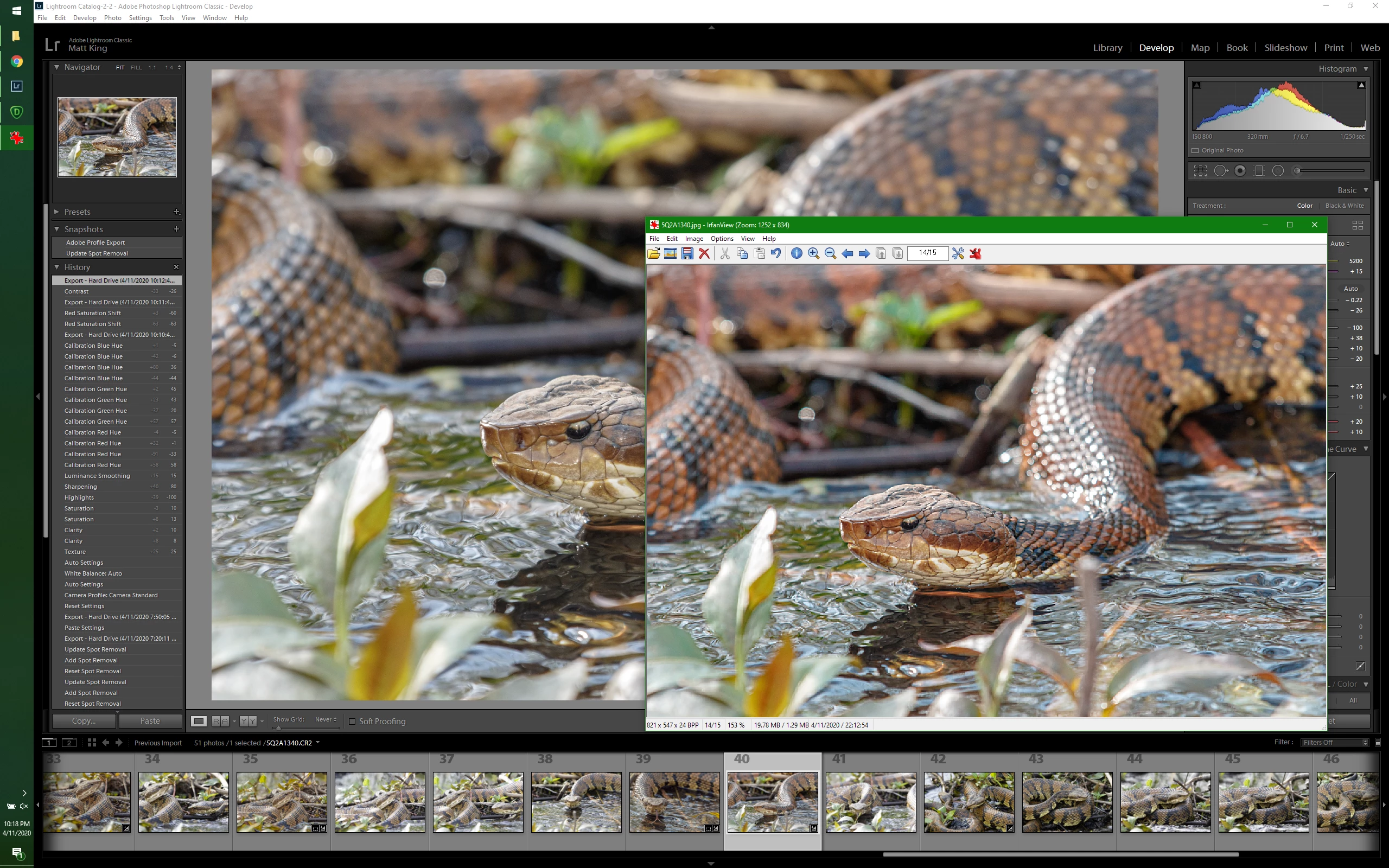
So for the past several months, I've been having a lot of trouble with my output JPGs not really matching the color in lightroom.  Blues have been darker and contrastier, and reds have been blown out everywhere.  All of my browns are red.  I want to say this started sometime around November, but that doesn't mean a lot since I'm pretty bad about updating software - I am up to date right now though with the comparison shot below.  What you can't see there is that the red saturation in lightroom is turned DOWN 60%.


Why is it seemingly impossible to get an accurate JPG from Lightroom anymore, and why wasn't I having this problem before?  Welcoming any input.  Thanks!
 

This topic has been closed for replies.

1 reply

johnrellis
Legend
April 12, 2020

[This post contains embedded images that don't appear in email. View the post in your Web browser to see the images.]


On Windows, these symptoms usually indicate you're using a non-color-managed program to view photos, especially on a wide-gamut display.  (A color-managed program uses the ICC color profile assigned to the display to show colors accurately.) Your screenshot shows you using Irfanview, which by default isn't color managed. You need to turn on color management in Options > Properties/Settings:

You can also use the Chrome browser to view photos (Chrome is color-managed); do File > Open File.


[Use the blue reply button under the first post to ensure replies sort properly.]