
Known Participant
July 3, 2024
Answered

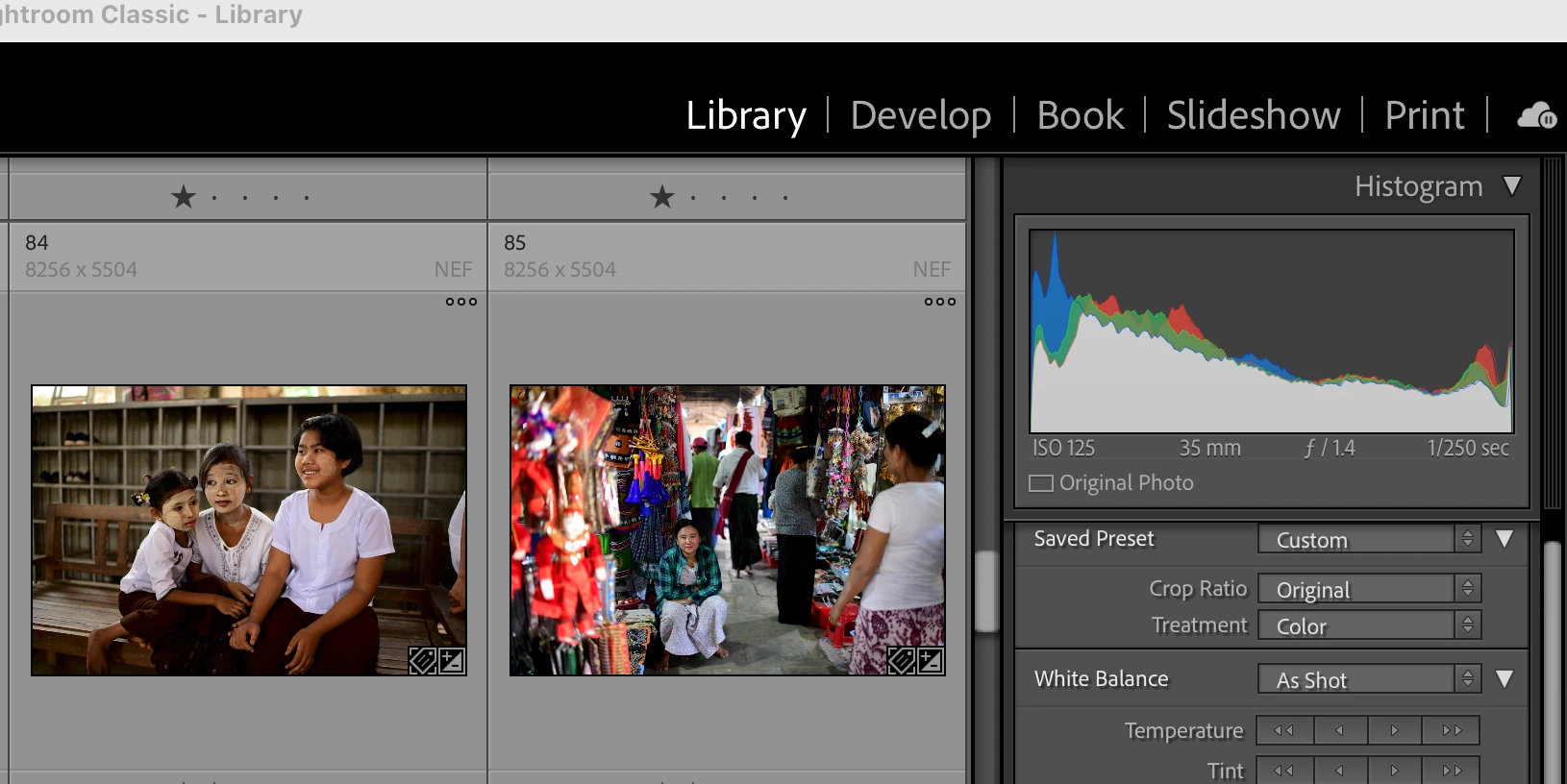
why no map module in in Lightroom 13.4? Its just not there...

  • July 3, 2024
  • 2 replies
  • 867 views

Hi,

I wanted to enter a few .gpx maps I found before deleting them from my download folder. I want to use this feature again as I am doing some travelling. 


There is no Map module in Lightroom Classic 13.4, however. I havent used it for a while, but I thought it was between Develop and Book? any ideas where it has gone?


Apologies if I am missing something basic, which is not impossible, but I can't see it anywhere.

Thanks, In advance, Nick
This topic has been closed for replies.
Correct answer DdeGannes

See a clip from the article I referred in my initial reply. The Module you are looking for may have been hidden use your mouse to right click on one of the Modules "Library or Develop" and a list of all the Modules click on the one you need to activate.


2 replies

dj_paige
Legend
July 4, 2024

Map Module has somehow (accidentally) been hidden


Use the menu command Window->Map

OR

Use Alt-Ctrl-3 (Windows) or Cmd-Opt-3 (Mac)

DdeGannes
Community Expert
Community Expert
July 3, 2024
Regards, Denis: iMac 27” mid-2015, macOS 11.7.10 Big Sur; 2TB SSD, 24 GB Ram, GPU 2 GB; LrC 12.5,; Lr 6.5, PS 24.7,; ACR 15.5,; (also Laptop Win 11, ver 24H2, LrC 15.3; PS 27.0; ) Camera Oly OM-D E-M1.
Known Participant
July 4, 2024

Thanks for the suggestion, Denis. This doesnt help, however - the map module is not there, as you can see from my screenshot (and I am online). My issue is that I used to be able to use this feature and now can't. there are a lot of people online who have been having problems with map features not working recently, so I wonder if it is linked to that?


It may be that I am not too computer savvy, but it is a bit frustrating as I used to use it to put my pictures on a map to see where I shot them. Things like this are often very simply sorted, by someone who knows more than me!

DdeGannes
Community Expert
DdeGannesCommunity ExpertCorrect answer
Community Expert
July 4, 2024

See a clip from the article I referred in my initial reply. The Module you are looking for may have been hidden use your mouse to right click on one of the Modules "Library or Develop" and a list of all the Modules click on the one you need to activate.


Regards, Denis: iMac 27” mid-2015, macOS 11.7.10 Big Sur; 2TB SSD, 24 GB Ram, GPU 2 GB; LrC 12.5,; Lr 6.5, PS 24.7,; ACR 15.5,; (also Laptop Win 11, ver 24H2, LrC 15.3; PS 27.0; ) Camera Oly OM-D E-M1.
