Answered
Why the spinning circle in the lower right when in Develop Mode?
It happens with both jpg and ARW files. I can still process the photos but does the spinning circle mean?
Windows 11 with latest updates.
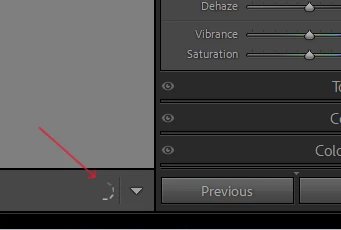

It happens with both jpg and ARW files. I can still process the photos but does the spinning circle mean?
Windows 11 with latest updates.
1. Do you still have the original loading previews issue? No the preview loading is very quick when the GP is active. But after running Lens Blur it deactivates the GP and preview loading is much longer.
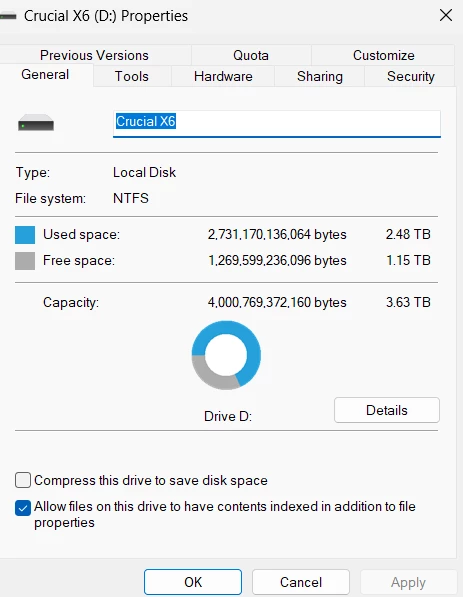
2. 266gb free on my C: drive , ahh, but the catalog is on your D drive, correct? How much free space in % on the D drive? LR catalog is on D drive with 1.15 TB free space.
3. In /preferences/performance, where you have the GPU in Custom, can you select Auto? What happens? And then again what happens upon restart of LrC? I can select Auto but I get the same error message with Lens Blur and it deactivates the GPU. Restarting LR the GPU is set to Auto and loading previews is fine. But again, running Lens Blur deactivates the GPU. I never had any issues with LR before with this computer before trying Lens Blur - which has been unsuccesful so far - and it causes the issue of disabiling the GPU if I try it.
4. What type of drive is your D drive? Internal/External, Spinning disk/ Solid state? How large? D drive is SSD - attached screenshot shows its properties. I also have a catalog on my computer's C: drive and I have the same issues running Lens Blur. Thanks.
Ok, one issue sort of solved the wait time for the previews. But that lens blur oddity. Ugggh
I would recommend two things
1. If the Lens Blur works (but fouls up the GPU use) then use it sparingly, when you can put up with the annoyance of having to reset the use of GPU.
2. Create a new post in Discussions.
Not in Bugs, let Adobe decide to move it to Bugs if they get involved and if they decide a bug is occurring. A Discussion
This Discussion would be On the subject "Using Lens Blur Disables option to use Graphics Processor" (or something like that)
Describe the steps you take, something like (correct any thing wrong lke Custom not Auto , drive D not C, etc)
1. Initially have the option in /preferences/performance/Use Graphics Processor/ to Auto.
(insert a screen capture of that here)
2. Restart LrC just in case
3. Inspect the option /preferences/performance/Use Graphics Processor/ and I find it is still in Auto
4. Working with Develop Module on images works Ok with the exception of Lens Blur
5. When I try using Lens Blur, LrC disables the option /preferences/performance/Use Graphics Processor
(insert a screen capture of that here)
6. Is their more? If so add to the issue
7. My System Info BEFORE using Lens Blur is as follows:
(insert that info as you have done before)
8. That part of my system Information showing my My Graphics Processor Info After trying to use Lens Blur is as follows:
(insert just that bit of info, the latest version of that, something like:
Graphics Processor Info:
DirectX: NVIDIA GeForce MX250 (31.0.15.4633)
Init State: GPU disconnected
User Preference: Auto)
9. My catalog is on a SSD with 31 % Free space
10. My Camera RAW CACHE is set for 20 GB. it is on drive C
11. As you can see my GPU drive is v546.33 and per NVIDIA that is the latest as of 1 January 2024. I have only 2GB of VRAM
12. My Camera is a Sony A7R5 which has 60 MB RAW files.
Inquiry. Why is LrC disabling the use Graphics Processor? Is their another discussion or perhaps a Bug posting on this. Is their a ADOBE document on this. Help.
Already have an account? Login
No account yet? Create an account
Enter your E-mail address. We'll send you an e-mail with instructions to reset your password.


 AdChoices