
DarrellB
Known Participant
September 22, 2018
Question

Windows 7 Thumbnails

  • September 22, 2018
  • 1 reply
  • 654 views

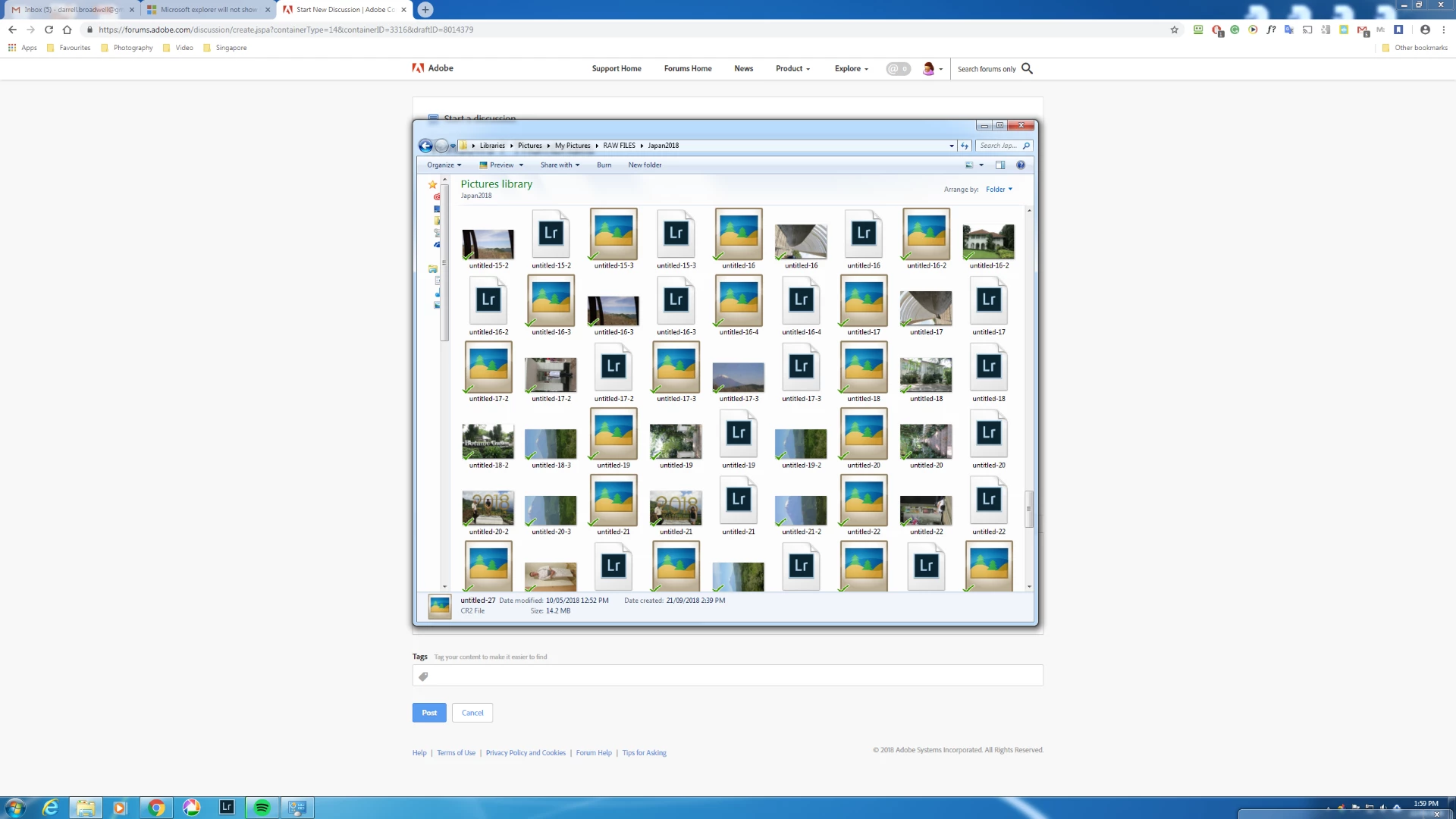
When viewing thumbnails in folders using windows explorer the RAW files will not display the image (no problems with JPEG) unless I double click on them and then the programme  I have associated with these files will open then and display the photos in that programme e.g Lightroom or Picasa. What I want is to be able to see the images in the folder without launching any viewing programme
This topic has been closed for replies.

1 reply

johnrellis
Legend
September 22, 2018

To view thumbnails in Windows File Explorer, you'll need to install a raw codec that understands the particular manufacturer's raw files.  You could first try installing the Microsoft Camera Codec Pack: Download Microsoft Camera Codec Pack (6.3.9721.0) from Official Microsoft Download Center (See Details on that page for a list of supported cameras.) 

The Camera Codec Pack doesn't appear to have been updated since 2014. If your camera isn't on the list, you could try the manufacturer's Web site.  If that doesn't help, you could Google for a third-party codec.  But don't be surprised if the codecs aren't compatible with Windows 7.

DarrellB
DarrellBAuthor
Known Participant
September 22, 2018

But I thought having already installed Lightroom which can open the files in question that Lightroom would do this for me?

johnrellis
Legend
September 22, 2018

But I thought having already installed Lightroom which can open the files in question that Lightroom would do this for me?

No.  Adobe doesn't provide camera codecs for either Windows File Explorer or Mac Finder.  With Adobe software, you can only view raw files in Lightroom or Adobe Camera Raw (via Photoshop or Bridge).