Participant
January 3, 2019
Answered

Won't open!!
  • January 3, 2019
  • 4 replies
  • 418 views

Hey Everyone!

So a little while ago I was uploading images from my card, and my 2 year old pressed the power button on my computer...and it shut off in the middle of an upload...

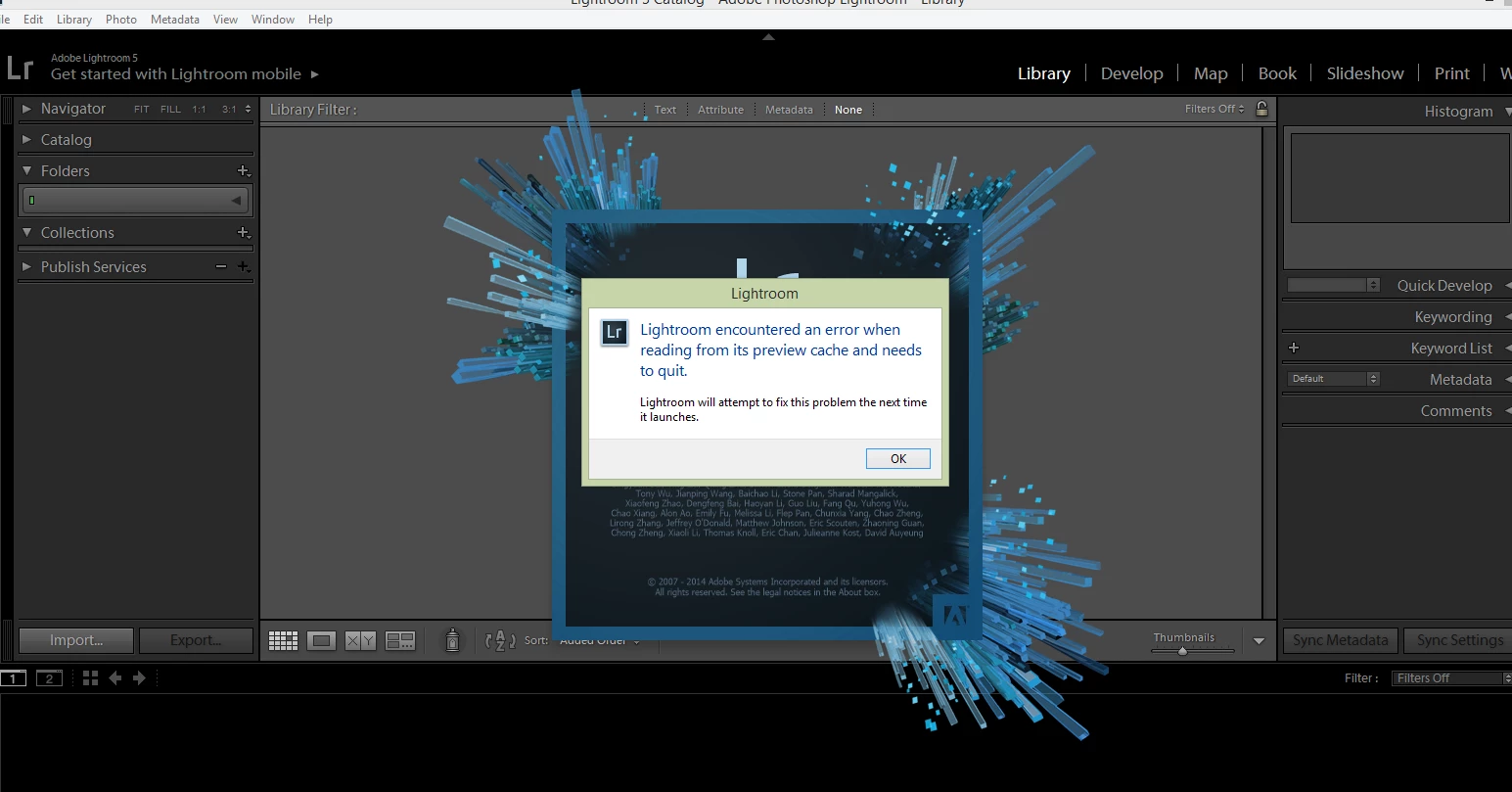
Now... each time I try to open up Lr again...this warning pops up..and I cannot get past it..

Has anyone seen this before?    I'm at a stand still and cannot get images in to Lr or edited..! ahhhh

Any suggestions are appreciated!

    This topic has been closed for replies.
    Correct answer JohanElzenga

    Your previews cache is corrupted. That is easy to solve. Open your Lightroom catalog folder and look for 'catalogname previews.lrdata'. Trash it, then start Lightroom again. Lightroom will rebuild the previews, so initially you will see empty 'slide mounts', but then the previews start appearing one by one.

    4 replies

    Participant
    January 5, 2019

    thank you!!

    Participant
    January 5, 2019

    thank you so much!!!

    GoldingD
    Legend
    January 4, 2019
    Participant
    January 5, 2019

    thank you!!!

    JohanElzenga
    Community Expert
    JohanElzengaCommunity ExpertCorrect answer
    Community Expert
    January 3, 2019

    Your previews cache is corrupted. That is easy to solve. Open your Lightroom catalog folder and look for 'catalogname previews.lrdata'. Trash it, then start Lightroom again. Lightroom will rebuild the previews, so initially you will see empty 'slide mounts', but then the previews start appearing one by one.

    -- Johan W. Elzenga