
Participating Frequently
January 12, 2023
Question

Wrong picture orientation in imported catalog

  • January 12, 2023
  • 2 replies
  • 553 views

Lightroom Classic Version Number12.1

OS Version NumbermacOS Monterey v. 12.6.2


Hello,

I'm a new LR (and macOS) user. I'm trying to evaluate best options for cataloging thousands of pictures, but I got stuck with a problem. Under certain circumstances cataloged (vertical) pictures are being displayed horizontal. I tried to replicate it as clean as I could:


1. I made a test folder called "test" and placed 3 vertical and 1 horizontal Sony .ARW files (without any XMP sidecars) inside.


2. I opened LR, imported the "test" folder and everything seemed normal (see screenshot)
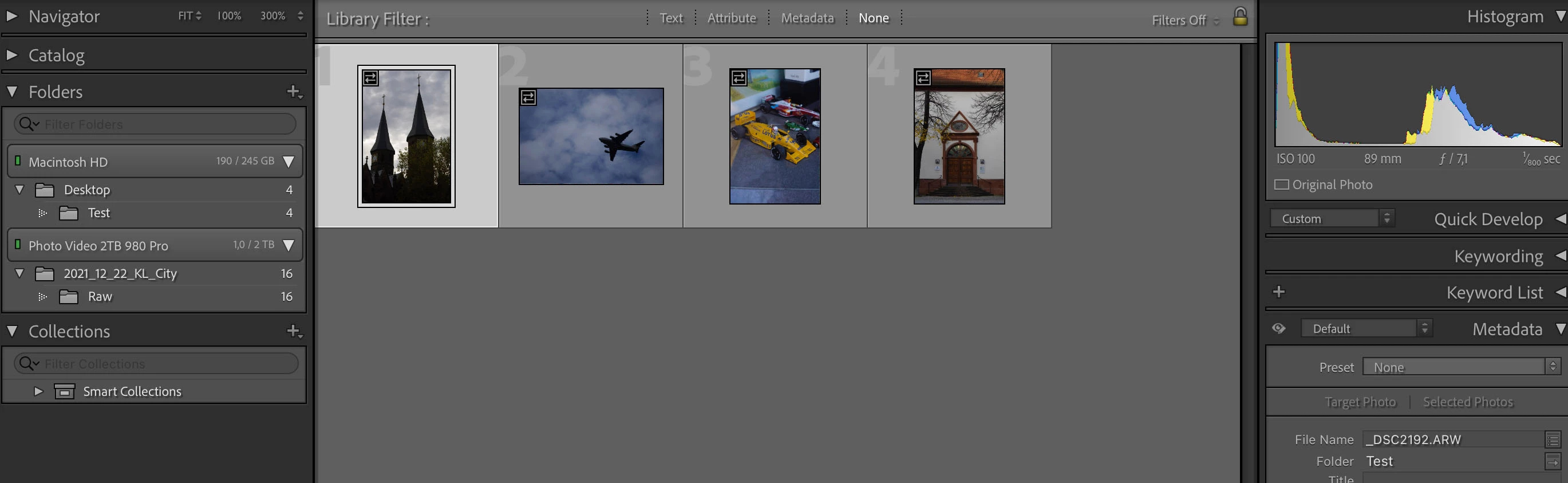


3. I closed LR (really closed it until the "dot" disappeared), opened the _DSC2192.ARW file in finder with PS (Camera Raw)


4. I edited colors, applied "Working sRGB Profile" and saved it as .jpg via "Save Copy as JPEG" in the same "test" folder with the same "_DSC192.jpg" name.


5. I then quit PS while answering to the "Save to PS document" prompt with NO.


6. I opened LR again and the edited picture displayed the "metadata was changed externally" symbol, without any color changes, or the ARW+JPEG hint in Metadata window.


7. After synchronising the "test" folder manually (with scan for MT updates showing up) this was the result. The edited color has changed, but metadata window shows still ARW (without JPEG)
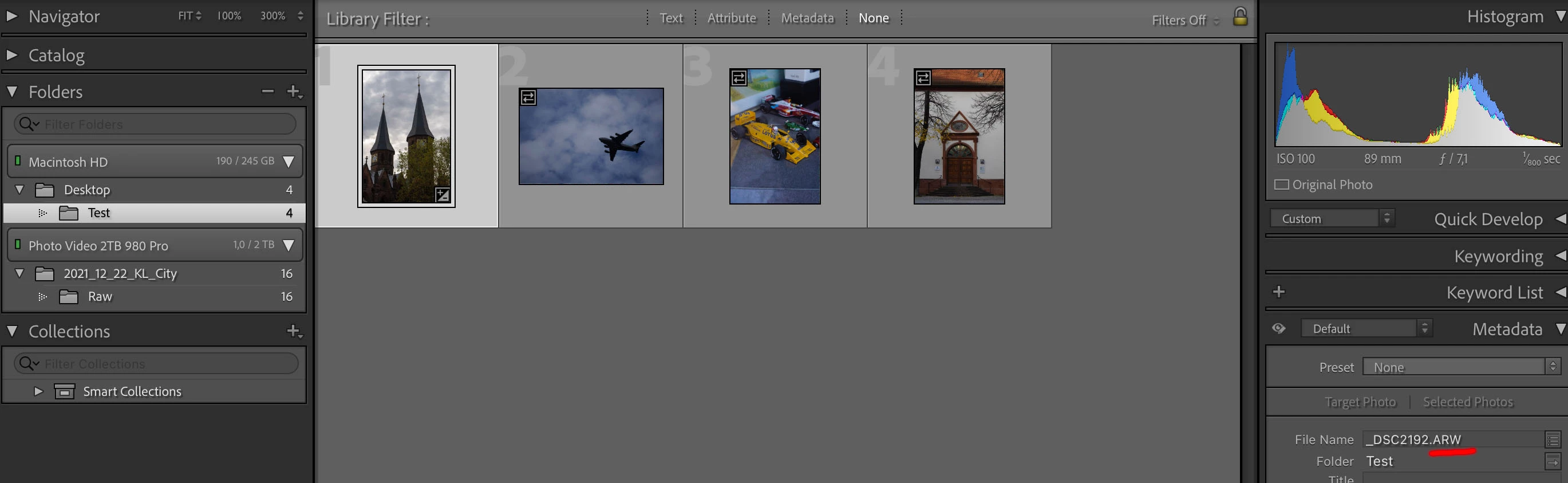


8. First after pressing "Optimise catalog" the MT window showed ARW+JPEG (is this normal?)


9. I then repeated the whole process with the vertical picture #3 (_DSC2917.ARW) and everything seemed to work, until...


10. I made a new catalog with the name "test", imported my "test" folder and this is the result:
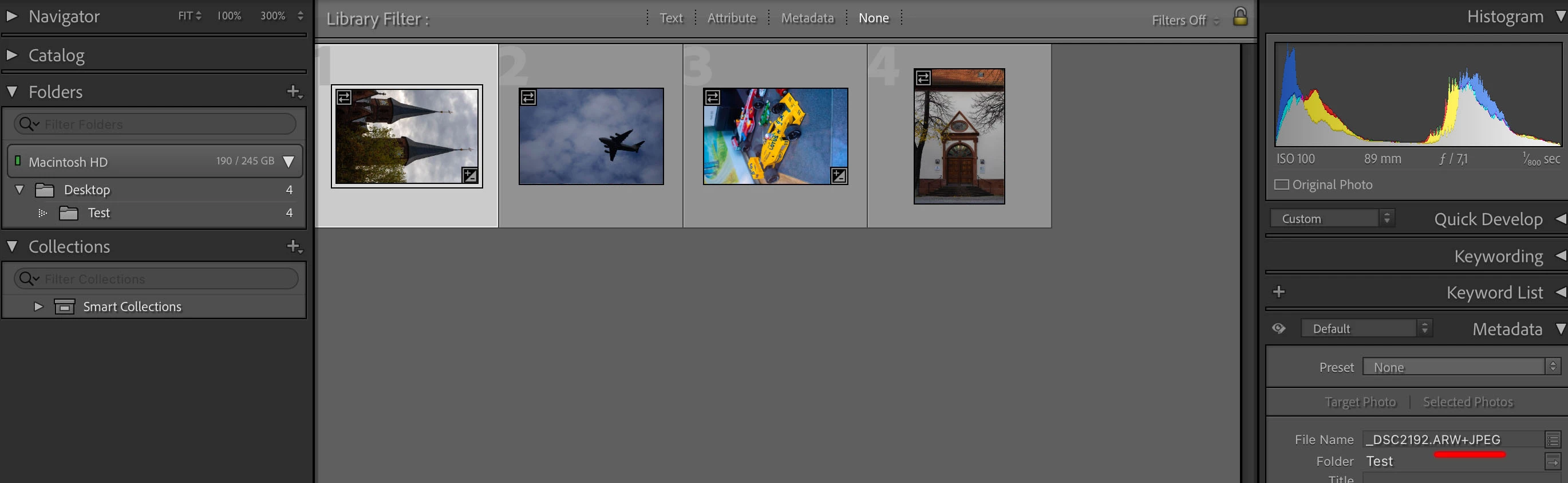


As you can see both pictures #1&3 are not vertical anymore. This is the problem I'm having. It was only one way I could replicate it today, but I'm (pretty) sure that it also happened at one point without the last (new catalog) step (although I'm not 100% sure).

If that's not a bug and something that can be prevented elsewhere, then I'm really sorry. Either way it drives me crazy at this point :).


Best regards!


This topic has been closed for replies.

2 replies

JohanElzenga
Community Expert
Community Expert
January 12, 2023

Lightroom will treat JPG's that have the same file name as a raw file as 'sidecar' files, unless you disable this option in the preferences. This is meant for people who shoot raw+jpeg in their camera, but it will also work this way if you save a jpeg from a raw file in the same folder later on, and then sync that folder. Because the jpeg is generated separately in this case, it may miss the orientation flag that the raw file has and that will probably cause this problem. What you need to do is disable the 'sidecar' option in the Lightroom Classic preferences, by checking 'Treat JPEG files...'. That will most likely solve this problem.


-- Johan W. Elzenga
GXMediaAuthor
Participating Frequently
January 12, 2023

Thank you for both of your answers. The box is/was unchecked, because I don't want to import additional unnecessary pictures, let alone displaying everything twice. I just need LR to acknowledge the presence of edited JPEGS next to ARW files, like it already did, until this bug after step "9" occured.


I described in great detail what is happening and would be grateful if a LR software developer could take a quick look at it (especially at step 10 and what happens afterwards).


After creating a new catalog LR shows pictures (already displayed correctly before) with wrong orientation. I'm having problems to believe that this is not a bug.

I'm evaluating different software for my purposes (and future work) at the moment (such as Photo Mechanic Plus for example) which doesn't have this problem. Because of LR's advantages in other areas, I would like to commit to Adobe for the long term, but I got already stuck at this early stage...


I would really appreciate it, if this could be fixed.

Thank you in advance.

GXMediaAuthor
Participating Frequently
January 19, 2023

Hello Adobe,

I'm surprised about the lack of help, or interest in this problem. As already mentioned the "Tread JPEG files..." box was unchecked, therefore this was not a solution.


I did some tests and found something interesting. I hope my following  screenshot explains it.


Two identical test folders, different results. Both pictures are being displayed correctly (at least for now), when I set "Build Previews" to "minimal". Any thoughts?


DdeGannes
Community Expert
Community Expert
January 12, 2023

Lightroom Classic Preferences, what option do you have selected in the marked option?


Regards, Denis: iMac 27” mid-2015, macOS 11.7.10 Big Sur; 2TB SSD, 24 GB Ram, GPU 2 GB; LrC 12.5,; Lr 6.5, PS 24.7,; ACR 15.5,; (also Laptop Win 11, ver 24H2, LrC 15.0.1, PS 27.0; ) Camera Oly OM-D E-M1.