Participant
August 4, 2025
Answered

ZOOM SLIDER

  • August 4, 2025
  • 2 replies
  • 265 views

I keep losing the zoom slider, how do I get it back please?

Correct answer Conrad_C

You haven’t answered the questions the others have asked…do you mean the Zoom slider in the toolbar at the bottom of some modules in Lightroom Classic? Which module are you using?


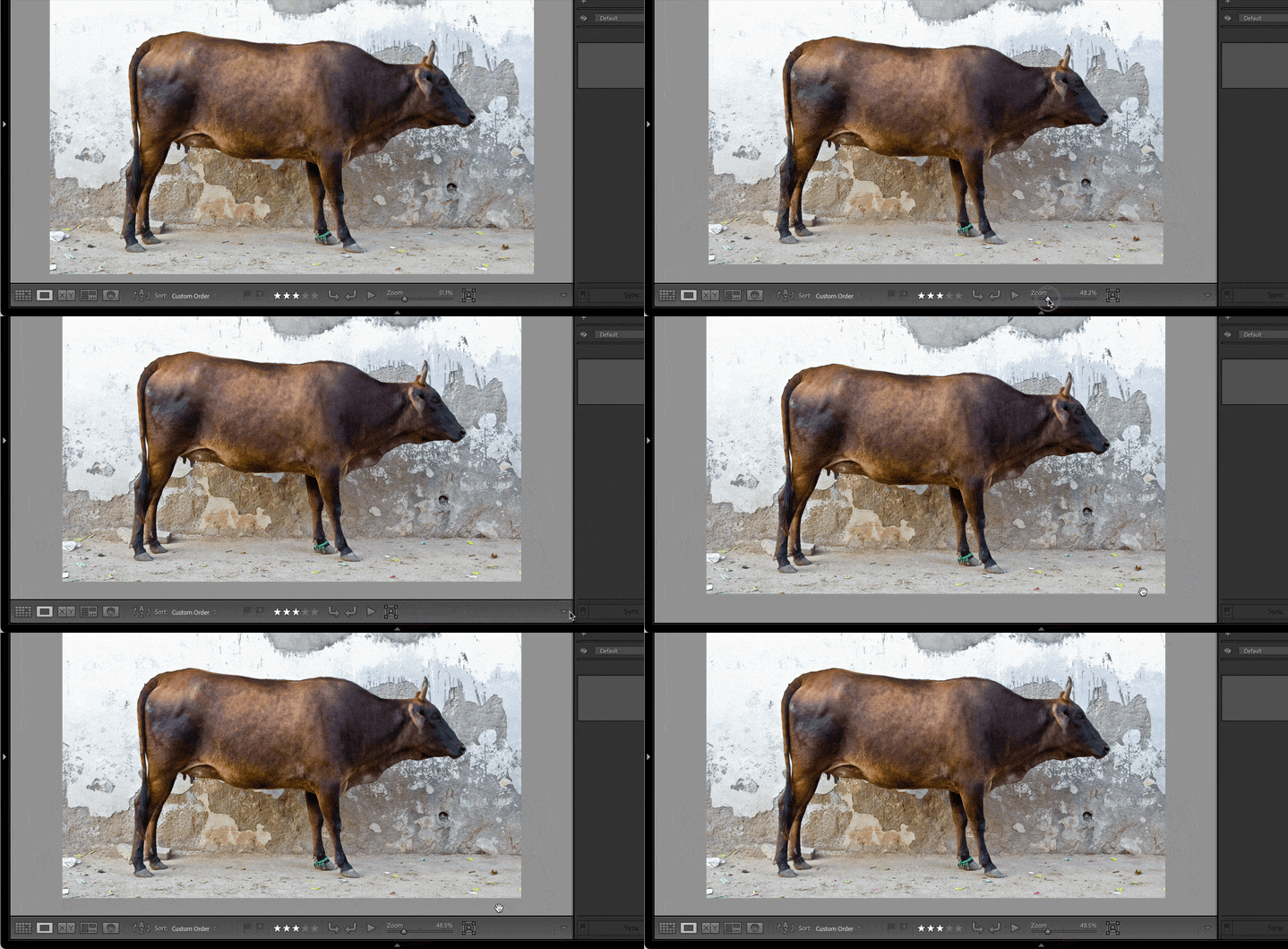
If you are talking about the Zoom slider in the Lightroom Classic toolbar, have you checked the toolbar item menu (is Zoom enabled) and toolbar visibility (View > Show/Hide Toolbar) settings, as shown in the demo below?


If it’s happening accidentally, is it because the T key is being pressed accidentally, which would hide the toolbar? Can you try pressing the T key again, or choosing the command View > Show Toolbar?


For us to be able to help you, please confirm any of the questions being asked here by us.
 

2 replies

Conrad_C
Community Expert
Conrad_CCommunity ExpertCorrect answer
Community Expert
August 4, 2025

You haven’t answered the questions the others have asked…do you mean the Zoom slider in the toolbar at the bottom of some modules in Lightroom Classic? Which module are you using?


If you are talking about the Zoom slider in the Lightroom Classic toolbar, have you checked the toolbar item menu (is Zoom enabled) and toolbar visibility (View > Show/Hide Toolbar) settings, as shown in the demo below?


If it’s happening accidentally, is it because the T key is being pressed accidentally, which would hide the toolbar? Can you try pressing the T key again, or choosing the command View > Show Toolbar?


For us to be able to help you, please confirm any of the questions being asked here by us.

 

Participant
August 4, 2025
That's what I was looking for; yes, I have been accidentally pressing the T
key!
Many thanks my friend.
dj_paige
Legend
August 4, 2025

What software are you referring to? Where in this software are you looking and you don't see the zoom slider (please be very specific)? Please show us a screen capture of what you see, using the "Insert Photos" icon to include the screen capture in your reply.

Participant
August 4, 2025
As often happens, it comes and goes and now when I went to do a
screenshot I see it has returned (red arrow).
Another time, when the fancy takes it, the screen looks just the same but
that zoom slider is missing.
I'm sure it will be something I am not doing right?
dj_paige
Legend
August 4, 2025

Please answer all of my questions above. 


No screen shot. Please follow the instructions above about using the "Insert Photos" icon.


