Participant
June 23, 2025
Question

라이트룸클래식 가져오긴 단계에서 오류

  • June 23, 2025
  • 1 reply
  • 198 views

라이트룸클래식 사진가져오기 단계에서 해당 오류로 인한 진행이 불가합니다

해당 창으로 진행이 안되거나 가져오기 단계에서 바로 프로그램이 종료되면서 진행이 되지 않고 있습니다
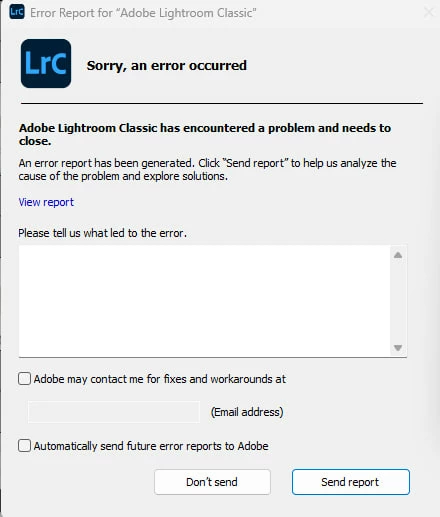
 

https://pastebin.com/3CHGZC1E

1 reply

Srishti_Bali
Legend
June 23, 2025

Hi @determined_Flamingo2428


Sorry to hear about this experience. To help us better understand and troubleshoot the problem, could you please answer the following questions:


  • Are you importing photos from a memory card, an external drive, or a local folder on your computer?

  • Approximately how many files are you trying to import at once? Have you tried importing a smaller batch or files from a different location to see if that works?

  • Is the issue happening with specific files, or does it occur with all imports?

  • I noticed you're currently using Lightroom Classic version 14.3 — could you try updating to the latest version and let us know if the issue still persists?


Once we have this info, we can guide you more precisely.


Regards,

Srishti

Participant
June 23, 2025

@Srishti Bali 

sata로 연결된 hdd 드라이버를 통해서 사진들을 가져오고 있습니다.

2000장 정도 가져올때도 오류가 나고 500장정도 작업할때도 오류가 나고 있습니다

80%정도 가져오기 할 시 오류가 진행이 됩니다

낮은버전은 사용해도 동일하고 다시 업데이트를 해도 동일하게 오류가 나고 있습니다

Anshul_Saini
Community Manager
Community Manager
June 23, 2025

Thank you for the additional information. I understand how disruptive this must be, especially when working with large batches of images.


Based on what you’ve described, it sounds like Lightroom Classic is encountering a resource or access-related issue during bulk import from your SATA-connected HDD. Let’s try a few targeted steps to isolate the problem:
1. Please run a disk check or integrity scan on your HDD (for example, using chkdsk on Windows) to rule out any corruption or bad sectors that might be interrupting access.
2. Temporarily copy a subset of ~500–1000 images from the HDD to your internal drive and attempt to import them from there. This helps identify whether the issue is related to file access speed, disk errors, or Lightroom itself.
3. Try importing in small batches of 200–300 files. Lightroom may be running into resource limits (RAM or cache bottlenecks) with larger sets, especially when thumbnails/previews are being generated.
4. Disable GPU Acceleration (as a test): Go to Edit > Preferences > Performance, and temporarily disable “Use Graphics Processor” to rule out any GPU-related instability during import.


Let us know how these steps go. We’re here to help get you back on track!


Best regards,

Anshul Saini
