zooomak
Participating Frequently
July 4, 2019
Answered

1 TB full - what's next?

  • July 4, 2019
  • 1 reply
  • 645 views

Hey I did not find the correct answer on this topic yet.

My 1 TB plan is full and I would like to upgrade to 2 TB. I this possible with a Lightroom-only plan?
I do not need all the other apps and the price for a full 2 TB plan is not reasonable for me.

Thanks!
    This topic has been closed for replies.
    Correct answer JohanElzenga

    Thanks, this is all I can choose.

    Is it really correct that the price is more than double to add another TB storage? This does not seem reasonable to me.


    Isn't there an extra column if you click here?

    1 reply

    Akash Sharma
    Legend
    July 4, 2019

    Hi Zooomak,

    Please check out the below process to upgrade your storage. You'll need to upgrade to 2 TB plan as mentioned below:

    How to upgrade your storage plan from Adobe.com

    • Sign in to your Adobe ID account with your Adobe ID and password, or with your social (Facebook or Google) account.
    • In the navigation bar at the top, click Plans.

    Top-nav-bar-plans
    • Under My plans, click Manage Plan.

    Click Manage plan
    • In the Plan & payment section, click Change Plan.You can also view details of your current plan.

    Click Change plan
    Note: Don't see the Change Plan link? Contact us to upgrade your plan.
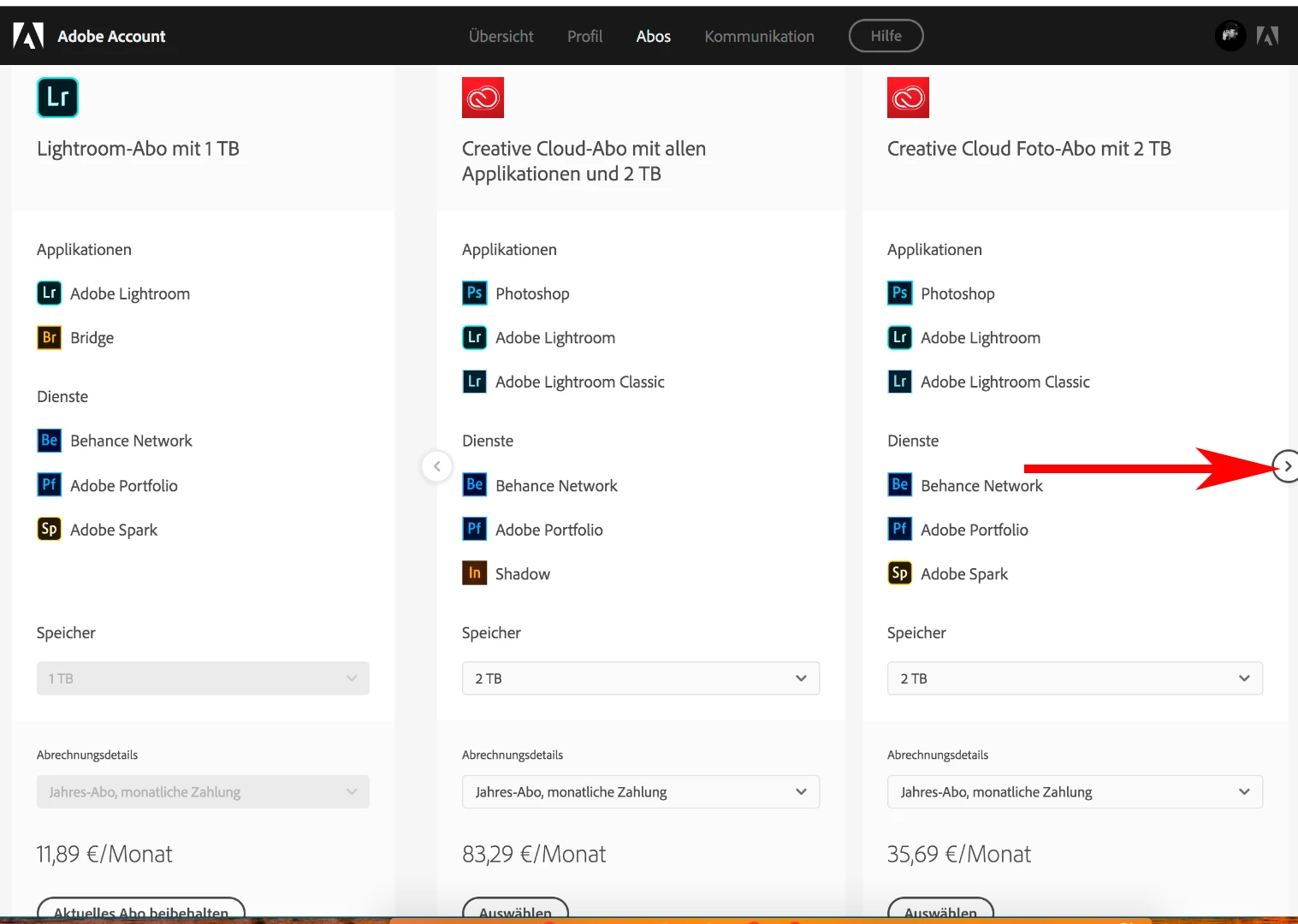
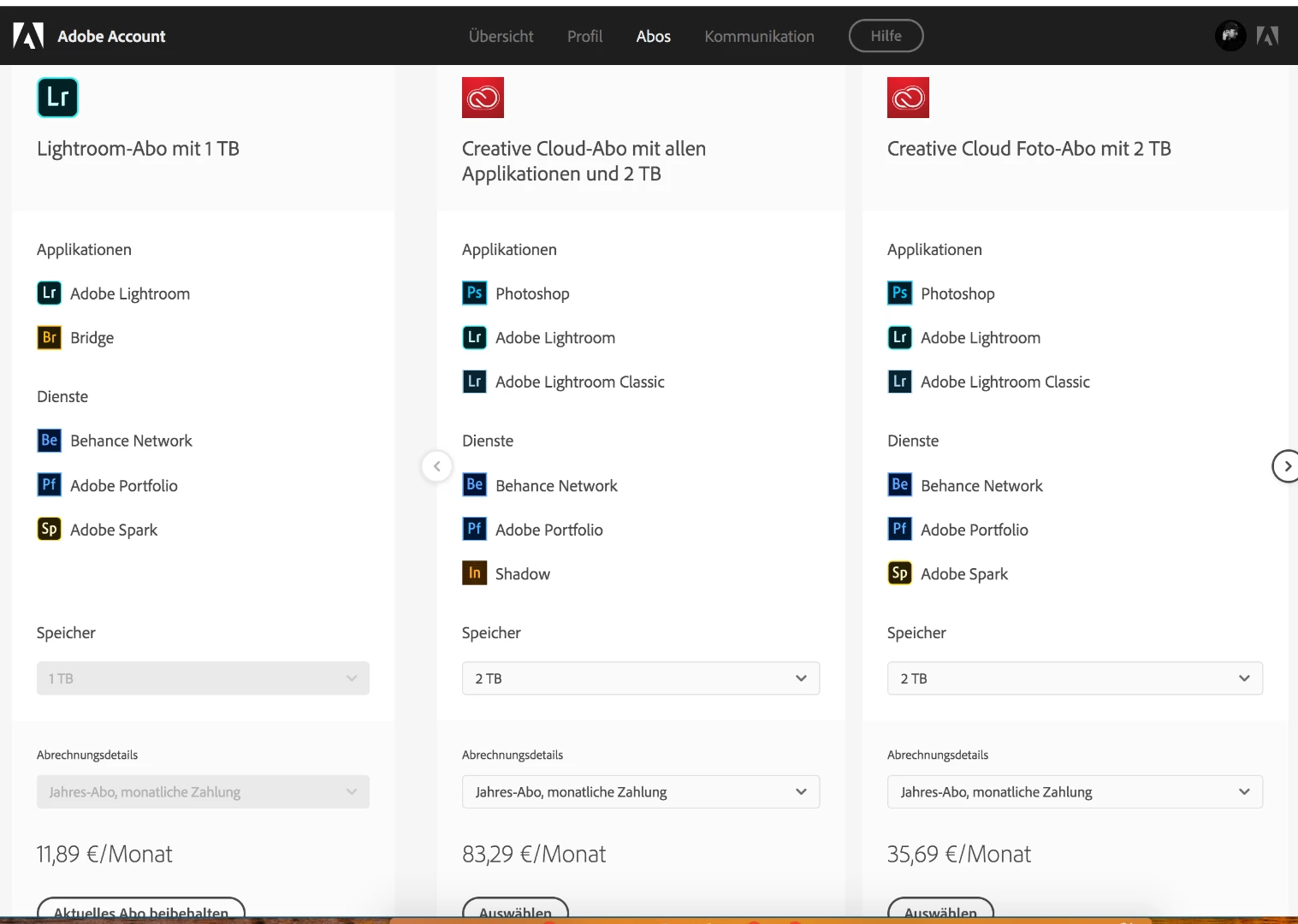
    • On the Change Plan page, choose from the available plans and storage options. (To scroll through the plans, click the arrow to the right.)

    Choose storage option

    Let us know if that helps.

    Thanks,

    Akash

    zooomak
    zooomakAuthor
    Participating Frequently
    July 4, 2019

    Hey,

    thanks, yes I found this before.

    I do not need _ALL APPS_ of the creative plan.

    I just need to upgrade the Lightroom plan to 2TB.

    To jump from 11,89 € *12 months to 35,69 € *12 months is not reasonable for a storage upgrade.

    How do I upgrade the Lightroom plan?

    Beste

    JohanElzenga
    Community Expert
    Community Expert
    July 6, 2019

    You should be able to add another 1TB to your current plan. Look at the screenshot that Akash posted, but select the column all the way to the right, not the one he marked.

    -- Johan W. Elzenga