Participant
March 4, 2023
Answered

4:5 Crop for Lightroom Mobile landscape images

In Lightroom Mobile, 4:5 crop is available only for portrait images. Could we please get it for landscape images too?

Jim Wilde
Jim WildeCorrect answer
Community Expert
March 4, 2023

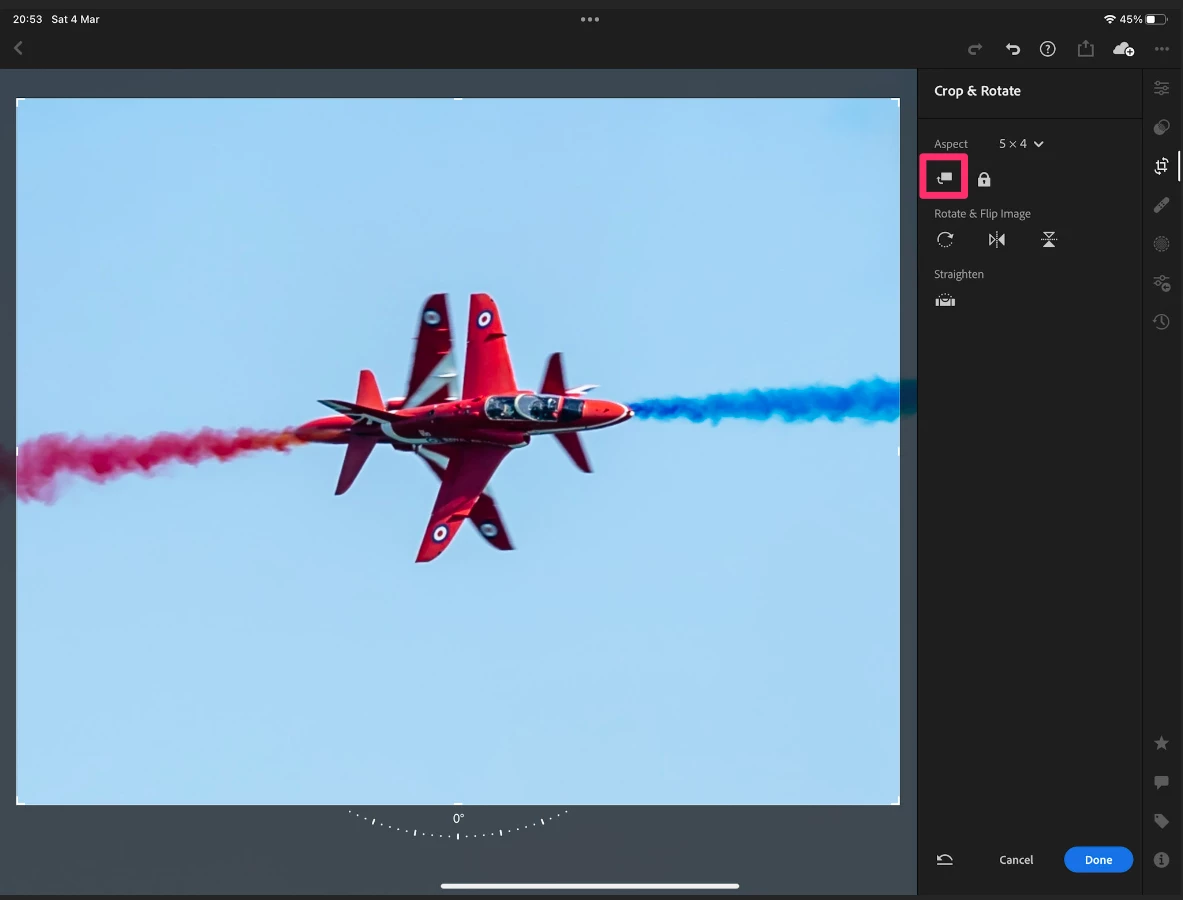
Aspect ratios 4:5 and 5:4 are basically the same, so Lightroom shows 5:4 when a landscape image is selected (the expectation being that the user would want to keep the horizontal edge longer than the vertical edge) but shows 4:5 when a portrait image is selected (the expectation here is that the user would want to keep the vertical edge as the longer). However, if you really do want a 4:5 crop on a landscape image you would use the 5:4 ratio, then flip it to 4:5 using the dedicated icon which I have indicated in this first screenshot:


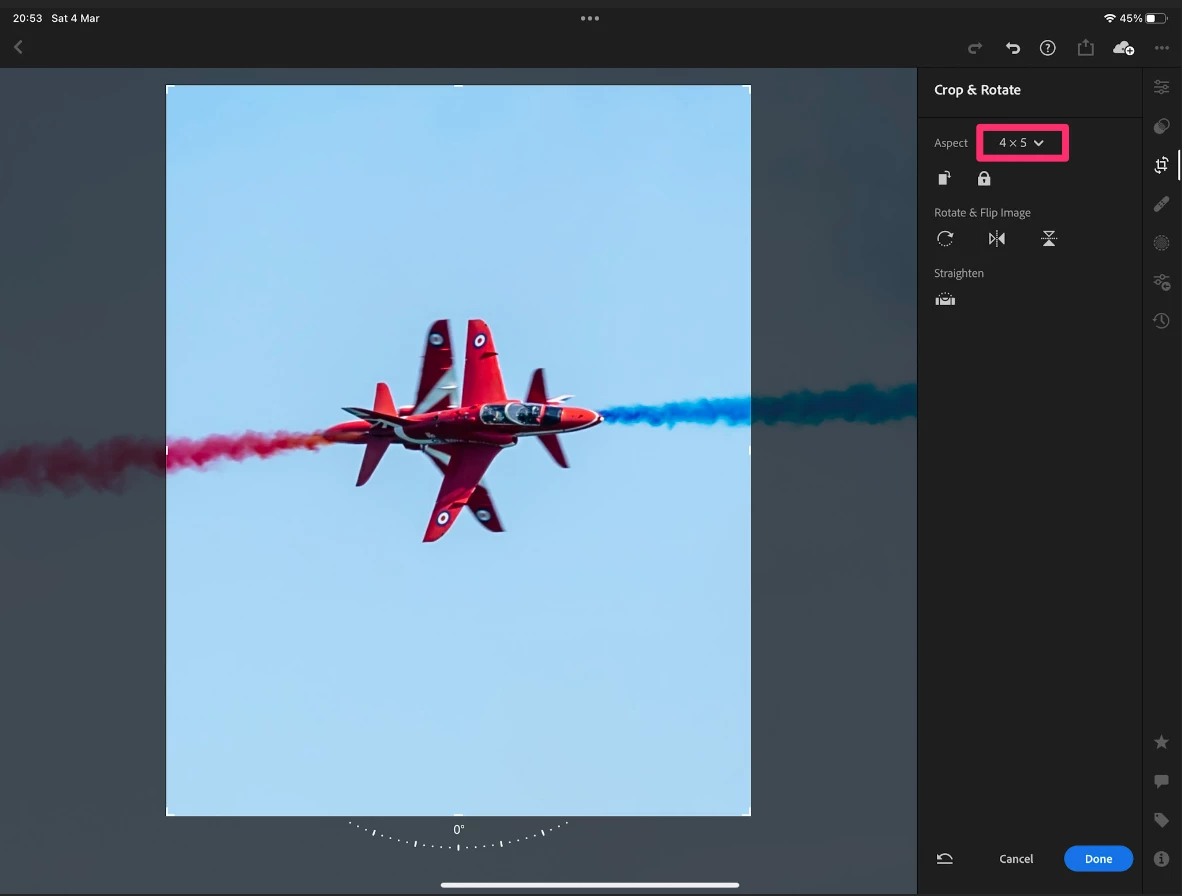
After clicking on that icon, the crop guide switches to 4:5, and the ratio itself is changed from 5:4 to 4:5, as shown here:


3 replies

Jim Wilde
Community Expert
Community Expert
March 4, 2023

That icon is the same on all versions of LrMobile, though it's location differs depending on the device being used. I've shown the iPadOS version, I think the iOS version has the icon top left, and Android has it top right.

Translate
Jim Wilde
Community Expert
Jim WildeCommunity ExpertCorrect answer
Community Expert
March 4, 2023

Aspect ratios 4:5 and 5:4 are basically the same, so Lightroom shows 5:4 when a landscape image is selected (the expectation being that the user would want to keep the horizontal edge longer than the vertical edge) but shows 4:5 when a portrait image is selected (the expectation here is that the user would want to keep the vertical edge as the longer). However, if you really do want a 4:5 crop on a landscape image you would use the 5:4 ratio, then flip it to 4:5 using the dedicated icon which I have indicated in this first screenshot:


After clicking on that icon, the crop guide switches to 4:5, and the ratio itself is changed from 5:4 to 4:5, as shown here:


Translate
Participant
May 7, 2024

Thanks, that was really useful!

Translate