Participant
July 4, 2026
Answered

Ability to read from iCloud Drive

  • July 4, 2026
  • 1 reply
  • 26 views

Currently Lightroom Mobile on iOS can only import photos from the Apple Photos app. It would be great if we had the ability to import and save to iCloud Drive. I would also like the ability to be able to choose Lightroom as an app to open photos with when selecting “Open With” within iCloud Drive. 

    Correct answer Jim Wilde

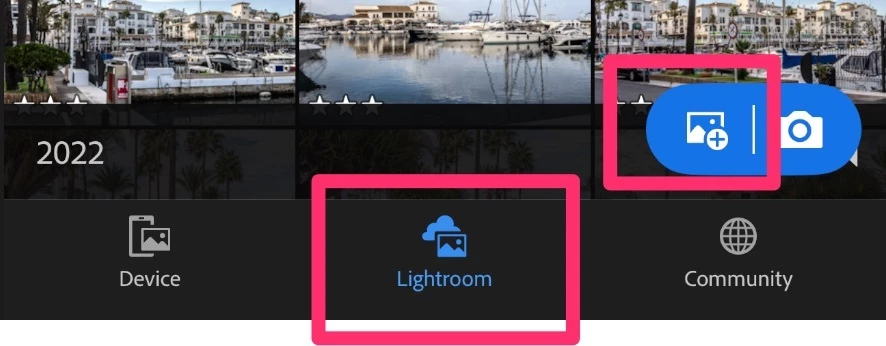
    In the LrMobile app you need to be using the Lightroom tab, not the Device tab, then tap on the Import/Add Photos button:


    Then you should see this screen where you select the Files option:


    1 reply

    JohanElzenga
    Community Expert
    Community Expert
    July 5, 2026

    Lightroom Mobile can already import from iCloud Drive. If you tap on the blue import button, then one of the options is the File app. That app allows importing from iCloud Drive as well as external hard drives. You cannot save to iCloud Drive, but you can export to it using the same path.

    -- Johan W. Elzenga
    Participant
    July 5, 2026

    I did find the option to save exports to the Files app, however, I cannot find a way at all to import from the Files app or iCloud Drive. I am using both an iPhone and an iPad and it’s the same. The app only gives me the option to import from the device which is the Photos app. 

    Jim Wilde
    Community Expert
    Jim WildeCommunity ExpertCorrect answer
    Community Expert
    July 5, 2026

    In the LrMobile app you need to be using the Lightroom tab, not the Device tab, then tap on the Import/Add Photos button:


    Then you should see this screen where you select the Files option: