Inspiring
June 22, 2025
Answered

Adaptative Color profile not working

  • June 22, 2025
  • 1 reply
  • 717 views

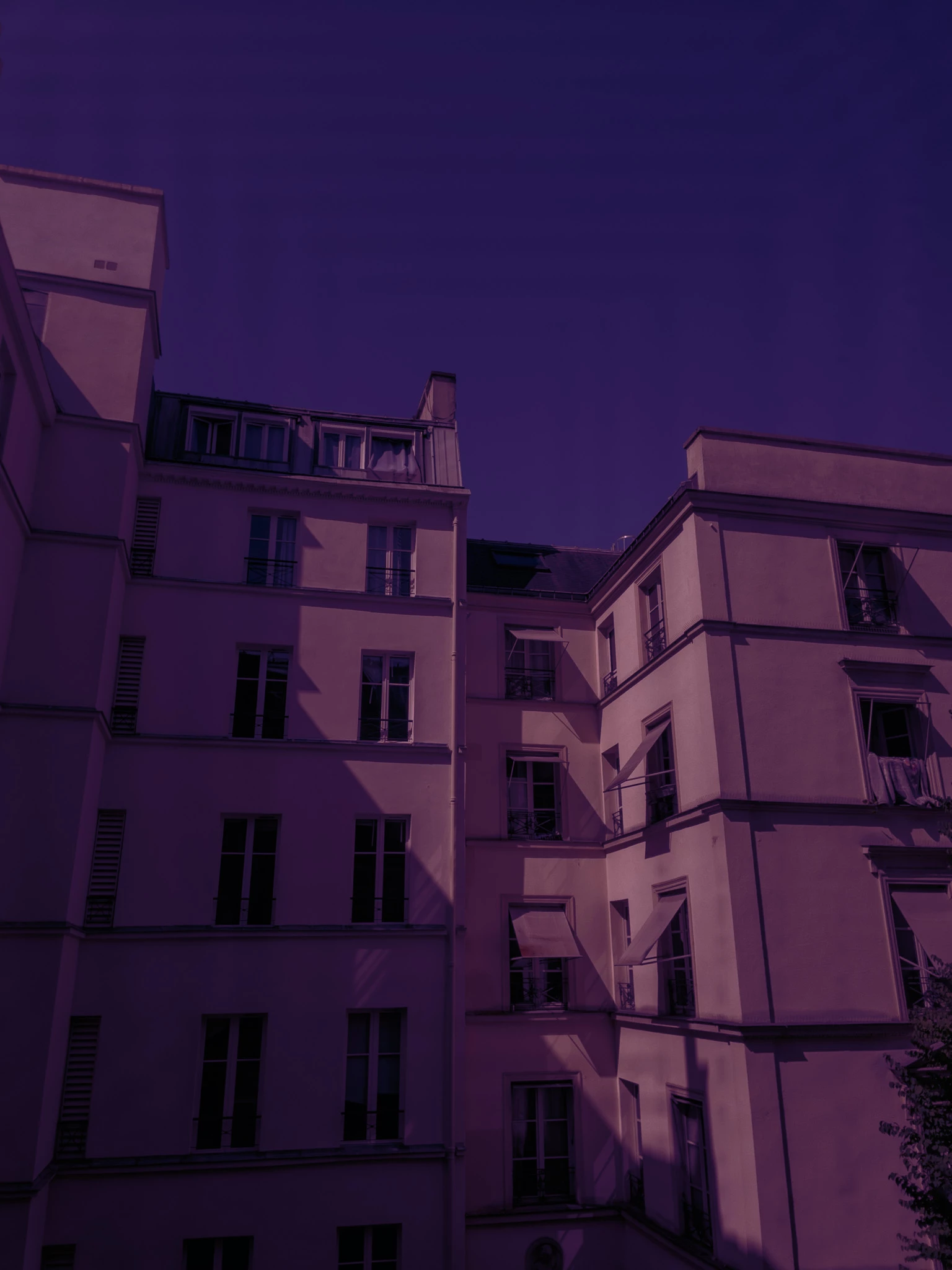
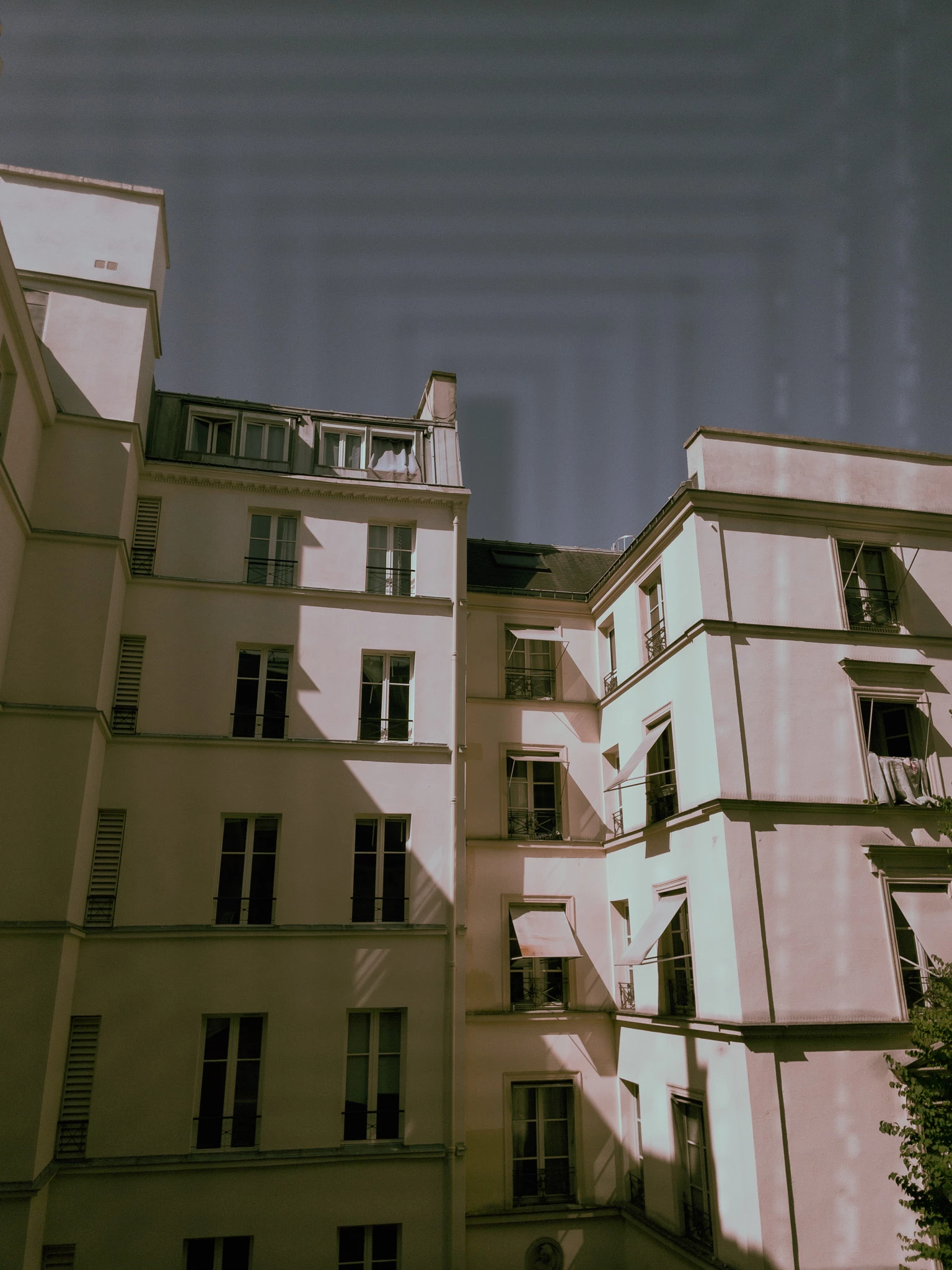
With my Sony Camera, the Adaptative Color profile works just fine and it is great. But with my iPhone 12 DNG files (from LR Camera of from another camera app), colors are completely off with weird artifacts.


The following is the result when adaptive color profile is applied to a regular and an HDR file from the Adobe LR Camera app. 


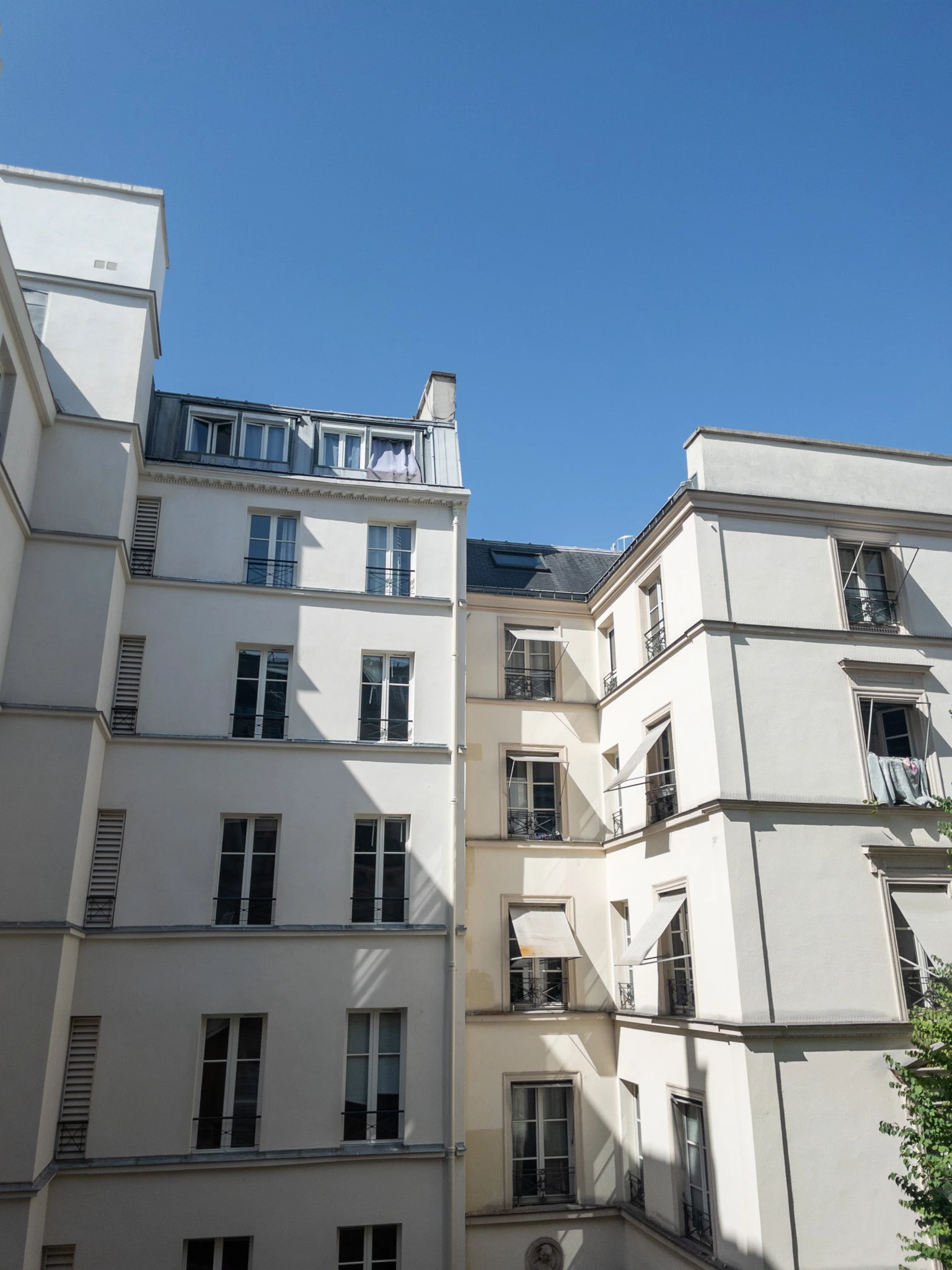
The same pictures renders properly with the regular Adobe Color profile :


Sorry but I cannot enclose the OG DNG files because I get an error when doing so :


Correct answer Tokumeino

My defaults are LR defaults. I've tried with the support and it was something. I said that my issue was about the Adaptive Color Profile. After a few exchanges, he took control of my computer and downgraded to the October 2024 version of LR, before Adaptive profiles were released. And he claimed that my issue was solved, that I should stick to LR 8.0, and that he will close the session ! Weired solution !


I have insisted, he told that my GPU driver was not uptodate without actually checking. I showed him that it doesn't work even with GPU disabled. He told me that there will be a follow up by mail so I can provide him with the OG files. Still no mail so far. Adobe support is a joke. I'll update.


The support finally sent me an email, with stupid recommendations as I didn't spend half an hour with an agent to show him the issue. It was basically helpless.


But I have found a solution. A weired one since my issue also occured when graphics accelaration is disabled. I've changed my graphic card drivers to the NVidia Studio rather than NVidia Gaming and it worked. It even makes a difference whan graphic acceleration is disabled. My GC is a Geforce RTX4060 (laptop). Hope it helps.

1 reply

Inspiring
June 23, 2025

First of all, have you tried updating each Lightroom app?  June updates were recently releeased.

Which LR app is showing this problem?  You have tagged all the operating systems -- where do you see the problem?

And the image was a HDR image captured by the LR iOS app's camera?  An example file might really help the team understand how to help you.  Can you not "Export original" from Lightroom?  

TokumeinoAuthor
Inspiring
June 24, 2025

Yes, Lightroom is up to date. It was actually a fresh install after the June update. My Windows 11 system is up-to-date too. I don't think it is a matter of graphic card drivers because I've also tried with hardware acceleration disabled... same issue.


Since I cannot attach the files, I've put them on this Drive : https://drive.google.com/drive/folders/1LOodkiRc5l75RHZFTZqxLdgKDuJQ2dao?usp=drive_link


The pictures were captured on the iOS up-to-date LR's camera app : one with HDR enabled and the other in auto. I've done so to avoid getting a "use another camera app" anwser but DNG captures from another app don't work better. My phone is an iPhone12 Mini.


Here is my system as perceived by LR :


Lightroom version: 8.4 x64 [ 20250603-0500-10f89fb ] (Jun  2 2025)
NGL Version: 1.41.0.11
WF Version: 7.4 a9dfbad
VF Version: 1.0.154
HIL Version: 40501
CAI Version: c2pa-c/0.6.0 c2pa-rs/0.46.0
PH Version: 5.2.3

Operating system: Windows 11
OS Version: Windows 11 Pro (2009)
Application architecture: x64
System architecture: x64
Computer model: LENOVO 82Y4 / AMD Ryzen 7 7840HS w/ Radeon 780M Graphics     
Logical processor count: 16
Processor speed: 3,7 GHz
Real memory available to Lightroom: 31940,5 MB
Real memory used by Lightroom: 2493,8 MB (7,8%)
Virtual memory used by Lightroom: 4707,2 MB
Memory cache size: 4962,1 MB

Internal Camera Raw version: 17.4 [ 2271 ]
Maximum thread count used by Camera Raw: 9
Camera Raw SIMD optimization: SSE2,AVX,AVX2
Camera Raw virtual memory: 695MB / 13922MB (4%)
Camera Raw real memory: 698MB / 31940MB (2%)

Display: 3200x2000
System DPI setting: 192 DPI (high DPI mode)
Dark Mode: No
Desktop composition enabled: Yes
Input types: Multitouch: No, Integrated touch: No, Integrated pen: No, External touch: No, External pen: No, Keyboard: No

Graphics Processor Info: DirectX: NVIDIA GeForce RTX 4060 Laptop GPU (31.0.15.3770) - 8 GB
Graphics Processor Detail: loaded: Yes, supported: Yes, compute: Yes, init: I4_GPU4, hard: success, soft: success, al: Yes, dl: No
OS Media Capability: true

Application Folder: C:\Program Files\Adobe\Adobe Lightroom CC
Settings Folder: C:\Users\tempe\AppData\Roaming\Adobe\Lightroom CC
Library Folder: C:\Users\tempe\AppData\Local\Adobe\Lightroom CC\Data


Inspiring
June 24, 2025

@Tokumeino 

I just tried your regular and HDR DNGs on my LR desktop v8.4 app on Mac OS, and I could not reproduce.


I actually work on the LR iOS team.  Let me reach out to peers on LR Desktop to look at this for you.