



Maik Selbmann
Participating Frequently
March 10, 2023
Question

After editing in PS can't send photo back to Lightroom

  • March 10, 2023
  • 1 reply
  • 398 views

App versions: PS 24.2.0 – LR 6.2

Mac OS Ventura 13.2.1

Macbook Pro 14 M1 2021

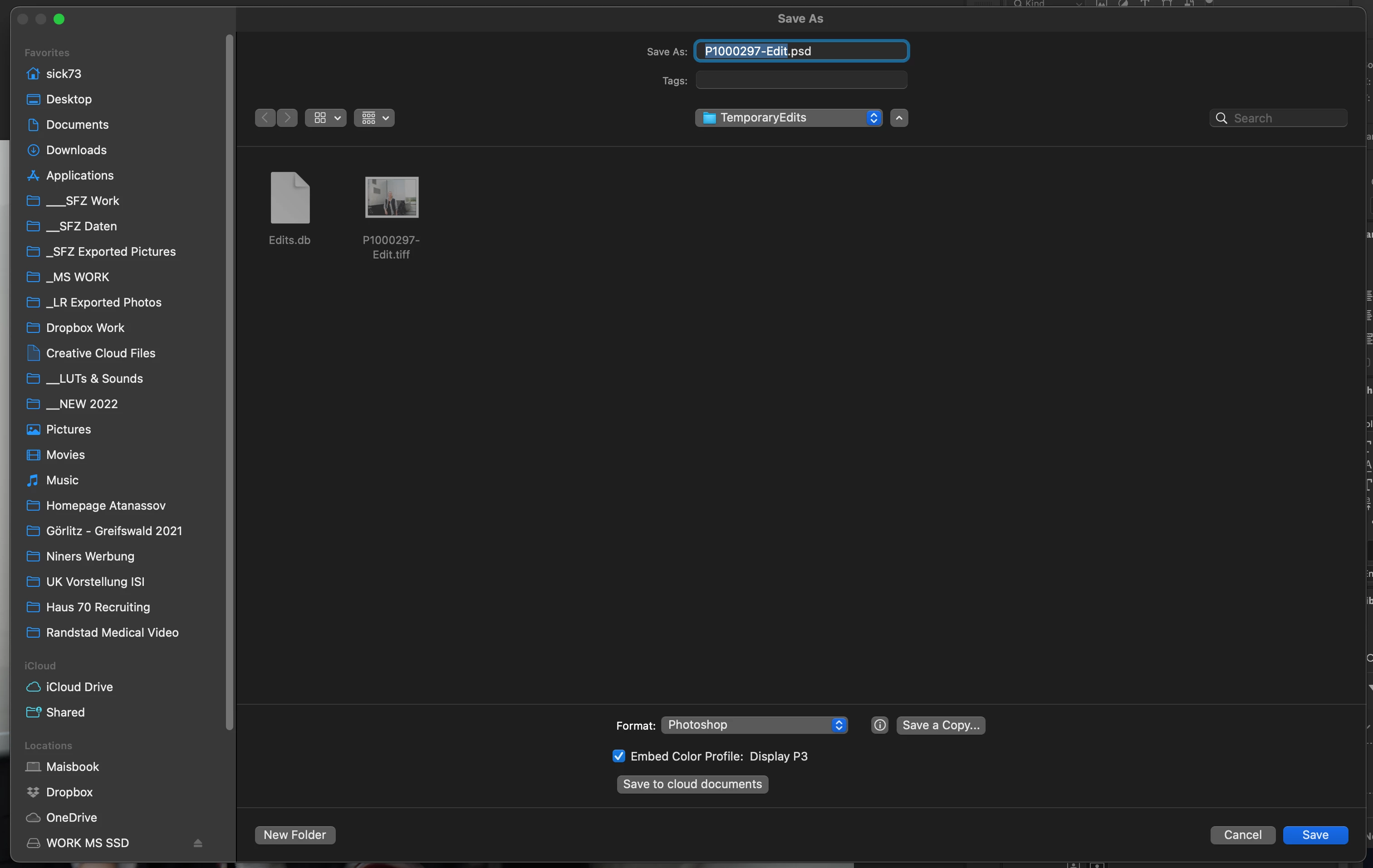
I imported photos to Lightroom. Then I did some edits and send the Phor with CMD + Shift + E to Photoshop. In PS i did some additional edits and now I wanted to send the photo back to Lightroom. I press CMD + S and the "Save as" dialoque appears with folder "TemporaryEdits" open, file format psd (screenshot)

I can't go back to Lightroom and finish my editing. How can I solve this issue?
 

This topic has been closed for replies.

1 reply

Rob_Cullen
Community Expert
Community Expert
March 10, 2023

Photos from Photoshop do not return to Lightroom with the [Save As] command!

If you are in fact using [CD+S] and [Save As] results- then something is wrong in Ps that might require a reset of preferences.

Only [Save] will place a Ps editied image 'back' in the Lightroom Catalog.

If you do use [Save As] you would then need to manually Import/Add the new Ps file to the Lightroom Catalog.


Regards. My System: Windows-11, Lightroom-Classic 15.1.1, Photoshop 27.3.1, ACR 18.1.1, Lightroom 9.0, Lr-iOS 10.4.0, Bridge 16.0.2 .
Maik Selbmann
Participating Frequently
March 12, 2023

I know that all. I do just SAVE and the "Save as" dialoque will be opened. Same if I just close the image. Then I can choose between "Save", "Don't save" and "Cancel". If I click "Save" the "Save as" dialoque appears again. I did fresh new clean install of both apps. The issue is not gone!
So what can I do?