Thanks for reaching out. A few questions to help us understand what’s happening:
• Does this occur with just this specific image or multiple/all images when using Ai Background Blur?
• Could you please record a short screen recording showing the workflow from start to finish:
Import/open the image
Apply the Blur
Adjust Light and Color settings
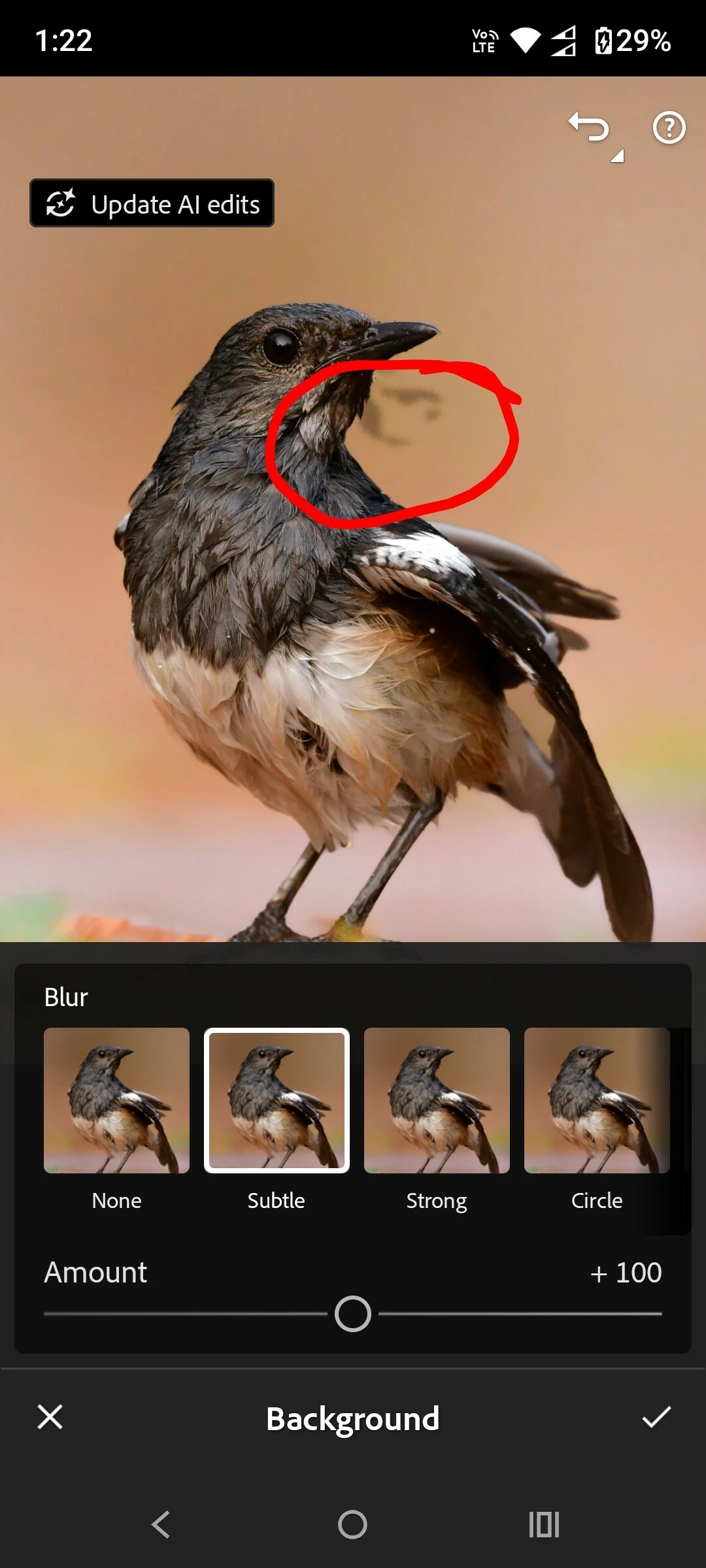
Show when the random patch appears
Also, I noticed in your screenshot that Lightroom is showing “Update AI edits” in the top-left corner.
• If you click Update AI edits, does the patch disappear or change? • Or does it remain exactly the same?
One more thing, have you applied any masks, subject selections, background masks, healing/removal edits, or other AI-based adjustments to the image after using the background Blur?
The reason I ask is that background blur relies on AI depth estimation, and newer AI masks/depth maps can sometimes create unexpected artifacts after additional edits.
Nothing is working. The AI edit feature is NOT working. It is a showstopper for me. Not able to use that feature anymore which was working perfectly a couple of months back.
The AI edit feature is unable to detect background and subject.
When selecting Background blur, the exposure and saturation controls are turning disabled.
Same for subject, when selecting warm pop option, the exposure and saturation both are turning disabled.
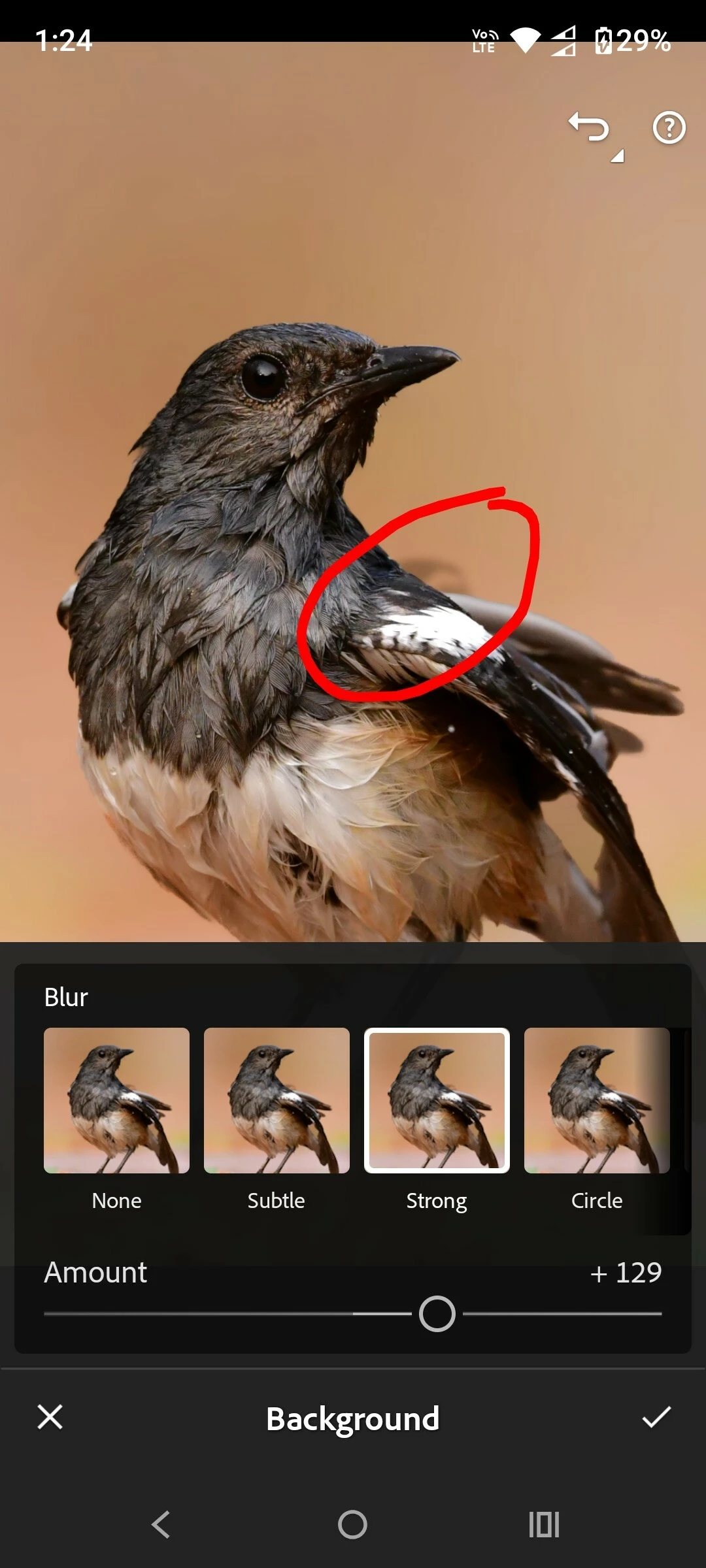
Also for some images (for example a close-up shot of a bird with clean smooth background) the AI assistant is getting confused (is the model hallucinating or logic got swapped?).
When I am selecting 'Background' surprisingly the subject in the image is getting highlighted.
Similarly, when I am selecting Subject, the background is getting highlighted. A complete mess.
The feature was working perfectly 2 months back. Suddenly it started malfunctioning. I have enough screenshots in support of my Bug report.
Thank you for the detailed update, @pritamc99237327.
Since you’ve already tried the common troubleshooting steps (clearing the cache, reinstalling the app, and verifying storage and network), I’d like to gather a bit more information so we can investigate this further with the product team.
Could you please confirm:
The exact Lightroom version you’re using.
Your device make and model (for example, Pixel 10 Pro, Samsung S26 Ultra, etc.).
Also, could you please upload a few sample images that consistently reproduce the issue to Google Drive, Dropbox, or a similar file-sharing service, and send me the download link via DM (click my profile and select Send Message)?
If possible, please include:
One or two images where Background Blur fails.
One or two images where the Subject and Background appear to be detected incorrectly.
I’ll forward the sample files along with your findings to the product team so they can investigate the issue.



 AdChoices