


Known Participant
August 20, 2023
Question

Android app issue.

  • August 20, 2023
  • 4 replies
  • 1138 views

Hi. I have a question regarding the latest version of LR for Samsung. I use a Galaxy Tab S8, the app has updated to version 8.4.2. On the previous version if I tapped on the top left corner where it gave options to edit etc there was an option for 'Info' which gave camera settings, image size etc. Now either I am missing something blatantly obvious or having a 'senior' moment but that option has gone and I can't find another way of finding the image info. Anyone offer a solution please, original image I am looking for has long since been deleted from the CF card.


Thanks. Al.
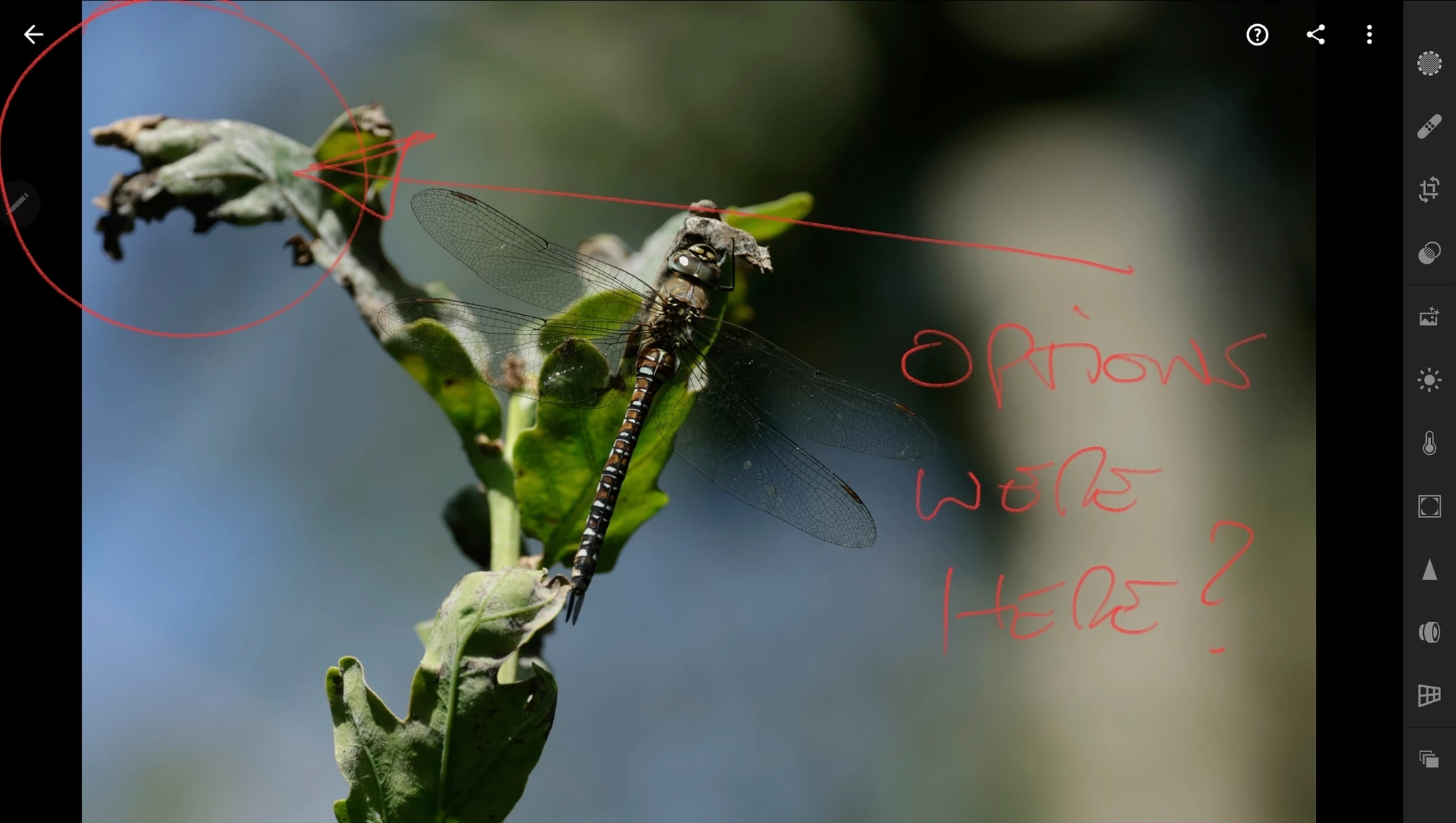


[post tagged for Android by moderator]


This topic has been closed for replies.

4 replies

jane-e
Community Expert
Community Expert
August 21, 2023


quote

On the previous version if I tapped on the top left corner where it gave options to edit etc

By @Alan27852359jmdj


Alan, I don't use Android or LR, so this may be a useless question, but what happens when you click the "Back" button in the upper left?


Jane


Known Participant
August 21, 2023

Thanks Jane but I've now sorted it, as I thought I was missing something simple, lol.

Wurstkrapfen
Inspiring
August 21, 2023

3 dot menu top right / "show options" (eye symbol with two lines) , there you can toggle the file info or histogram.


Funny how the interface is different on IOS.

Known Participant
August 21, 2023

Thanks, but as I thought I was missing something simple, see reply above.

Geoff the kiwi
Community Expert
Community Expert
August 21, 2023

Hello Alan,

I hope this helps as I am using iOS but it will be similar 

1. Access the three dots top right

2.  find Info and Rating

 3. And voila there it is - 

it is unlikely the info would ever be removed however it may be 'invisible' at times

Known Participant
August 21, 2023

Hi. Thanks for your reply. However  as I mentioned in my original message I was a actually missing something obvious, lol. If I opened an image from 'Gallery' the info tab in top left was not there. But, opening an image from 'Lightroom' as you say, voila, there it is. I've attached screenshot to demonstrate. Thanks again, and to all the rest who replied.

jane-e
Community Expert
Community Expert
August 20, 2023

Hi @Alan27852359jmdj 


Can you tell us which Adobe app you are using on your Galaxy Tab S8? Photoshop (where you posted) does not run on Android. We can move your post for you.


Jane


Known Participant
August 20, 2023
Hi Jane.

Thanks for your reply.

I am using Lightroom Android.

Thank you.

Alan.

Sent from Outlook for Android<>
jane-e
Community Expert
Community Expert
August 21, 2023

Hi @Alan27852359jmdj 


I've moved your post to the Lightroom forum for you.


Jane