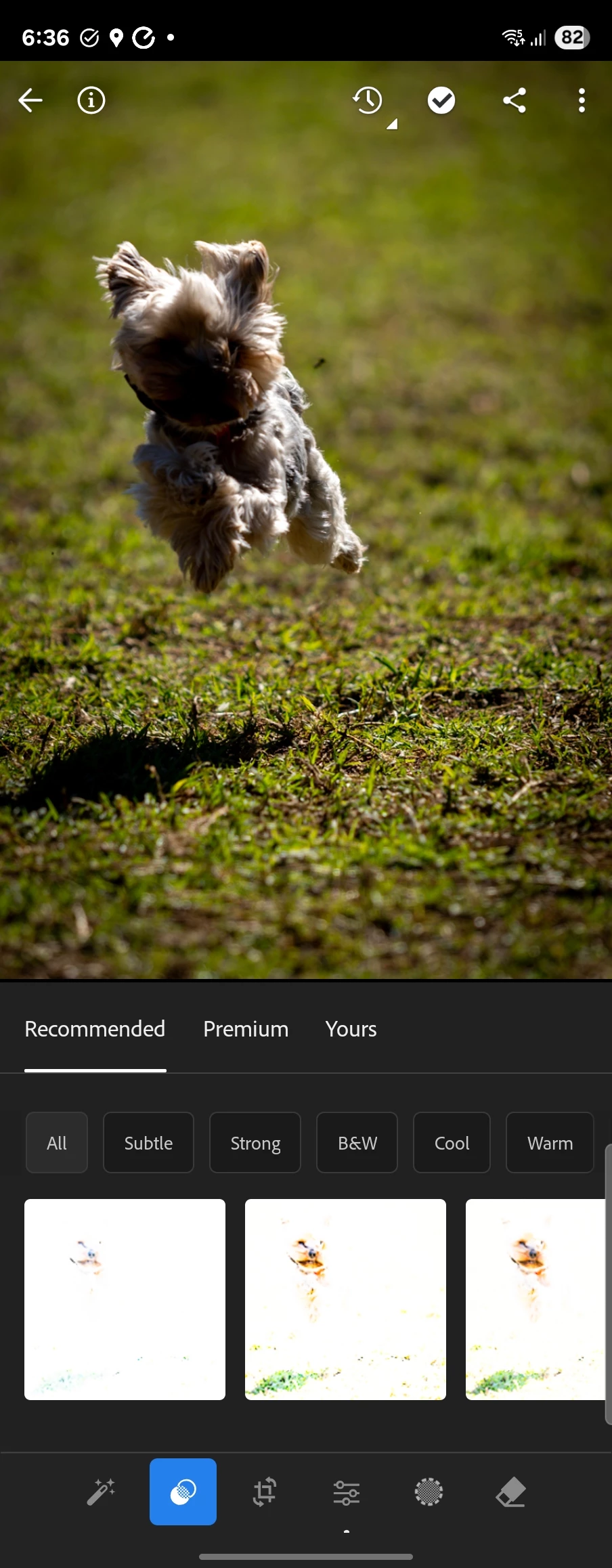
Could you share a bit more about what you're seeing? Is this happening with every photo you try? Also, if you scroll through other preset types like Subtle or Cool, do those also appear overexposed?
Thanks so much! Alek
*(If you mention me with an @, like @Aleke, I’ll get a notification and can respond faster.)*
It happens to about 70-80 percent of photos in my library.. No apparent rhyme or reason (some photos taken on same day with same equipment will work). If I reinstall the app it won't happen again untill I close and reopen.
Could you let us know what model of mobile device you're using? When you tap in the presets, do the photos get overexposed as well or is it just the preset thumbnails that show that issue? Also, when you get a chance, can you try using the recommended presets in Lightroom Web and see if the same issue pops up there too?
Thanks so much!
Alek
*(If you mention me with an @, like @Aleke, I’ll get a notification and can respond faster.)*



 AdChoices