

Participant
August 6, 2026
Question

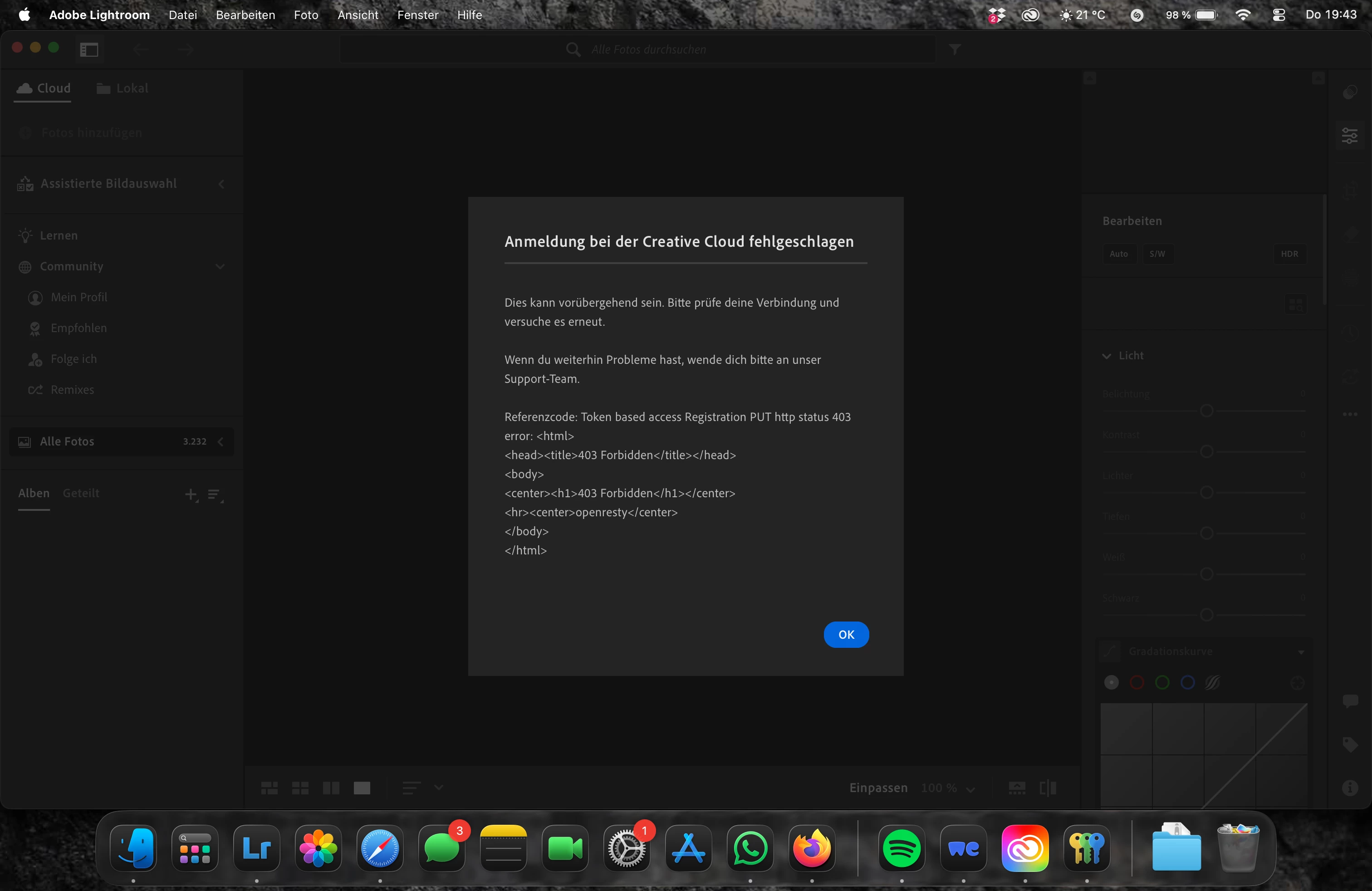
Anmeldung bei der Creative Cloud fehlgeschlagen
  • August 6, 2026
  • 3 replies
  • 34 views

Ich kann derzeit keine Bilder bearbeiten

    3 replies

    Anshul_Saini
    Community Manager
    Community Manager
    August 6, 2026

    Hi ​@daring_operatorca51,


    Thank you for reaching out, and sorry you're running into this sign-in issue in Lightroom. The reference code you're seeing, "Token based access Registration PUT HTTP status 403", indicates that Lightroom is being blocked from communicating with Adobe's cloud services during the authentication handshake. A 403 (Forbidden) specifically means the connection was actively refused rather than simply timing out.
     

    To help narrow this down, I have a few questions:

    • Network environment: Are you on a corporate, university, or otherwise managed network? Does your network use a proxy server, VPN, or firewall that filters HTTPS traffic? (This error is commonly associated with network-level blocks on specific Adobe endpoints.)

    • Other Adobe apps: Can you currently sign in and use other Creative Cloud apps on the same machine (e.g., Photoshop, Illustrator), or is this isolated to Lightroom?

    • Are you using any security/Antivirus or firewall app?

    • Are you able to sign in and access your photos at lightroom.adobe.com in a web browser on the same computer?

    • If you connect to a different network (e.g., a mobile hotspot or a different wifi), does the sign-in succeed?

    • When did this start? Was this working before and suddenly stopped, or is this a fresh installation? If it stopped suddenly, did anything change in your network setup (new router, VPN, security software update)?

    • Which version of Lightroom are you currently running? (You can find this in the Creative Cloud Desktop app.)


    This information will help us determine whether the block is happening at the network level or within the application itself.


    Looking forward to your reply so we can get you back to editing!


    Best,

    Anshul Saini

    Participant
    August 17, 2026

    i faced the same problem today. Turning of my Antivirus didnt help. Seems to be only Lightroom, tried photoshop and premiere, both worked. I have private network. Login into lightroom.adobe.com worked. Problem started today. No changes in network setup. Version 9.5

    Participant
    August 17, 2026

    Reinstalling lightroom also didnt change anything.