
Auto tone results in overexposed photos
When I develop a photo taken in the dark and then I use the "Auto Tone" feature of Lightroom Classic, the picture gets overexposed resulting in an undesired and unnatural look.
Below are two images that compare the original photo with two different auto tone systems. The first one in an iPhone 8 and the second one in Lightroom. The original picture was taken during late evening while it was quite dark outside.
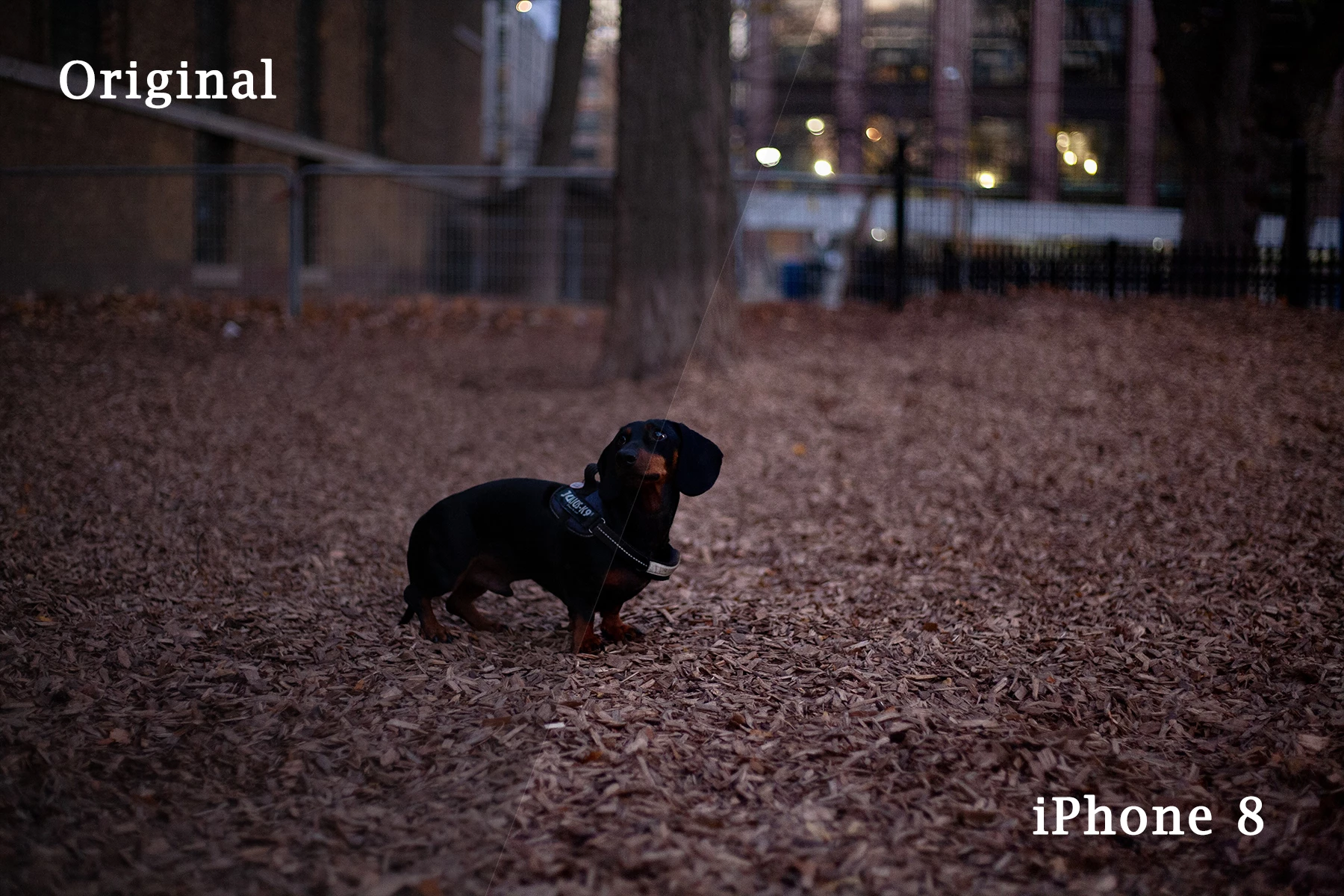
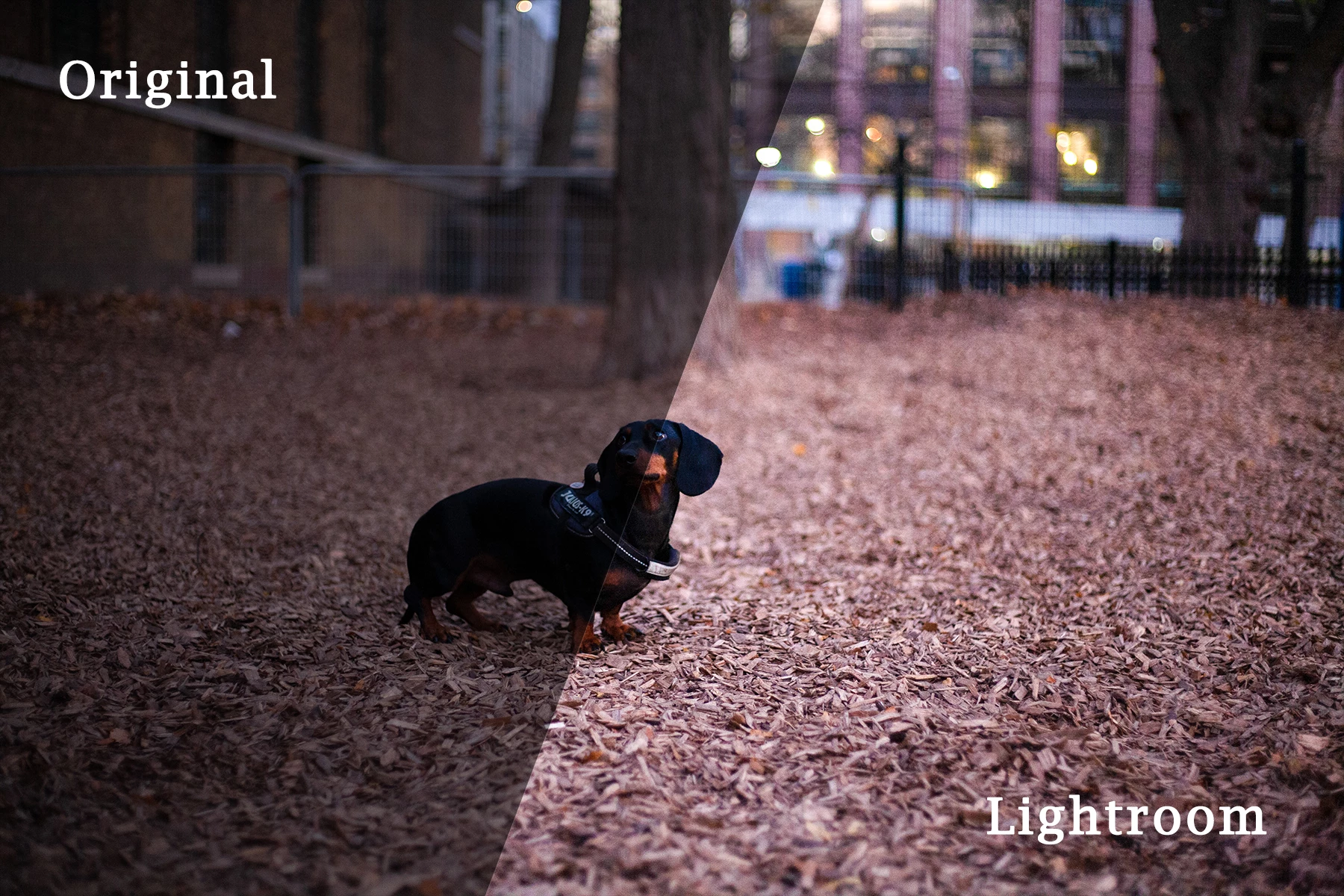
As you can see from the first image, the iPhone 8 did a good job in slightly correcting the image while maintaining the natural light of the scene. On the otherhand, Lightroom made the scene look like it was taken during day light.
Someone could argue that the Lightroom version has a more "correct" exposure, but the important thing here is that the picture was altered that much from the original that is not the same picture anymore. I have other pictures as well shot in almost pitch black that they get ruined from Lightroom's auto tone feature and force me to use manual most of the times. In contrast, the iPhone consistently maintains the natural light of a scene and makes small adjustments within this context.
Is this a desired result for Lightroom? If not, is this a known issue and are there any plans on improving this feature?
Thanks!
About
Adobe Lightroom Classic
v9.3 Camera Raw v12.3
OS: Windows 10


 AdChoices