
Participant
May 22, 2020
質問

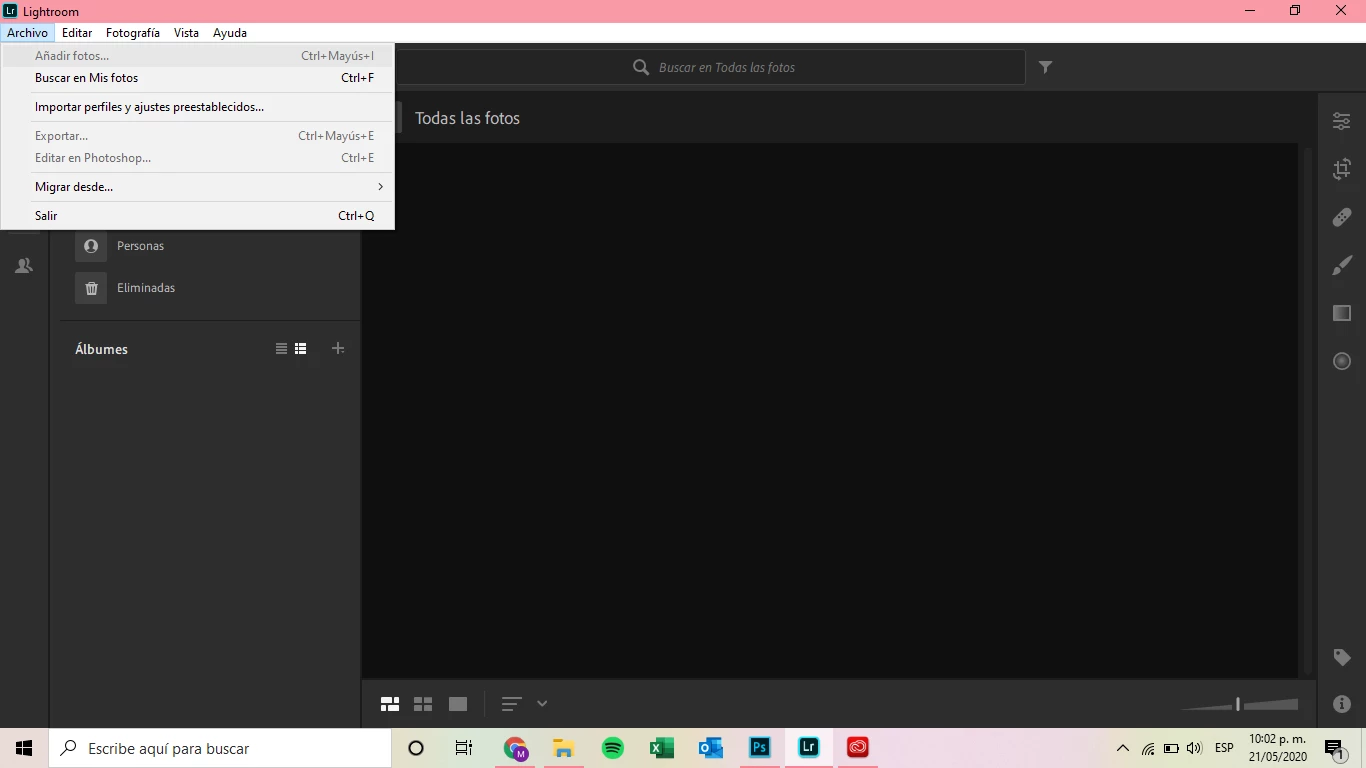
Can´t add photos in Lightroom desktop as the Add Photos option is grayed out

  • May 22, 2020
  • 返信数 2.
  • 1020 ビュー

Well my problem it's that when I want to open a photo to edit it I don't have the option, it's in grey but thats only in my computer because on my phone I can add all my photos  (it's the same account for my computer and my phone)


このトピックへの返信は締め切られました。

返信数 2

Participant
May 24, 2020

Hello, I am using my Lightroom CC for mobile v5.2.5 9B854D and I also encountered this issue just now. I use a lightning to SD adapter to my iPhone 11 Pro Max to import DNGs. The option to "Add Photos from Camera Device" is grayed out but the SD card reader is still detected by the iOS Photos App. I was able to import the DNG files using the "Import from Files" but the direct import from camera device is broken. 1-2 weeks ago I was still able to use this function. 

Akash Sharma
Legend
June 2, 2020

Thanks for the details. Are there any video files in the folder or SD Card you're importing the images from? 


~Akash

Akash Sharma
Legend
May 24, 2020

Hi there,


Sorry that you cannot add images to Lightroom desktop as the "Add images" menu in grayed out.


Which exact version of Lightroom desktop are you using? Check under Help> System info.


To troubleshoot the issue, would you mind checking out the steps mentioned in this article https://community.adobe.com/t5/lightroom/cannot-add-images-in-lightroom-desktop-and-the-library-is-blank/td-p/10451021?page=1 nad let us know if that helps?


Thanks,

Akash