ashleem75817237
Participant
April 10, 2019
Question

Can't import .dng presets to Lightroom CC

  • April 10, 2019
  • 1 reply
  • 10834 views

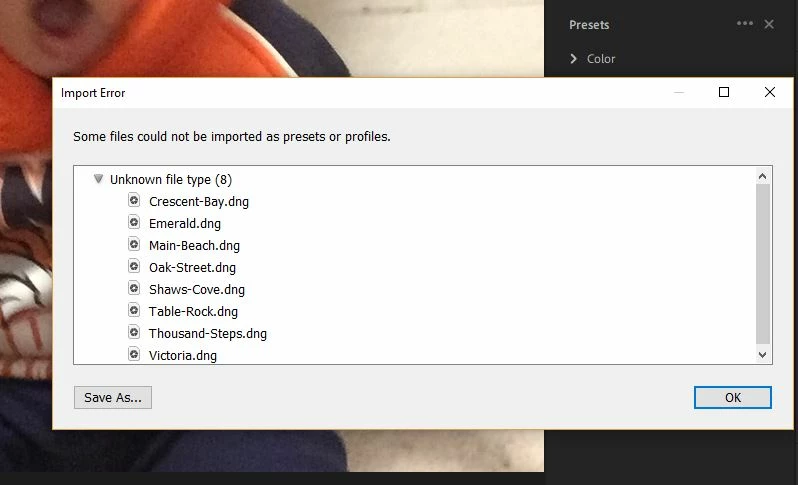
I have been trying all day! It gives an error message every time. Here's the error I'm getting (see pic below).

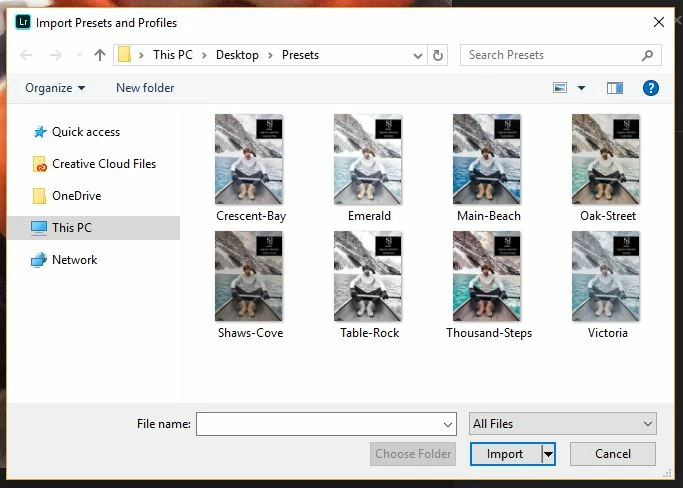
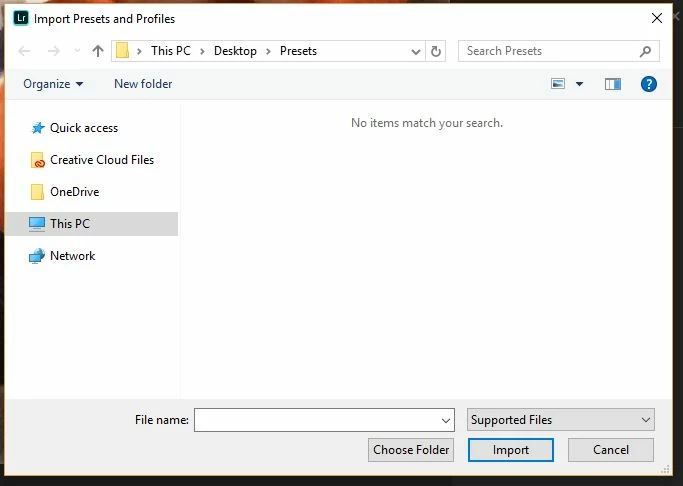
When I go to choose the files they don't come up under "Supported File Types" (see second pic). They only show up if I choose "All File Types" (see third pic). Please help!
This topic has been closed for replies.

1 reply

99jon
Legend
April 10, 2019

Only xmp files can be imported. DNG are image files which contain develop settings. Simply open one in the develop module and in the left hand presets panel click on the plus icon to save the settings as a new preset (Lr Classic only) or copy and paste the settings to an unedited image and save as a new user preset.

See this video

Profiles and Presets in Lightroom CC - YouTube

ashleem75817237
Participant
April 10, 2019

Okay I pasted the edit settings to the new picture. How do I save it as a preset? Here's my screen:

99jon
Legend
April 10, 2019

Click presets at the bottom then click the more icon at the top. The video link above shows how.