
Participant
July 5, 2020
Question

Can't share photos to portfolio

  • July 5, 2020
  • 2 replies
  • 362 views

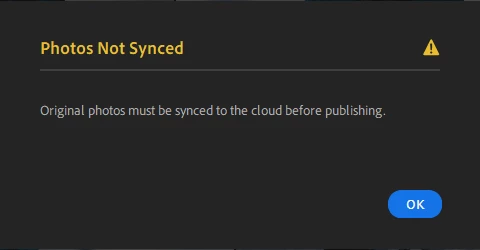
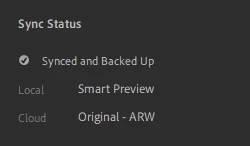
I know there have been other posts related to this issue but I cannot seem to find a fix. I do not use LR classic so I don't believe there's any interference there. When trying to share to Portfolio I simply get the message "Original photos must be synced to the cloud before publishing". I am positive that the full original is backed up, not just the smart previews (screenshots attached). Please help this is getting frustrating with a service I pay a lot of money for.
This topic has been closed for replies.

2 replies

Community Expert
July 13, 2020

You should be able to share to portfolio even if there are only smart previews in the cloud. It should just work. Try doing the sharing to portfolio in Lightroom web at https://lightroom.adobe.com That works for me even for albums synced from Classic that only contain smart previews.

Nancy OShea
Community Expert
Community Expert
July 5, 2020
Nancy O'Shea— Product User & Community Expert
NickM19Author
Participant
July 13, 2020

It did not. Like I said I do not use Lightroom Classic.