
Cannot play ANY videos in Lightroom
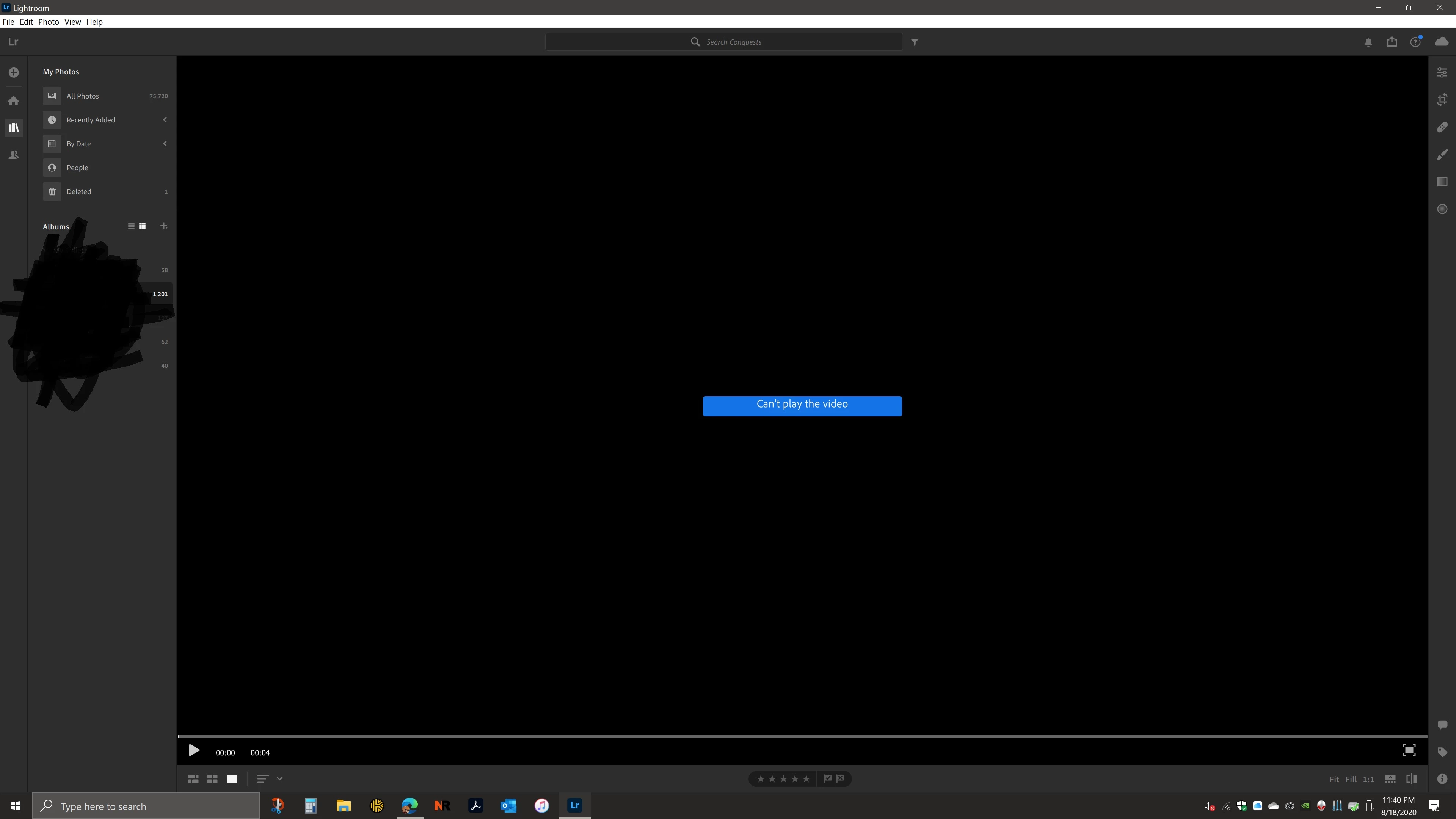 Even before I can click play just bringing the cursor over a video will give the message "Can't play the video." This isn't the first time this has happened. All pictures and videos are downloaded and synced perfectly. They play fine in their original folder and through Lightroom via Browser. I have all originals stored locally on my NVMe SSD. My Nvidia GTX 1080 is using the current Studio Driver through GeForce Experience. If anyone has any tips or ideas I would truly appreciate it. I've ran as Administrator. Played with endless graphics settings. Unistalled and reinstalled Lightroom. I've attached my Lightroom System Info below.
Lightroom version: 3.4 X64 [ 20200804-0825-1542eef ] (Aug 4 2020)
NGL Version: 1.17.0.35
WF Version: 2.4 developer
Operating system: Windows 10
OS Version: 10.0 [19041]
Application architecture: x64
System architecture: x64
Computer model: Alienware Alienware Aurora R7 / Intel(R) Core(TM) i7-8700K CPU @ 3.70GHz
Logical processor count: 12
Processor speed: 3.6 GHz
Built-in memory: 32578.6 MB
Real memory available to Lightroom: 32578.6 MB
Real memory used by Lightroom: 2143.0 MB (6.5%)
Virtual memory used by Lightroom: 3565.7 MB
Memory cache size: 727.6 MB
Internal Camera Raw version: 12.4 [ 556 ]
Maximum thread count used by Camera Raw: 7
Camera Raw SIMD optimization: SSE2,AVX,AVX2
Camera Raw virtual memory: 324MB / 16289MB (1%)
Camera Raw real memory: 325MB / 32578MB (0%)
System DPI setting: 168 DPI (high DPI mode)
Desktop composition enabled: Yes
Displays: 1) 3840x2160
Input types: Multitouch: No, Integrated touch: No, Integrated pen: No, External touch: No, External pen: No, Keyboard: No
Graphics Processor Info: DirectX: NVIDIA GeForce GTX 1080 (27.21.14.5206) - 8 GB
Graphics Processor Detail: loaded: Yes, supported: Yes, compute: Yes, init: I4_GPU3, hard: success, soft: success, wl: Yes, bl: No
OS Media Capability: true
 AdChoices