
Canon RF Lens Profile Issue
I'm shooting with the Canon R5, and the RF 16-28mm f/2.8 IS STM, and I'm struggling with the Lens Profile that Lightroom Classic this lens. Is anyone else finding this profile to be awful?
As with a number of Canon's RF lenses, this lens required significant software corrections to be made to the Raw files. Particularly at 16mm, there is heavy distortion and vignetting. Adobe's profile for this lens, however, introduces its own issues.
The default vignetting corrections result in bizarrely overly brightened corners. Shooting a scene with a clear blue sky, all around the image periphery there is a glow caused by this over-correction. Using the slider in the Lens Profile tab to reduce the vignetting correction only helps to reveal another problem: that the vignette on this lens is non-linear (the extreme corners are very dark, then there is a rapid improvement, before a gradual further reduction in shading as you move towards the centre of the frame. But Adobe's profile seems to be linear, meaning that there is a curved band of over-correction near the edges, where the lens' shading improves faster than Adobe's correction eases off.
In many circumstances, depending on the subject, this may not be easily noticeable. But shooting anything with a solid colour or smooth gradient makes the issue jump out. I'm attaching versions of an example image showing 16mm shot at f/8.
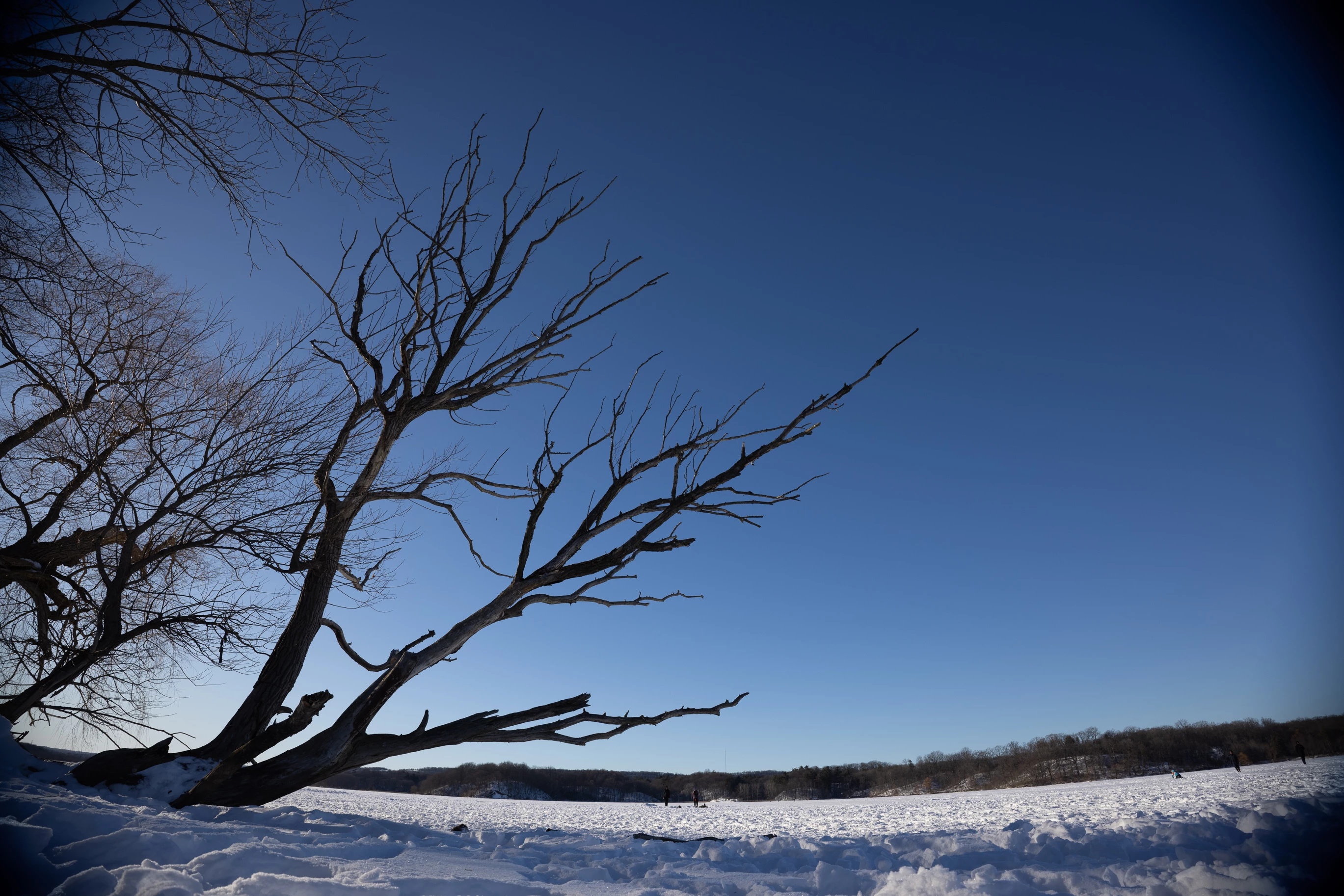
This is the uncorrected Raw image, note the barrel distortion and the dramatically vignetted edges.
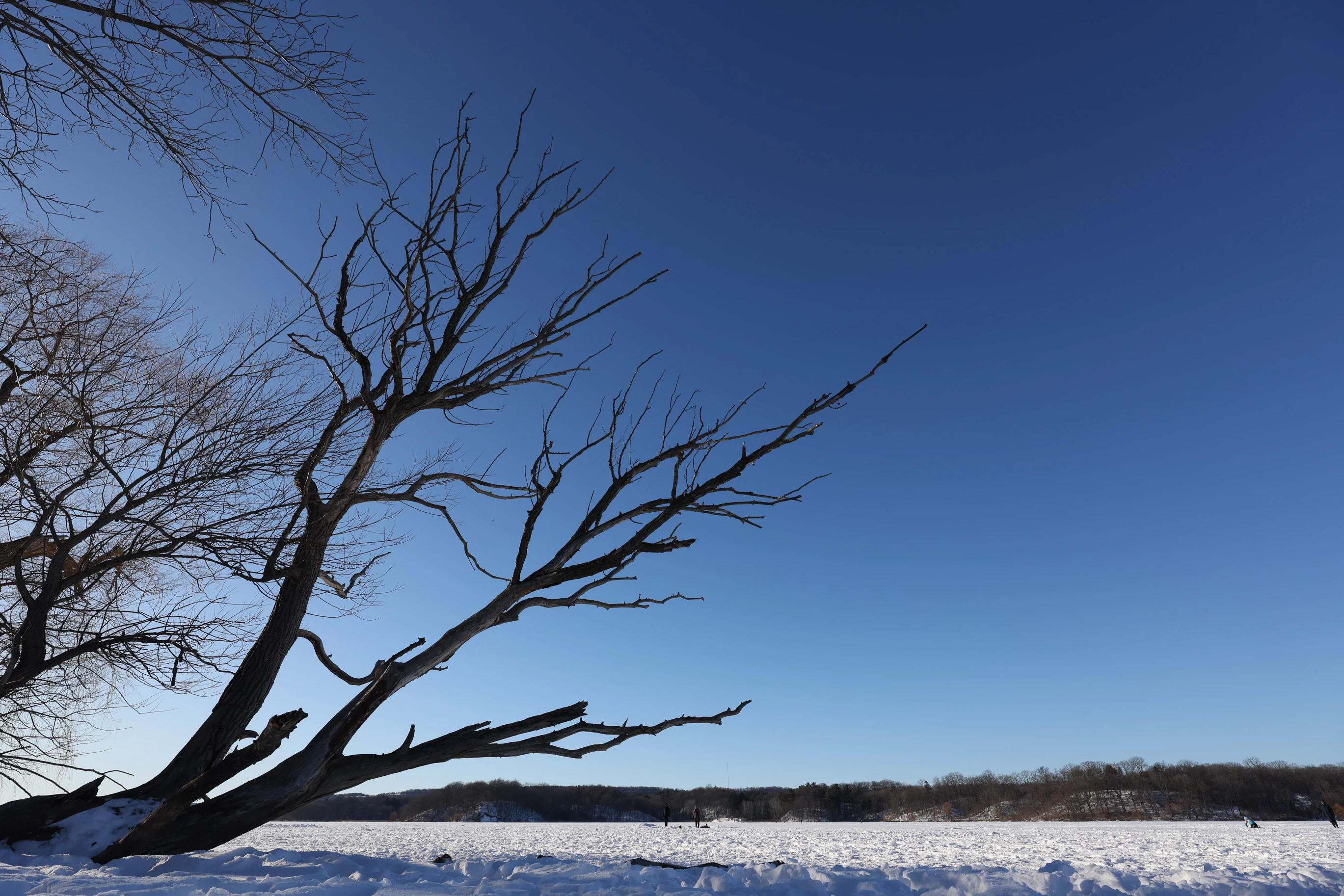
This is the JPEG produced SOOC, with the distortion and vignette corrected by Canon's own profile.
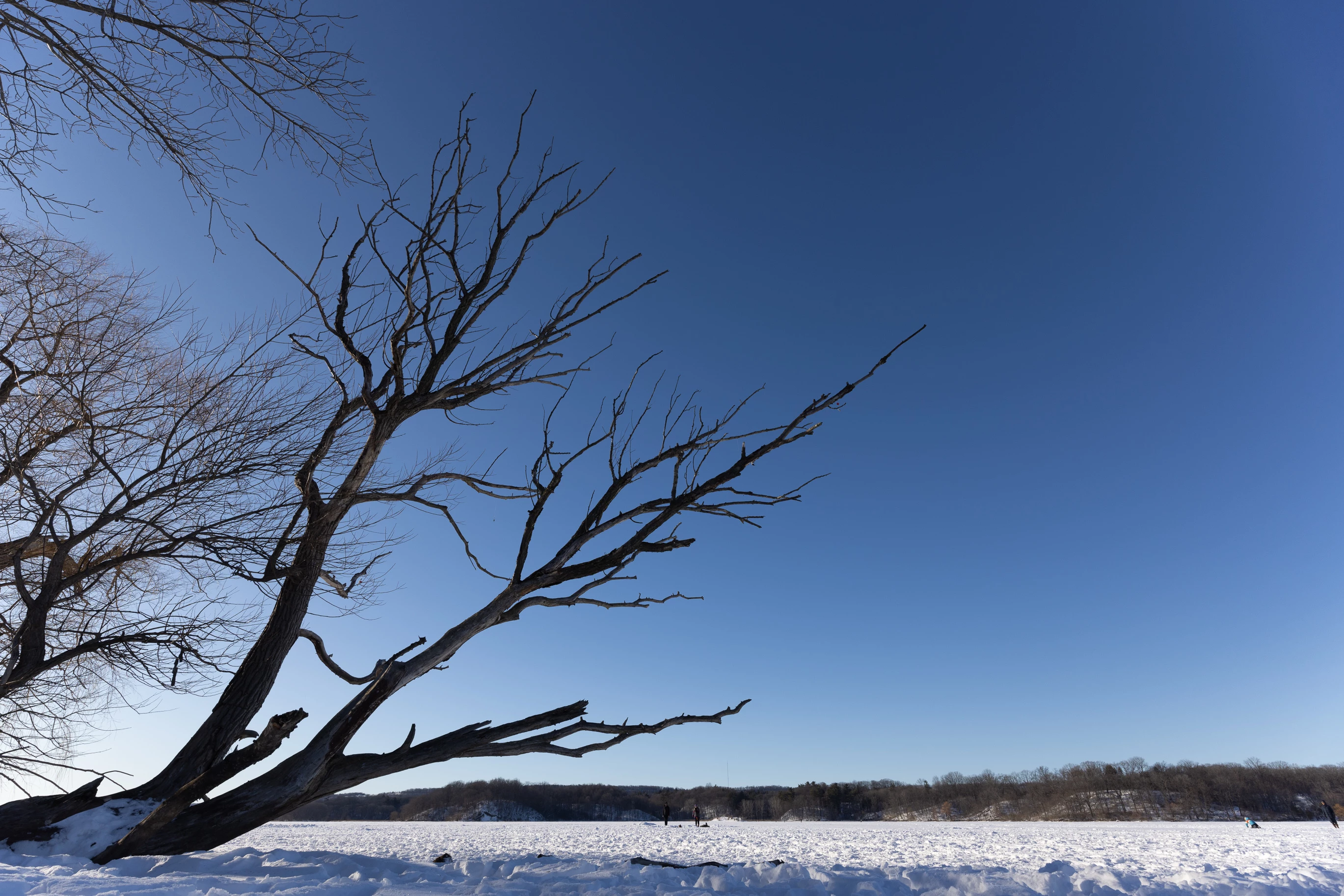
This is with the provided profile from Adobe. Looking at the top right corner, it's easy to see how heavy-handed the profile is, in over-correcting the vignette. The corners are actually brighter now, than the centre of the frame!
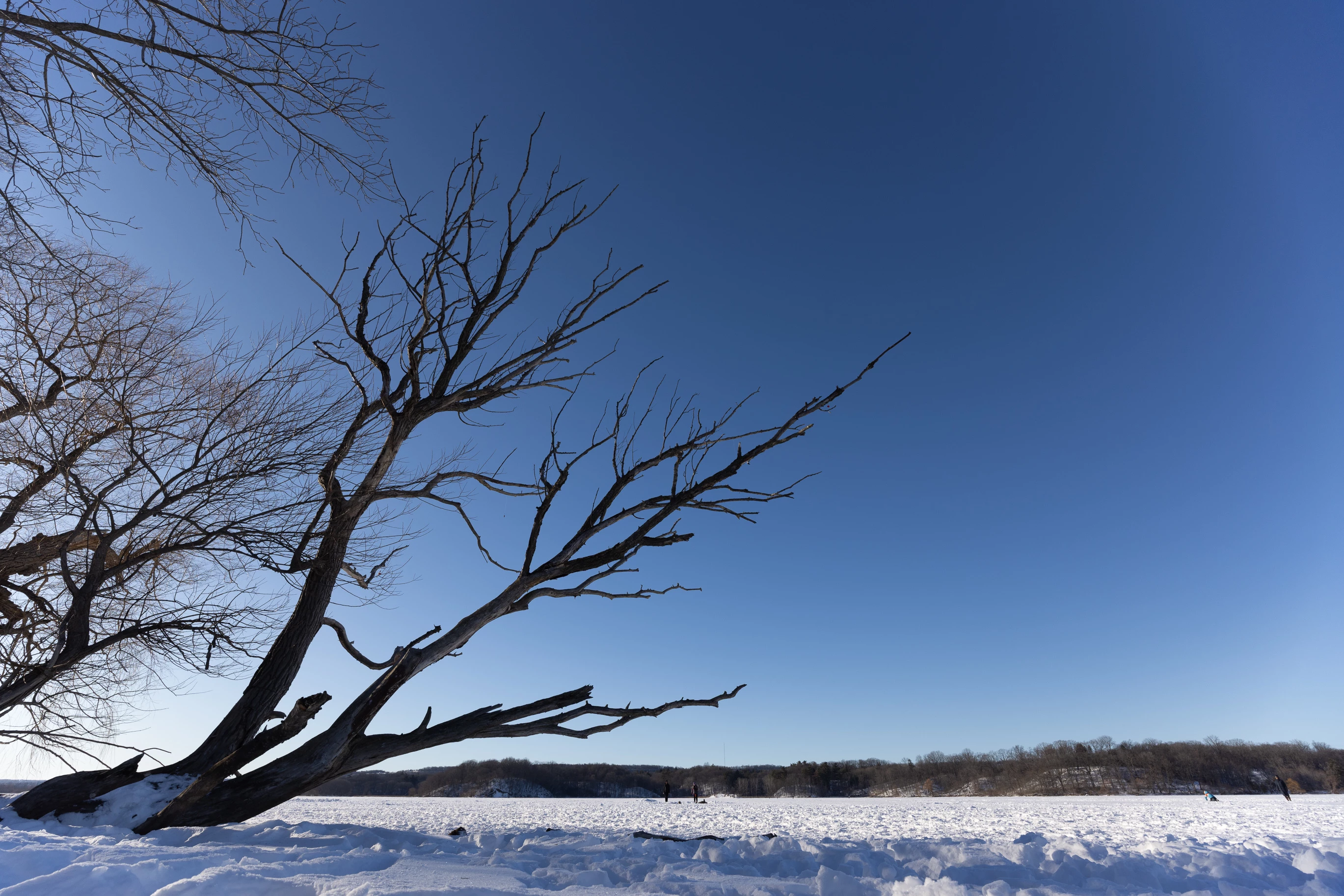
Here is the same image, but with manual adjustments made to the distortion, allowing for a wider field of view to be preserved, while the image still looks pleasantly corrected.
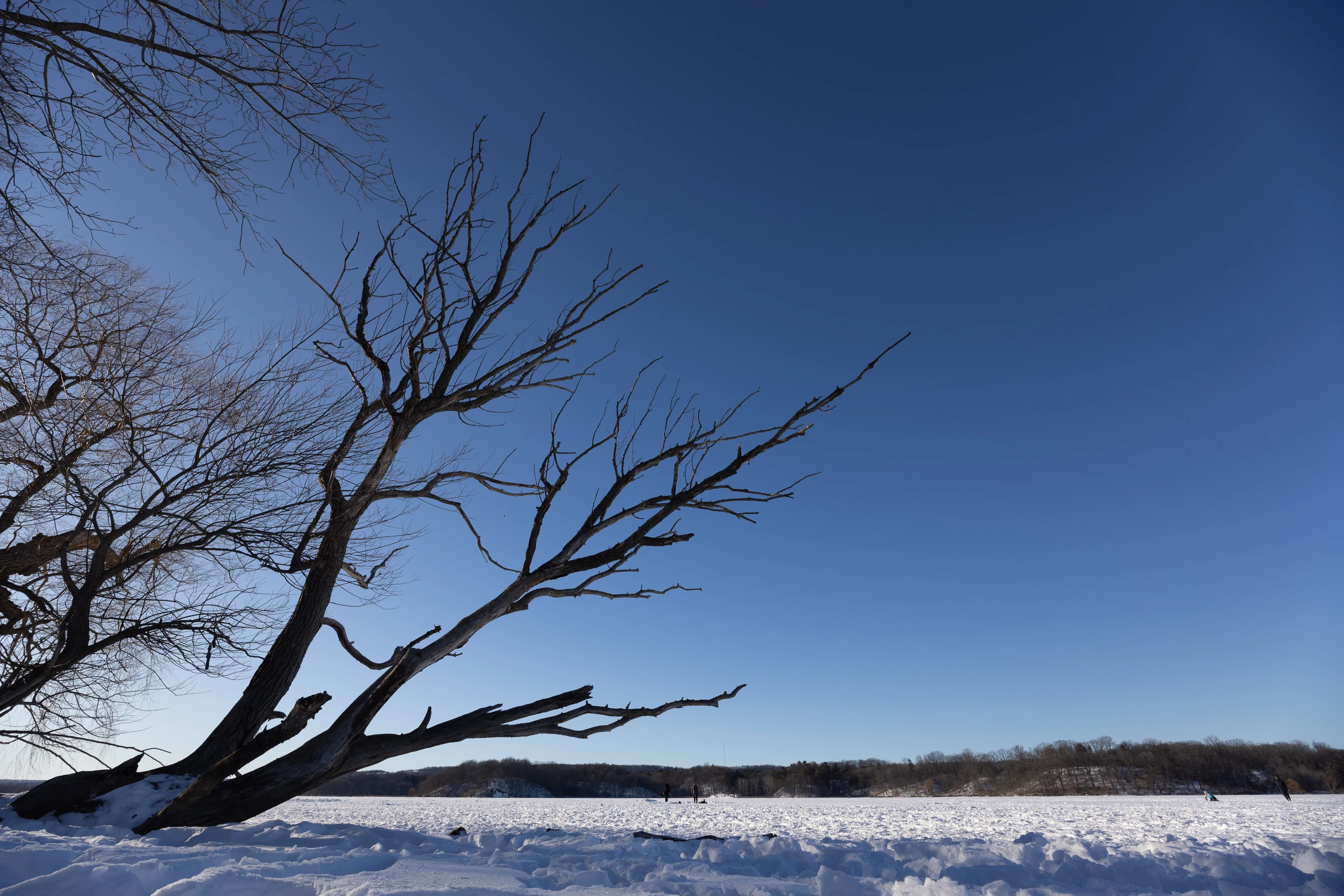
And finally here is that same wider FOV, but with Vignette correction turned down to 50%. Here, it is maybe easier to see how Adobe's profile over-corrects a portion of the vignette. Again, looking at the top-right corner there is a visible band of over-brightening just before the extreme edge.
This is not lens flaring, and it is not a unique case. All shots that I have at the wider end of this lens' focal length exhibit the same issue.
I understand that this lens likely has an extremely awkward optical design, with irregular distortions. And that these change at various focal lengths, apertures, and maybe even focus distances. But one of the core purposes of a Raw Editing Software like Lightroom, which I pay a yearly subscription fee for, is to properly process the raw files, and that includes accurate lens profiles.
Frankly, I don't know how Adobe's engineers put together this profile and tested it without noticing that they had clearly been too strong with the vignette correction, even if they hadn't noticed the non-linear falloff.
I really hope this lens' profile can be improved by Adobe, as this kind of issue is time consuming to resolve and makes me want to look at alternative editing programs for a solution to my needs.
Thank you for reading this, and I hope someone from the Lightroom or Camera Raw team sees this.


 AdChoices