


Participant
September 2, 2021
Question

Cant export photos - Unexpected error while exporting images from Lightroom on Windows 10

  • September 2, 2021
  • 1 reply
  • 281 views

Hello, can anyone assist please?

I can no longer export photos - have updated Lightroom, uninstalled and installed and continue to get the same error message as below
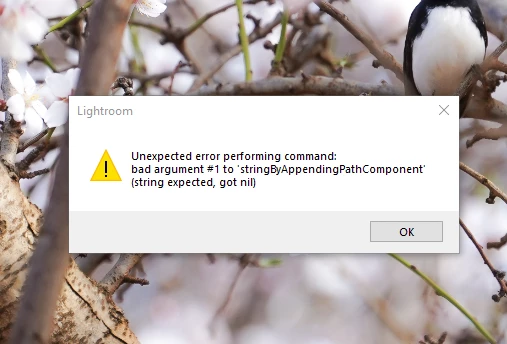
Thank you


{Thread title edited by moderator}

This topic has been closed for replies.

1 reply

nikunj.m
Legend
September 3, 2021

Hi,


We're sorry about the trouble with Lightroom while trying to export the images. Would you mind sharing the exact version of Lightroom you're using? When are you getting this error? Are you getting the error before or after you have selected the export settings? Which format are you exporting the images to? Are you exporting the images to an external drive?


Please try launching Lightroom as administrator to check if that makes a difference. You can also try resetting the Preferences of Lightroom by pressing & holding the Shift + Alt keys while launching Lightroom. Once you have reset the Preferences, try exporting the images again & let us know how it goes.


Regards,

Nikunj