


Cant install LR to my device
Hello Adobe Lightroom Support,
I am unable to install Adobe Lightroom Mobile on my Samsung Galaxy M13.
My device details are:
• Model: Samsung Galaxy M13 (SM-M135FU) • Processor: Samsung Exynos 850 • CPU: 8-core ARM Cortex-A55 • Architecture: ARMv8.1 (64-bit) • RAM: 6 GB • Android version: Android 14 • API level: 34 • Google Play Protect certification: Device is certified
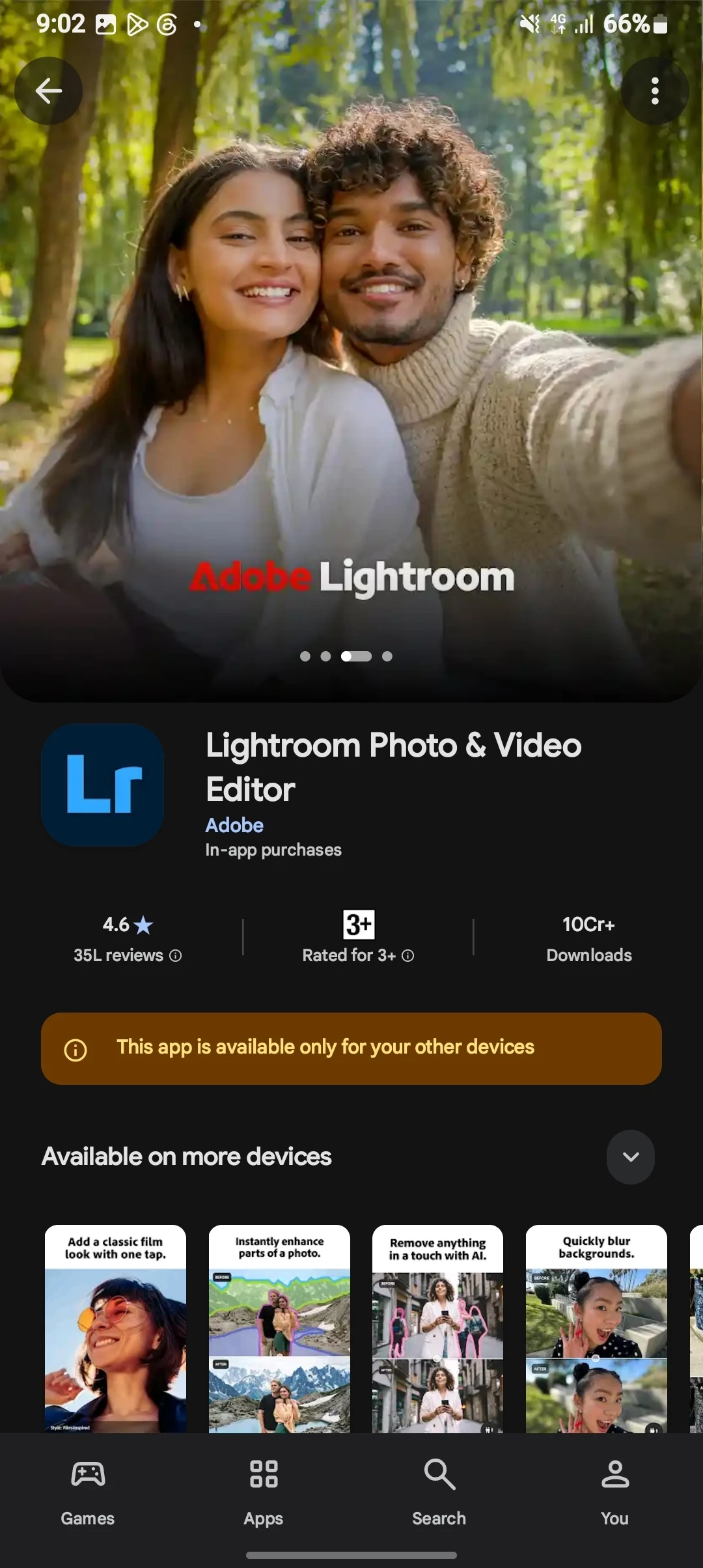
When I open the official Lightroom app on Google Play, it says:
“This app won’t work for your device.”
I have been trying to install Lightroom on this phone since I bought it. The issue existed even when the phone had almost all of its 128 GB storage available.
I have already: • Cleared the Google Play Store cache • Confirmed that my device is Play Protect certified • Confirmed that Android and Google Play services are up to date
According to Adobe's current Lightroom Android requirements, my device meets the minimum requirements (ARMv8, 4 GB RAM, Android 8 or later).
Could you please check why the SM-M135FU is being marked as incompatible with Lightroom and let me know whether this model can be supported?
If this is an incorrect device compatibility restriction, please let me know if it can be fixed or added to the supported-device list.
Thank you.
 AdChoices