Participant
September 11, 2018
Question

Change panel position on Lightroom mobile

  • September 11, 2018
  • 3 replies
  • 3652 views

Hi,

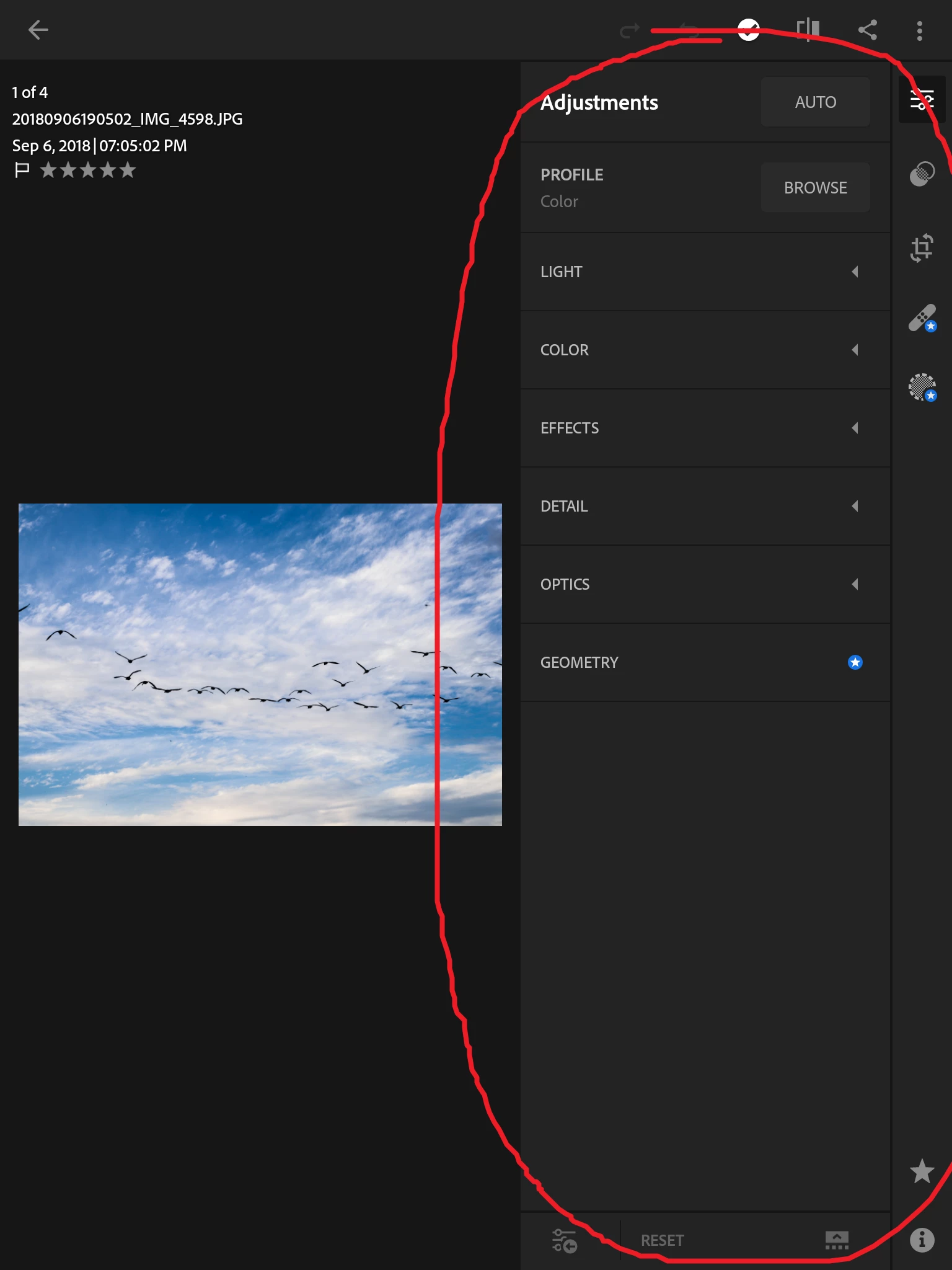
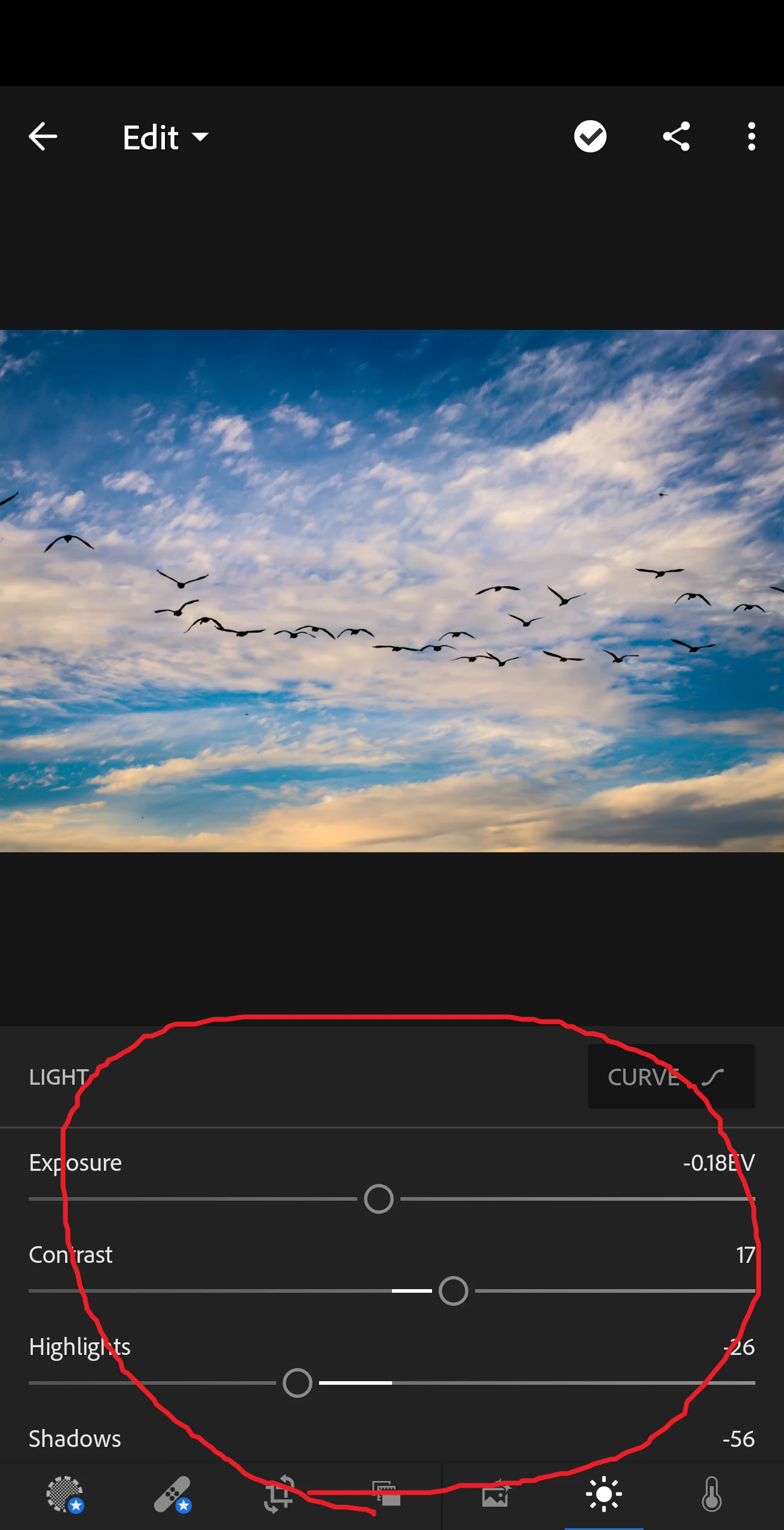
Can you change the position of the panel?

On my phone in portrait mode, the panel resides at the bottom, so it doesn't interfere with my picture preview,

whereas on my tablet in portrait mode, the panel resides at the right side of the screen, which shrinks my picture preview whenever I want to adjust anything.

This is really annoying and I would like to place the panel at the bottom on my tablet.

Also, on a side note, what does "Single Panel Mode" mean and what does it do?
This topic has been closed for replies.

3 replies

couchshow
Participant
June 27, 2020

I also find this really annoying as a left hander. If you are going to make this available on android,  why gimp it?


This doesnt seem super complex to code

Wxlfchvld
Participant
December 5, 2020

Yeah this is annoying but I could potentially get used to it. My biggest issue with it though is that the "copy settings"/"paste settings" option is completely gone in this configuration. Anyone else having this issue???

Participant
August 28, 2021

if you resize your dpi in devoloper option you can use Lightroom in old way

Participant
September 13, 2018

that is so sad... as I have to look at a shrunk picture everytime and have to manually zoom in.

Wonder why they haven't implemented this feature

Brad Lawryk
Legend
September 11, 2018

There is no way to move the panel position. I believe LR is more optimized for landscape orientation on a tablet.

selondon
Community Expert
Community Expert
September 12, 2018

Brad's right....on iOS you can change the panel to the left only, buy it looks like you are on Android and I don't think even that is available.

As for Single Panel Mode, as an example, it normally means that when opening a panel, it would automatically collapse the others.