
Collection disappear from Lightroom Classic after Album being set to Prooting in Ligthroom WEB
Hello,
I work in Lightroom Classic (Desktop)
Because it not possible anymore to share collection with criteria of "Stars" and "Flag", as adviced by Adobe, I created a new collection where I add only the images with 4* and plus.
So for example, 2 shootings with a Model "Katia Stenova" and "Laure Boucher", I will have a tree like:
Modeling [group of collection]
----> Katia Stenova [group of collection]
------------> 20210508 [group of collection]
------------------> All [collection with all images]
------------------> 4* and + [collection with all images] [Synchronized]
----> Laure Boucher [group of collection]
------------> 20210512 [group of collection]
------------------> All [collection with all images]
------------------> 4* and + [collection with all images] [Synchronized]
The 2 collections "4* and +" are visible as Album on Lightroom WEB.
Then on Lightroom WEB, I start proofing with Katia.
Then the album "4* and +" of Katia disappear on Lightroom WEB.
When I came back to my Lightroom Classic the associated collection was also removed.
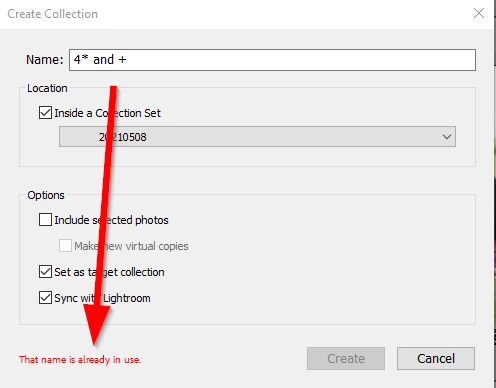
When I try to recreate it, it's impossible, it says "That name is already in use."
See picture:


 AdChoices