
Participant
July 17, 2020
Question

Color distortion (purple tint) when exporting to JPG

  • July 17, 2020
  • 4 replies
  • 1236 views

Hi all,


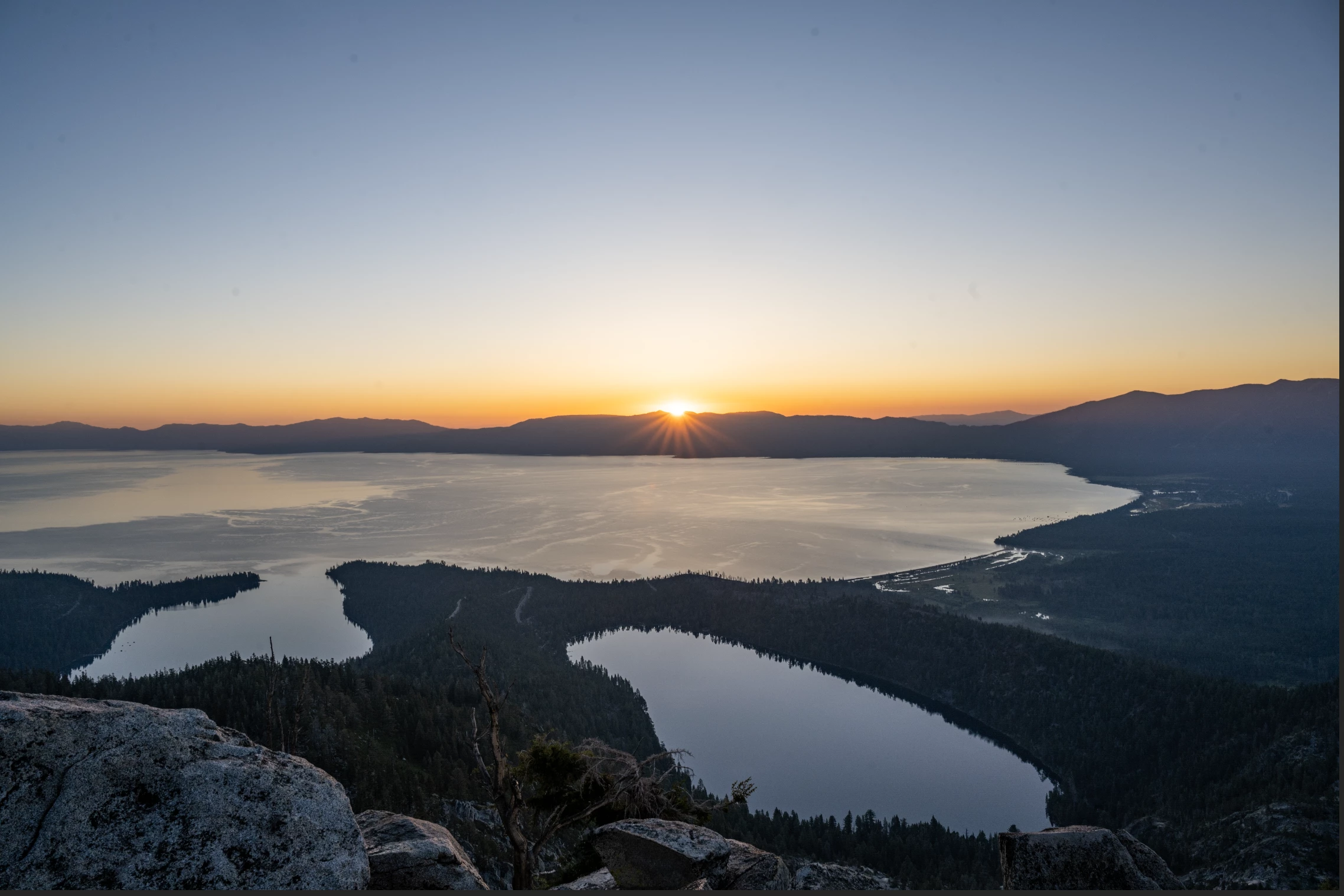
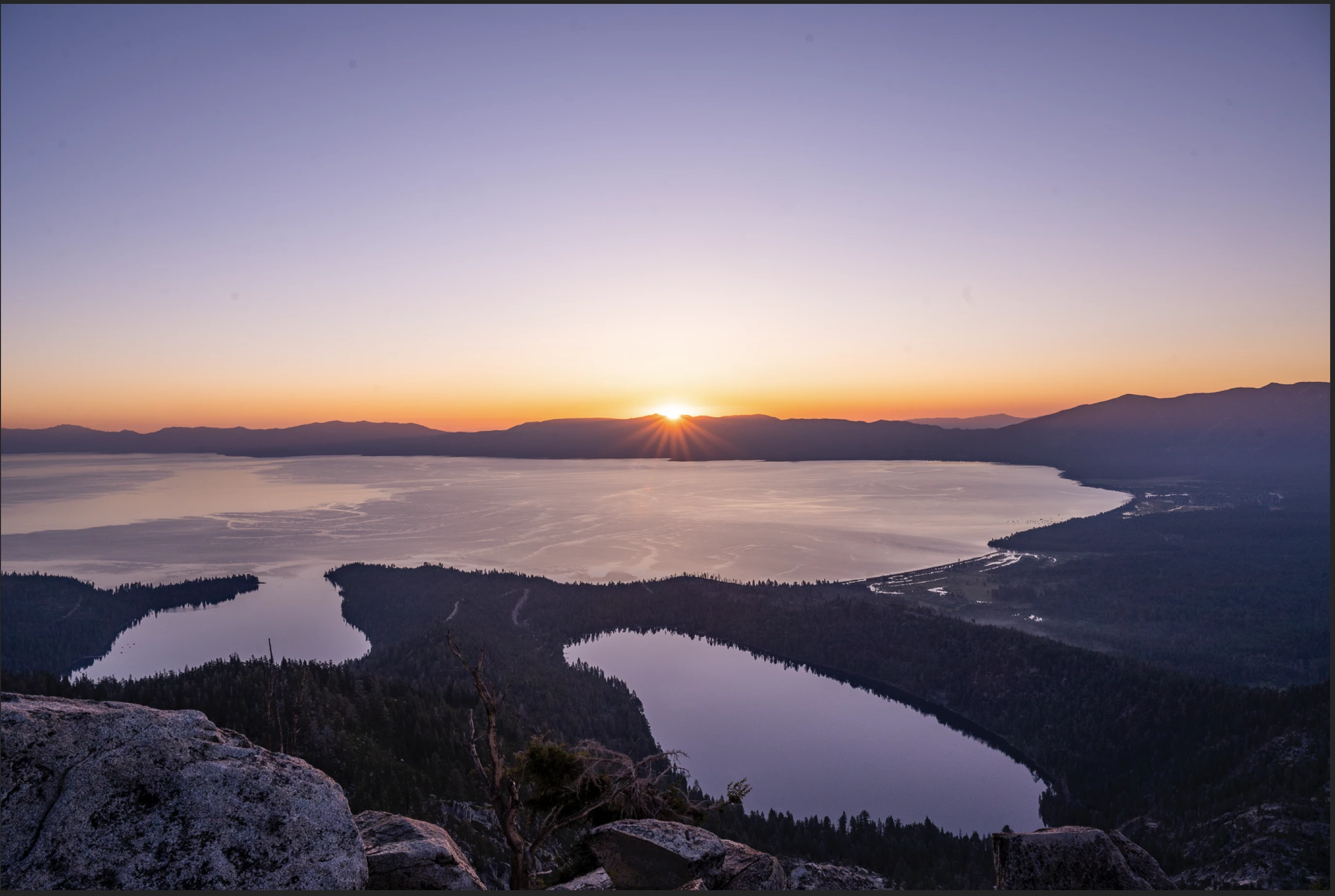
I'm experiencing a really weird issue where when I try to export a set of photos to JPG, there is a very noticeable additional purple tint applied that is not present on the original edited photo (and doesn't show up if I export as RAW file formats). Anyone encounter this issue or know what's going on? I've tried modifying the color space / output sharpening settings to no avail and am using "Screen" and "sRGB" as my defaults.


I'm on the latest version of Lightroom (3.3) and this is the first time I'm encountering this issue. It also strangely appears only for some of the photos in the same area (and with presumably the same general settings).


Here's an example below:

Original:


Export preview:
 

This topic has been closed for replies.

4 replies

Participant
March 12, 2024

I also am experiencing it since yesterday, I am sooo frustrated!  I tried everything


Participant
March 12, 2024
WhatsApp_Image_2024-03-12_at_15-30-55_4379569f.jpg
Rikk Flohr_Photography
Community Manager
March 12, 2024

You’ve posted to an ancient thread. It is highly unlikely that the issue described in this thread, though not impossible, is the same one you are currently experiencing. Rather than resurrect an old thread that is seemingly similar, you are better off posting to a new thread with fresh, complete information, including system information, a complete description of the problem, and step-by-step instructions for reproduction. 


If the issue is the same, we will merge you back into the appropriate location. 


Thank you!


Rikk Flohr: Adobe Photography Org
ccaphotographies_com
Participant
July 27, 2020

Hello,

I have exactly the same issue with files coming from Leica Q2 !!!!
The issue seems not happened with files from EOS R...

The issue seems to com from the LR3.3 version with mac OS and Leica Q2 files.

The only way is to revert to LR 3.2.1, but how to revert to 3.2.1 to restore the exports to normal ?

99jon
Legend
July 27, 2020

You can install older versions by clicking the three dots menu in Creative Cloud – see image below.

ccaphotographies_com
Participant
July 27, 2020

Thanks !!!!

99jon
Legend
July 19, 2020

I think one other person has reported a similar problem. I’m not seeing it personally. It seemed to be related to the Macbook Pro.

Participant
July 25, 2020

ugh yeah I have a Macbook. Is this a device-specific issue then? 

Participant
July 19, 2020

I have exactly the same problem. Super frustrating. Colors change, the image looks more red/purple when exporting to JPG