Participant
August 12, 2025
Question

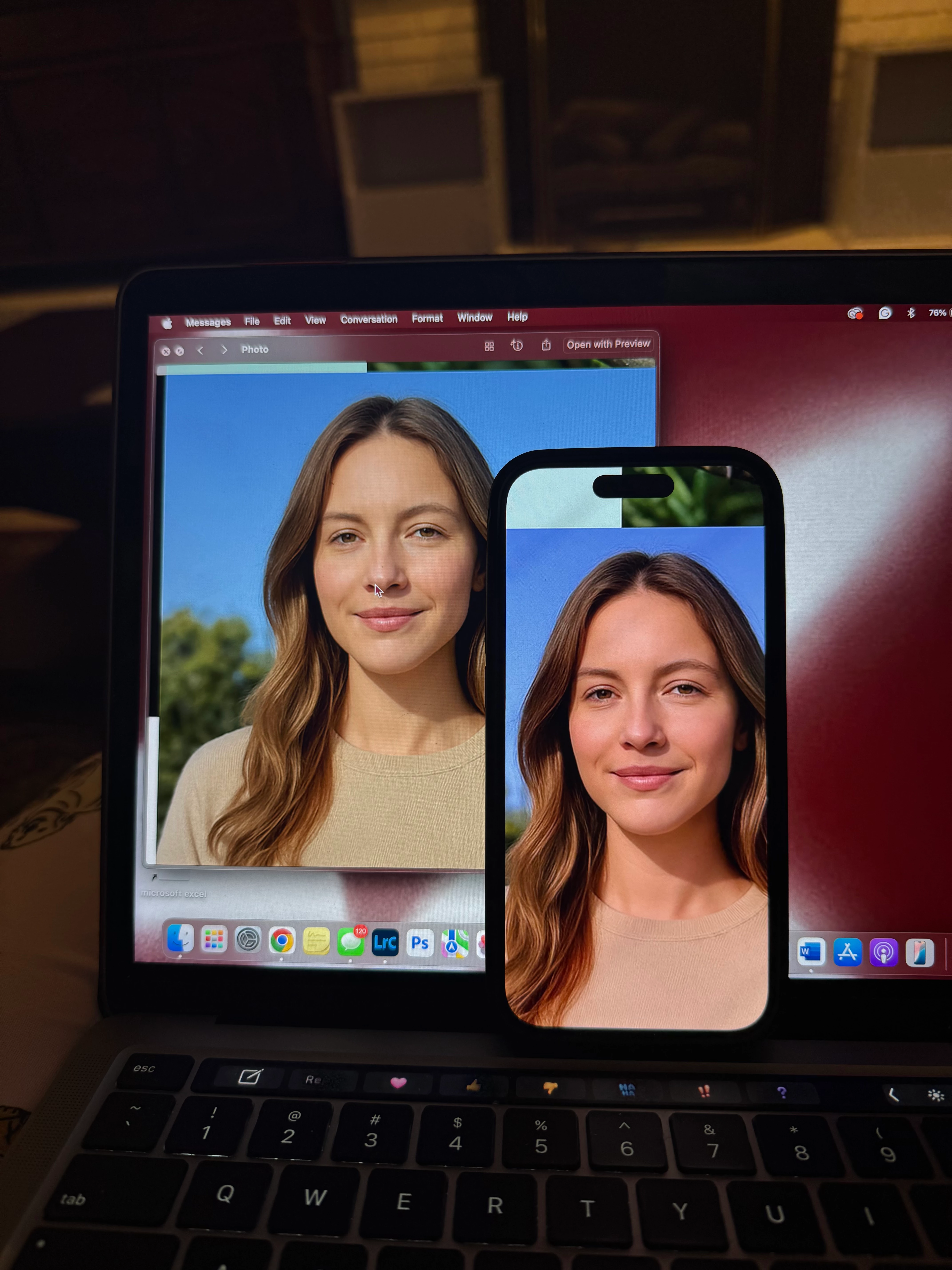
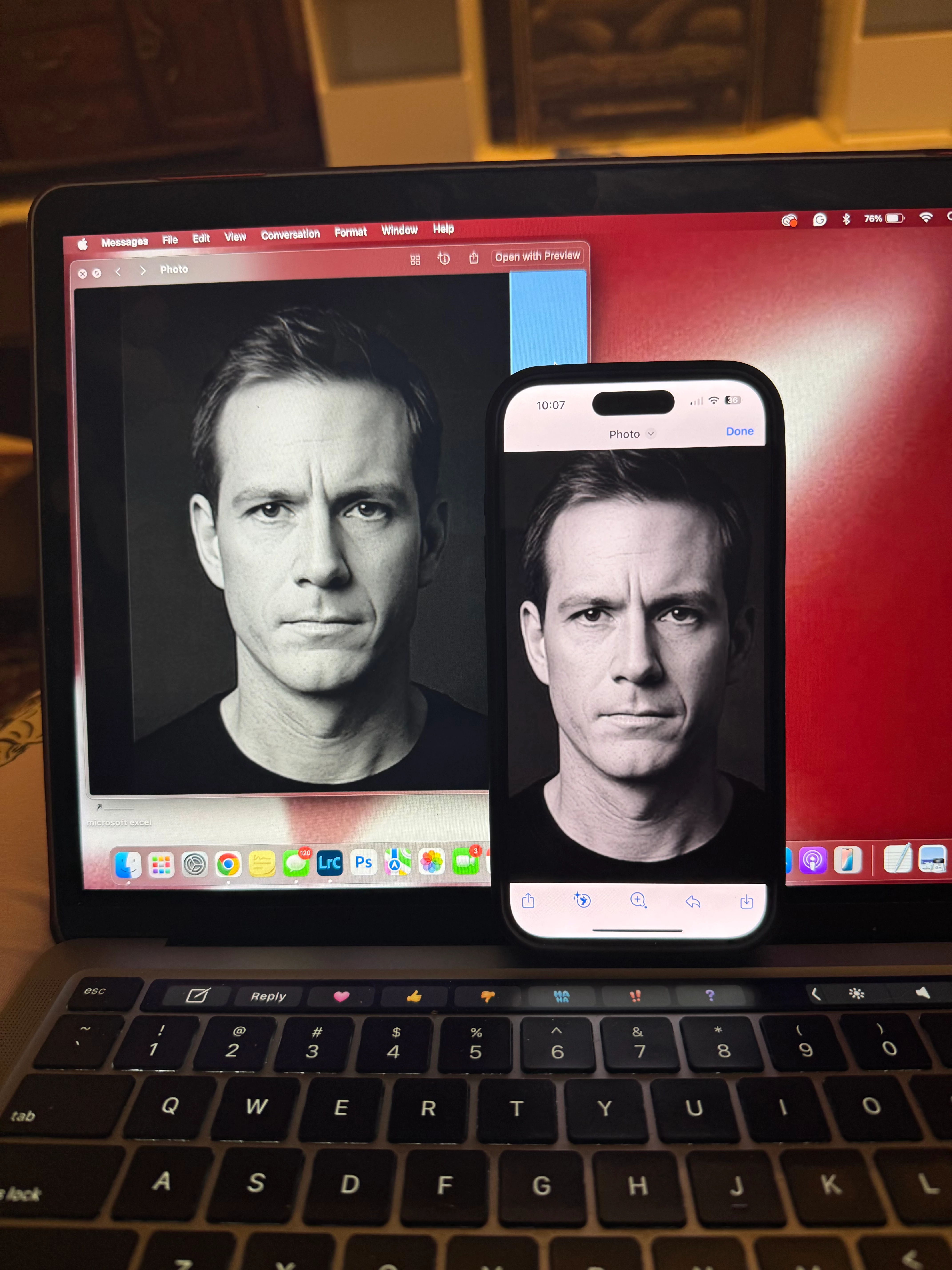
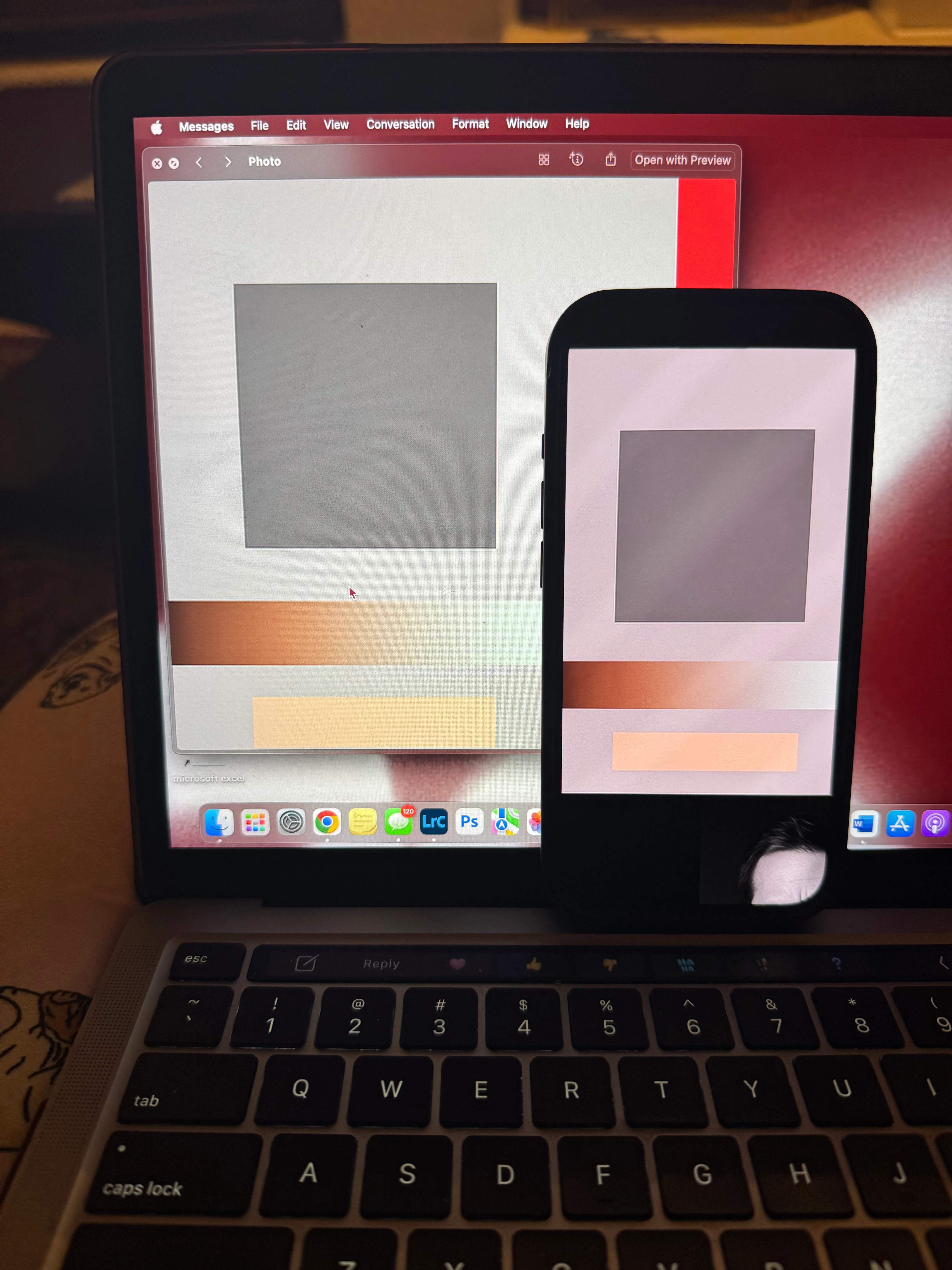
Colors are so different on iphone vs macbook
  • August 12, 2025
  • 3 replies
  • 685 views


PLEASE HELP URGENT!!

I am a photographer and i am editing my photos in lightroom on my macbook pro. when i go to look at the same image on my iphone 15 pro, it looks significantly different, even with a raw (unedited) photo. On my iphone, the photos appear warmer and have more contrast, also darker shadows. this is very frustrating because I mostly post my photos to be viewed on instagram, so most people will be viewing them on their iphone. i don't have true tone, night shift, or reduce white point on either of my devices. 

please help!!

3 replies

Conrad_C
Community Expert
Community Expert
August 13, 2025

If it’s a M1-M4 MacBook Pro, the display should be well calibrated out of the factory, and so should an iPhone 15 Pro, both with P3 gamut, HDR capable displays. Yes, they might be different, but when all settings are the same they should be more similar than two other random devices.


If TrueTone and Night Shift are definitely disabled on both the MacBook Pro and the iPhone, there’s one other possible thing to check: On both On your MacBook Pro, which Preset is selected in System Settings > Displays as shown in the picture below? (or Control Center > Display)


(In the picture below, in the third section of the menu are my presets so you won’t have those.)


Community Manager
August 12, 2025

Hi @lauren_1375, welcome to the community!

Totally understand how that can be frustrating. Screens can be tricky, colors often look different depending on the device, whether it’s your computer, your phone, or someone else’s screen on Instagram.

The best thing you can do is color calibrate your monitor and trust what you see there. Every device displays things a little differently, so unfortunately, there’s no way to control how others will see it.

If you have any questions, feel free to ask!

Thanks so much,
Alek

*(If you mention me with an @, like @Aleke, I’ll get a notification and can respond faster.)*
kglad
Community Expert
Community Expert
August 12, 2025

in the future, to find the best place to post your message, use the list here, https://community.adobe.com/

p.s. i don't think the adobe website, and forums in particular, are easy to navigate, so don't spend a lot of time searching that forum list. do your best and we'll move the post (like this one has already been moved) if it helps you get responses.


<"moved from using the community">
Participant
August 12, 2025

PLEASE HELP URGENT!!

I am a photographer and i am editing my photos in lightroom on my macbook pro. when i go to look at the same image on my iphone 15 pro, it looks significantly different, even with a raw (unedited) photo. On my iphone, the photos appear warmer and have more contrast, also darker shadows. this is very frustrating because I mostly post my photos to be viewed on instagram, so most people will be viewing them on their iphone. i don't have true tone, night shift, or reduce white point on either of my devices. the photo looks normal when i export to my desktop and when i airdrop it to receive it on my phone, that's when the colors change.

please help!!