Participant
February 20, 2024
Question

Connection Error with Lightroom on Mac OX X (Sonoma, 14.3.1)

  • February 20, 2024
  • 1 reply
  • 231 views

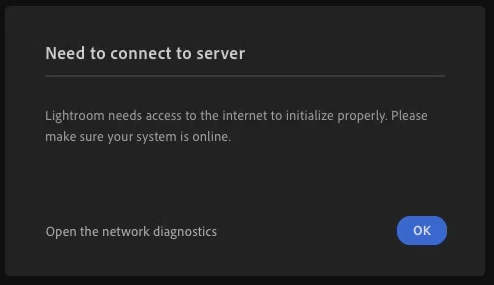
 Using Mac OS X Sonoma (14.3.1) and when I try laundhing Lightroom I get:

    Need to connect to server Lightroom needs access
    to the internet to initialize properly. Please make
    sure your system is online.

Snapshots below.... My Internet connection is fine and I can not get out of this without force quitting. It appears very similat to problems I found reported in 2019 and 2020 but don't know if anyone is experiencing this type problem in 2024 😞


 Open the network diagnostics 

This topic has been closed for replies.

1 reply

Sameer K
Community Manager
Community Manager
March 5, 2024

Hey, @BR35562206dp8e. Welcome to the Lightroom Community. I'll help you figure this out. What troubleshooting steps have you tried? 


Have you tried switching internet networks? 

Follow these steps:

1 - Sign out of the Creative Cloud desktop app & sign in again. 

2 - In the Creative Cloud app, press  CMD + OPT + T (macOS) to launch Creative Cloud Troubleshooter & select 'Close Creative Cloud and related processes' > click on Go.

3 - macOS - In Finder > Search for KeyChain > Clear all entries, certificates & secure notes related to Adobe.

4 - Restart the computer and sign in to Creative Cloud again.


Let me know how it goes.

Thanks!

Sameer K